Participant
June 7, 2022
Question

Exporting via JPG/PNG blurs narrow black spikes into a black block

  • June 7, 2022
  • 1 reply
  • 208 views

Hi


I have created an image in Photoshop that has multiple narrow black vertical lines, but when I try to export, it just blurs together.
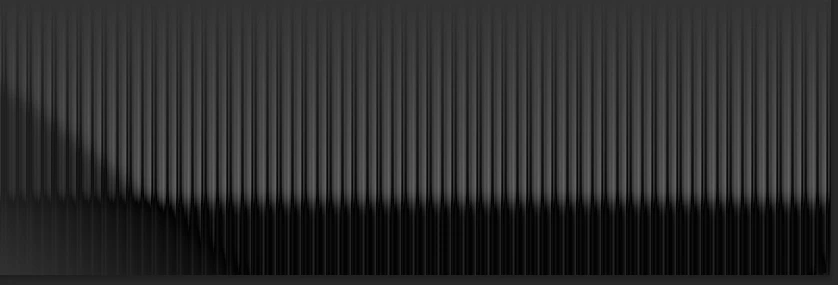

 

Any ideas what settings have to be changed and why?

Big thanks.


This topic has been closed for replies.

1 reply

D Fosse
Community Expert
Community Expert
June 7, 2022

What's the pixel size before and after?

Participant
June 8, 2022

Hi

Strange .. image in photoshop is 7200 x 4800 with 300ppi .. after export to jpg it is 72 ppi.

Think you might be onto something.

Again big thanks for the help.

D Fosse
Community Expert
Community Expert
June 8, 2022

Ppi doesn't matter. How many pixels? That's the important part, that's what determines how much information your file contains. If you downsampled considerably, there aren't enough pixels to carry that information.


Pixels per inch is just a way to translate the available pixels in the file into a physical print size. It's a measure of pixel density on paper. Pixels per inch - it means exactly what it says.


Since Export is intended for web/screen/mobile devices, the ppi number is just stripped from the file. It's not needed. When you reopen the file into Photoshop, a default ppi number is assigned for other reasons, and that just happens to be 72 in Photoshop. In other apps it may be 96 or some other number.