Participant
October 27, 2023
Answered

Extension option not available in windows tab

  • October 27, 2023
  • 2 replies
  • 457 views

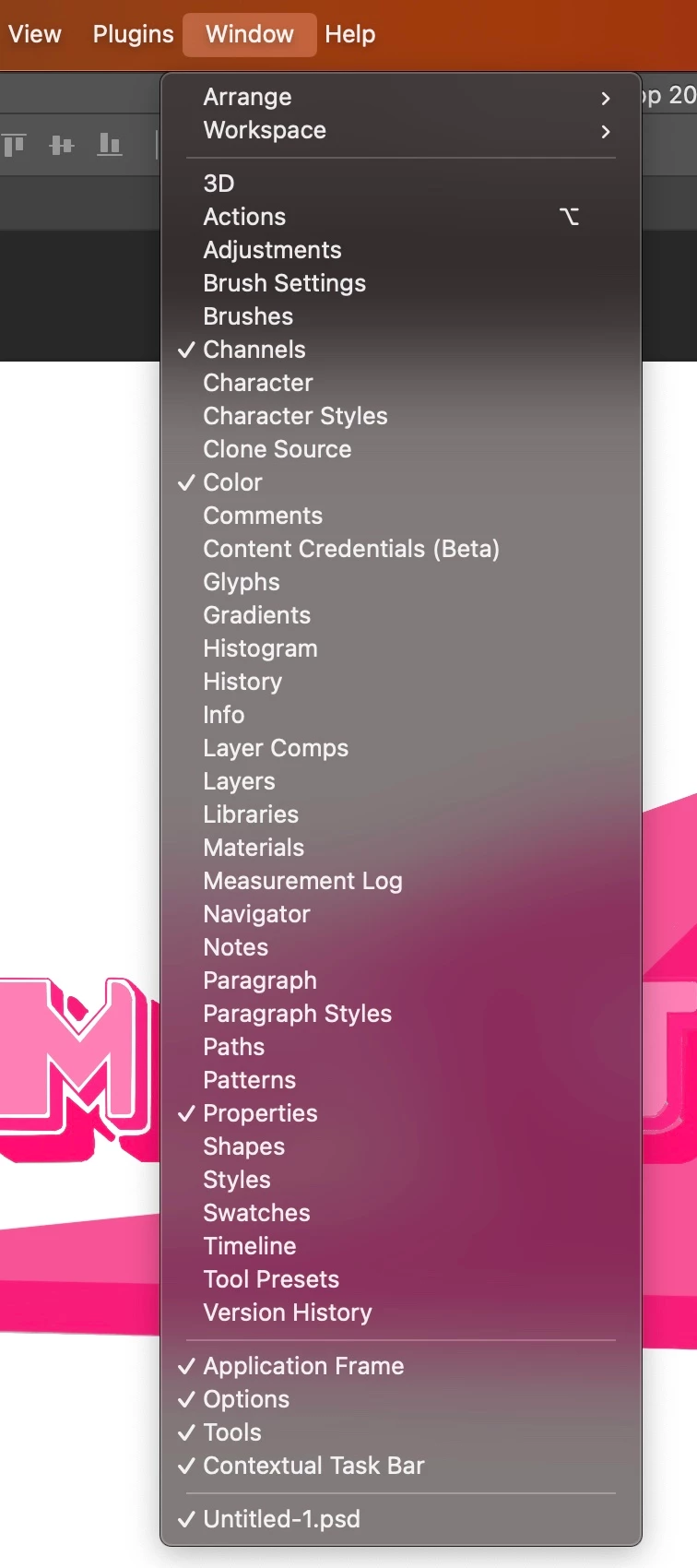
 Hey I currently have downloaded Photoshop 24.7.0 and I'm trying to open up an extension that I downloaded but there's no "Extensions(legacy)" option available in order for me to open the program. Been searching the web and a lot of people are saying that in order to fix this I need to run Photoshop on Rosetta... but there's no option to run photoshop on Rosetta with my Mac. Kind of in a tight spot right now because I can't find anywhere on the internet where I'd be able to fix this issue... so any input/suggestions would help.. thanks in advance !!
 

    This topic has been closed for replies.
    Correct answer Jeff Arola

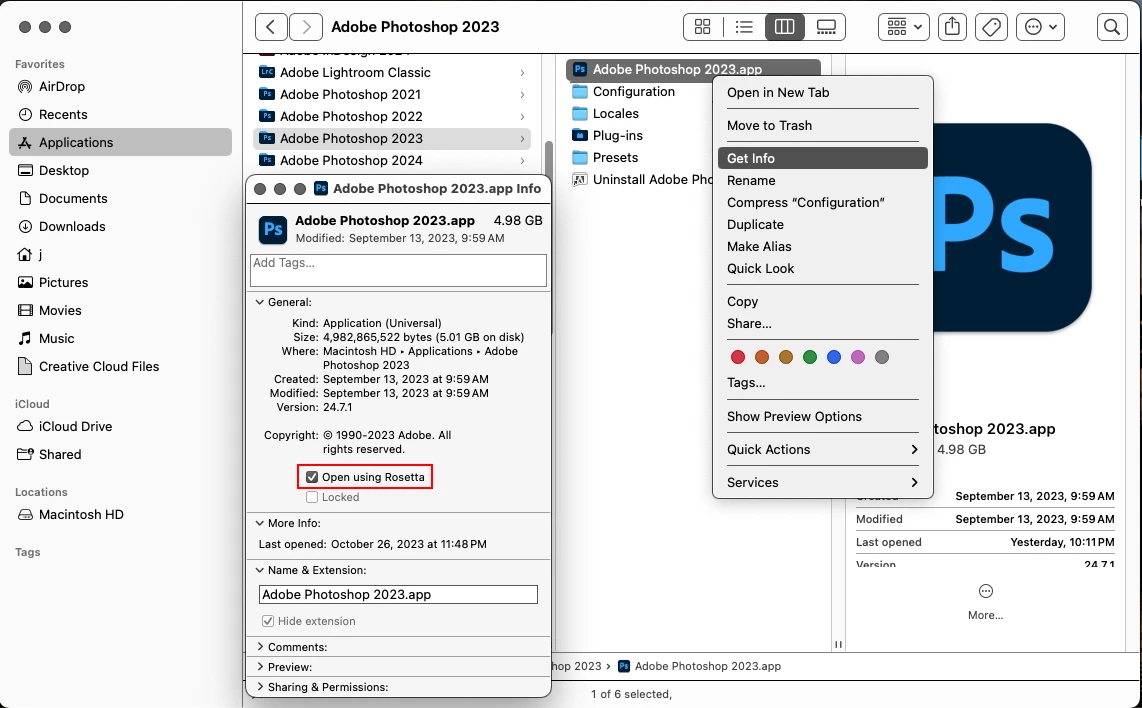
    To open Photoshop 2023 under Rosetta you need to right click on the

    Adobe Photoshop 2023.app inside the Applications>Adobe Photoshop 2023 folder.


    2 replies

    Jeff Arola
    Community Expert
    Jeff ArolaCommunity ExpertCorrect answer
    Community Expert
    October 27, 2023

    To open Photoshop 2023 under Rosetta you need to right click on the

    Adobe Photoshop 2023.app inside the Applications>Adobe Photoshop 2023 folder.


    John T Smith
    Community Expert
    Community Expert
    October 27, 2023

    You need to ask program questions in the forum for the program you are using
    To ask in the forum for your program please start at https://community.adobe.com/
    Moving from Using the Community (which is about the forums) to the Photoshop forum