Question
External Hard Drive Space Error - Mimics Startup Drive (Scratch Disk)
Has anyone else had this issue (Macbook)?
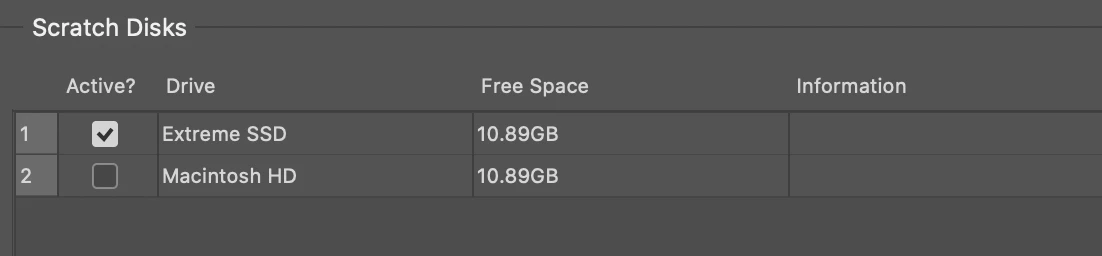
I have my external harddrive showing up in my scratch disk options, but there should be over 104 gigs available. For some reason, photoshop is making my external drive's available space mimic my startup drive's available space. Which literally defeats the purpose. My external drive should give me plenty of scratch disk space.
Please see image below. I've been dealing with this issue for a few months now. Any help is greatly appreciated!
 AdChoices