
Known Participant
March 2, 2021
Question

Extreme lag and tearing in "Save for web" window in Photoshop on Windows 10

  • March 2, 2021
  • 1 reply
  • 831 views

Hello


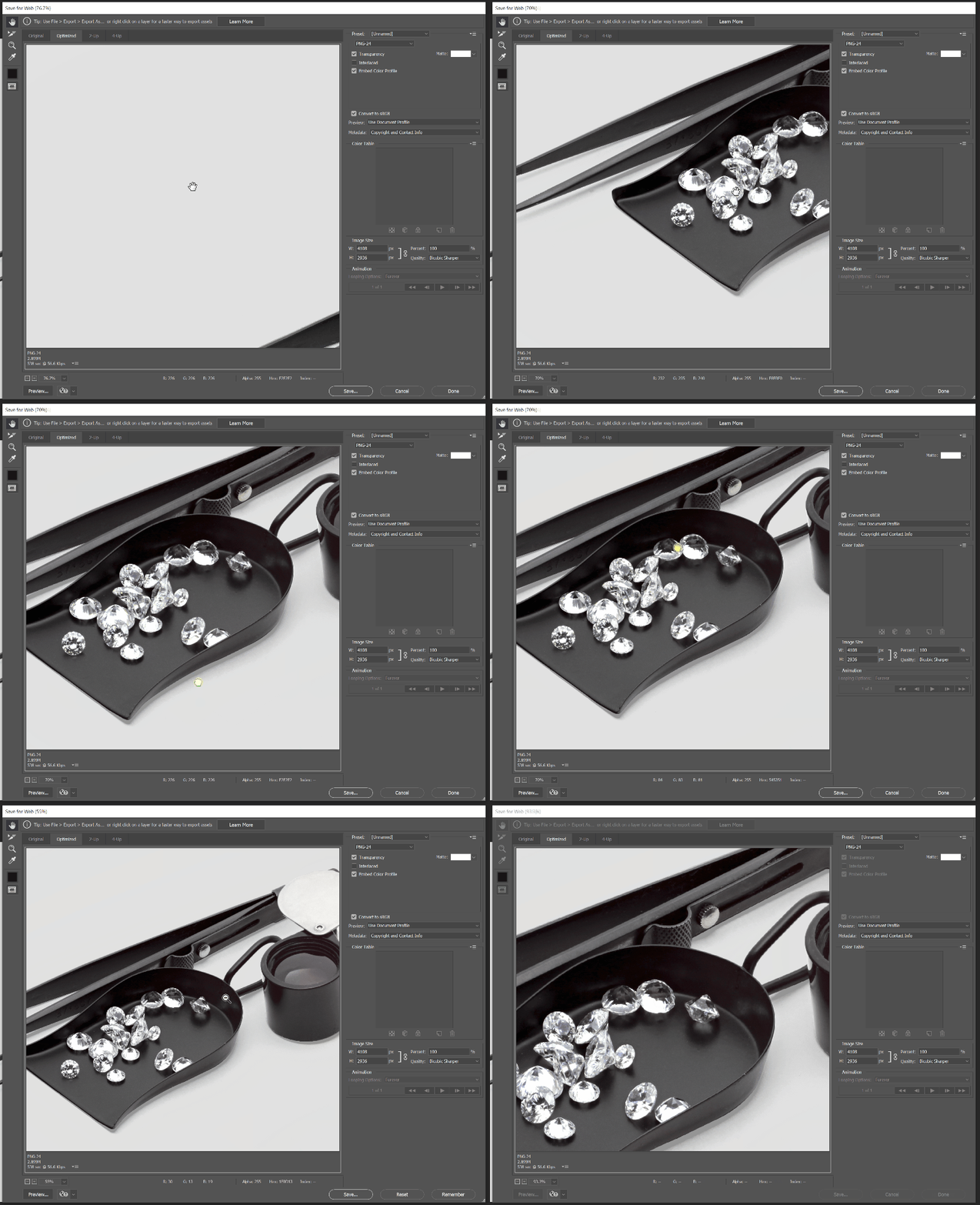
lately, I have extreme slow lag and tearing when using the "Save for web" export window

it's very hard to work like this and it doesn't matter what file size or resolution I am working with it happens with small files same as with huge files.


what can be the source of this issue?

"Save for web" on illustrator works just fine


My Setup
PC WIN10
32G RAM

GPU Quadro P600

4K 60hz 10bit


This topic has been closed for replies.

1 reply

nikunj.m
Legend
March 3, 2021

Hi,


We're sorry about the trouble with Photoshop. Would you mind telling us the exact version of Photoshop you're using? please ensure you have all available Windows updates installed on the computer.


You can try disabling the option to Use Graphics Processor from Photoshop by going to Preferences, then Performance. Once done, quit & relaunch Photoshop to check if that helps. If it helps, please check out the steps suggested here: https://helpx.adobe.com/photoshop/kb/troubleshoot-gpu-graphics-card.html


If the issue persists, you can try to reset the preferences of Photoshop using the steps mentioned here: https://adobe.ly/2Qzc0K3

Please backup your settings prior to resetting the preferences. You can check: https://adobe.ly/2vNz6FG


Let us know how it goes!

Regards,

Nikunj

Known Participant
March 3, 2021

Thank you for your answer


My version is 22.2.0


I followed your instruction

When disabling the GPU all actions within Photoshop add lags and tearing the same has on the "Save for Web" screen.

What made me think that my "Save for web" ignoring the GPU or vise versa


After resetting all settings GPU was on again, and the "Save for web" still had lag and tearing