BenSCR
Inspiring
December 12, 2016
Answered

Extrude Text [2016]

  • December 12, 2016
  • 3 replies
  • 3579 views

How can I extrude text like this screenshot below.

 

This topic has been closed for replies.
Correct answer davescm

Hi Ben

You can use the 3D tools in Photoshop.

1st use the type tool to type your word.
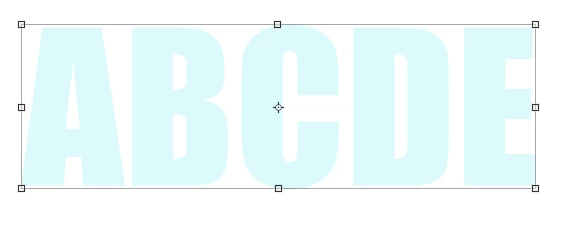
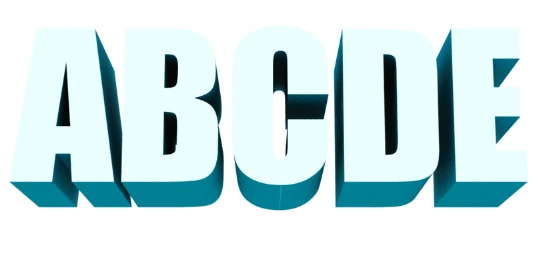
With the type layer selected go to Type - Extrude to 3D

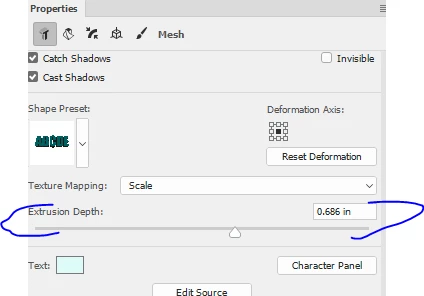
In the 3D panel click on the text and in properties adjust the extrusion depth
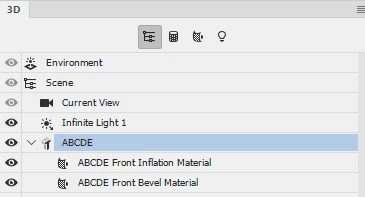
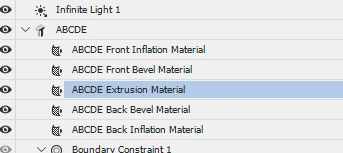
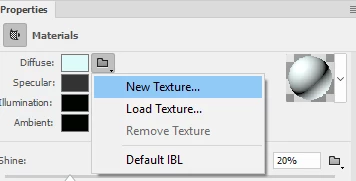
The front will be the colour you typed for the letters, To colour the extrusion, click on the extrusion material in the 3D panel and in Properties next to Diffuse click the folder and click on New Texture

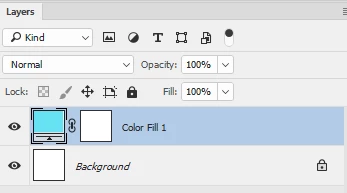
With the material open - add your colour - I've just used a plain colour. If you want to make a gradient you will need to use the UV guides (those black lines) as a guide.

Save the texture

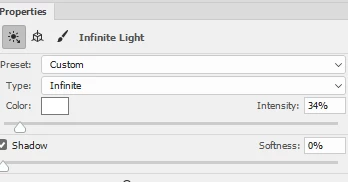
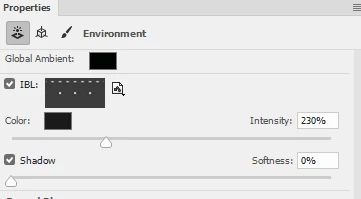
You may need to adjust the infinite light and the  IBLGlobal Light intensity intensity to balance appearance of the colours

Infinite Light

Image Based Light:

Click on the move tool then use the camera controls to adjust the view

Once happy - use 3D Render 3D layer

Have fun - shout if you get stuck

Dave

3 replies

davescm
Community Expert
davescmCommunity ExpertCorrect answer
Community Expert
December 12, 2016

Hi Ben

You can use the 3D tools in Photoshop.

1st use the type tool to type your word.

With the type layer selected go to Type - Extrude to 3D

In the 3D panel click on the text and in properties adjust the extrusion depth
The front will be the colour you typed for the letters, To colour the extrusion, click on the extrusion material in the 3D panel and in Properties next to Diffuse click the folder and click on New Texture
With the material open - add your colour - I've just used a plain colour. If you want to make a gradient you will need to use the UV guides (those black lines) as a guide.
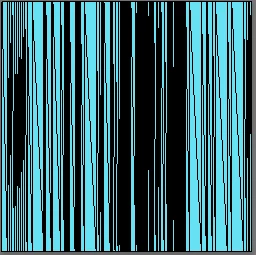
Save the texture

You may need to adjust the infinite light and the  IBLGlobal Light intensity intensity to balance appearance of the colours

Infinite Light
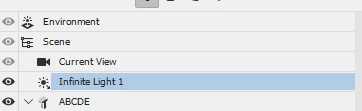
Image Based Light:

Click on the move tool then use the camera controls to adjust the view

Once happy - use 3D Render 3D layer
Have fun - shout if you get stuck

Dave

Participating Frequently
May 21, 2022

is it possible to extrude text in substance 3d designer?

Trevor.Dennis
Community Expert
Community Expert
May 23, 2022

Paging @davescm 

postrophe
Inspiring
December 12, 2016
Trevor.Dennis
Community Expert
Community Expert
December 12, 2016

What version of Photoshop are you using?  Does it have a 3D menu?

BenSCR
BenSCRAuthor
Inspiring
December 12, 2016

I'm using Photoshop CC 2017.

It does have a 3D menu and I know how to extrude text. But I'm just wondering how I would make the from of he text say Blue and the extruded part Black.