
Answered
Eyedropper function in adjustment layers changed
Hi all..
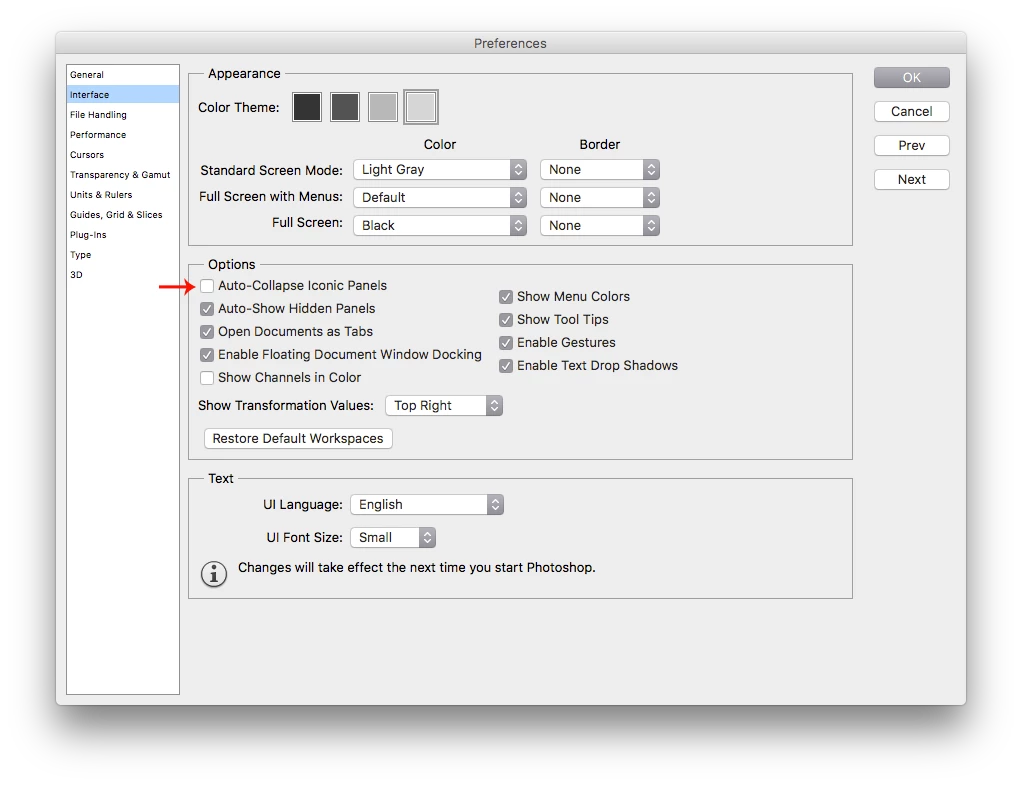
Running CS 6 on MacOS Sierra. Have been experiencing this for some time now. I used to be able to use the eyedropper tool in a curves or hue/sat adjustment layer to select a color or tone and then see in the adjustment layer panel what point was selected as I dragged the eyedropper over the image. Now this seems to have gone away. When I use the eyedropper tool, the adjustment panel closes and I can no longer see the range I'm in. I ca still drag the dropper all over the image and adjust the tones up or down, i just cant see where i am in the adjustment layers panel.
Is there a way that I can get this back to how it used to be? It's really annoying esp when i use hue/sat becuase I cant see the color range i'm in now.
Thank you
 AdChoices