Question
Eyedropper tool not connected to gradient tool?
Hi!
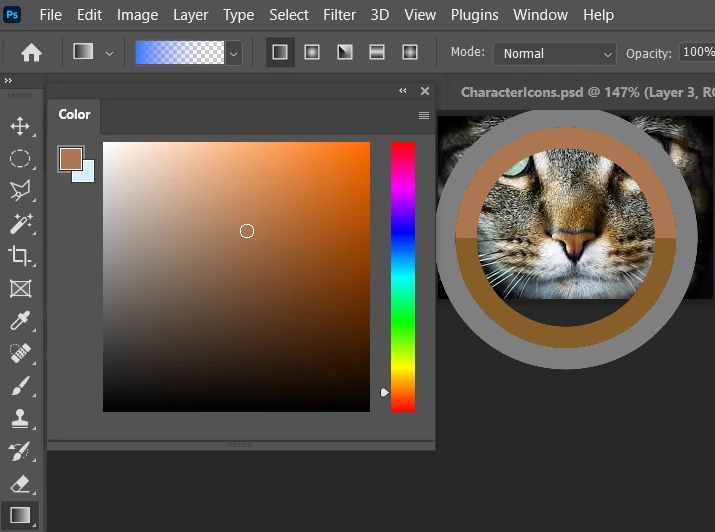
I'm hoping this is not a bug and someone knows a quick solution to this, it keeps bugging me on my work almost daily. I need to use "manual" gradients on layers like I'm using the brush tool. Whenever I pick a color on the image with the eyedropper tool the color changes on the color panel but not on the gradient panel. It used to change the color on the gradient too but not anymore, and now requires a tedious extra step.
In here I have the gradient tool selected, and I'm trying to pick a color from this image. As you can see, the color on the gradient panel is neither changing on the go nor after finishing picking the color.
I'm using Photoshop v 23.1 on Win10.
Thanks in advance.
BR,
Emma
 AdChoices