
Claudio Chen
Participant
January 11, 2017
Answered

"Failed to export clipboard because of program error" appears in quick selection

  • January 11, 2017
  • 1 reply
  • 3494 views

Title: 在快速选择时出现“无法导出剪贴板,因为程序错误”

设备为surface book i5 8G GPU版本,所以应该不会是内存的问题。

在执行快速选择时,经常会出现“无法导出剪贴板,因为程序错误”的问题,见截图。

Google Translation: Equipment for the surface book i5 8G GPU version, it should not be a memory problem.

In the implementation of rapid selection, often appear "can not export the clipboard, because the program error" problem, see the screenshot.
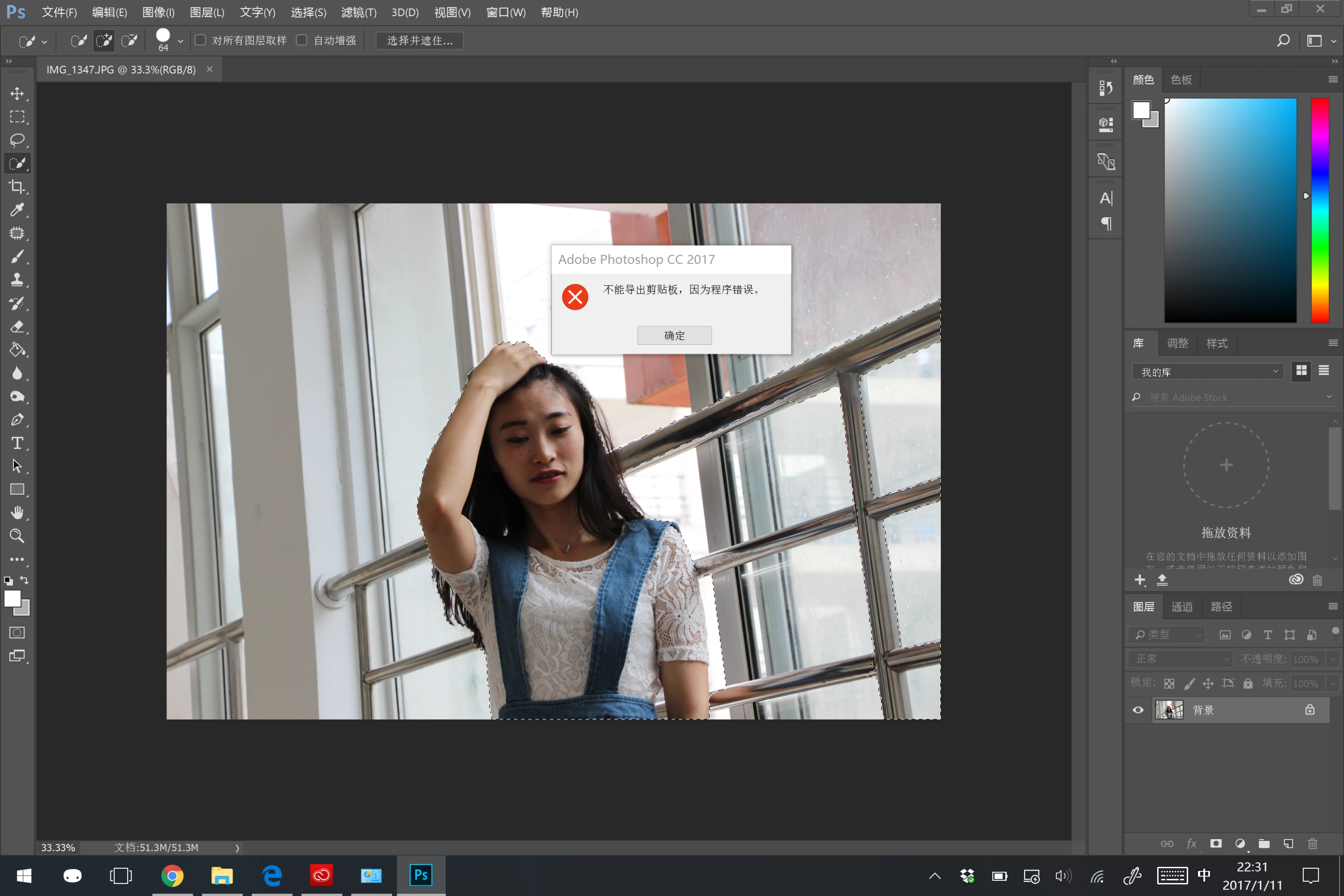
!

This topic has been closed for replies.
Correct answer Claudio Chen

i have changed the memory allowance higher in the preference settings and it seems working now. i will keep updated to the problem to see whether it is solved.

the default setting limits the memory allowance for photoshop at about 3000-4000 MB. in ps cc 2016 version there is no such problem. now i rise it to about 5000 MB and it seems to be better.

thank you for you support!

regards,

Chen

1 reply

Pete.Green
Community Manager
January 11, 2017

Hi Claudio Chen,

Sorry for the program error when pasting. It could be the clipboard data is too large to be pasted, or it could be corrupt preferences.


I'd try resetting the Photoshop preferences to see if that'll resolve the program error.

Solve Adobe Photoshop problems and issues by keeping it up-to-date

Let us know how that goes.

Regards

Pete

Claudio Chen
Claudio ChenAuthorCorrect answer
Participant
January 11, 2017

i have changed the memory allowance higher in the preference settings and it seems working now. i will keep updated to the problem to see whether it is solved.

the default setting limits the memory allowance for photoshop at about 3000-4000 MB. in ps cc 2016 version there is no such problem. now i rise it to about 5000 MB and it seems to be better.

thank you for you support!

regards,

Chen

Pete.Green
Community Manager
January 11, 2017

Thanks for the update Chen, glad it's working for you.

Let us know if you run into further trouble,

Regards

Pete