Participant
December 25, 2023
Answered

Farbe ersetzen

  • December 25, 2023
  • 1 reply
  • 420 views

Hallo, ich habe ein Bild mit einem schwarzen Motiv, das ich in die Farbe GOLD ändern möchte (siehe Attachment). Es gibt viele Beiträge darüber, wie man das tun kann, aber keiner hat mein Problem gelöst. Kann jemand mir sagen, wie ich die Farbe schwarz durch gold ersetzen kann? Vielen Dank!

This topic has been closed for replies.
Correct answer Ged_Traynor

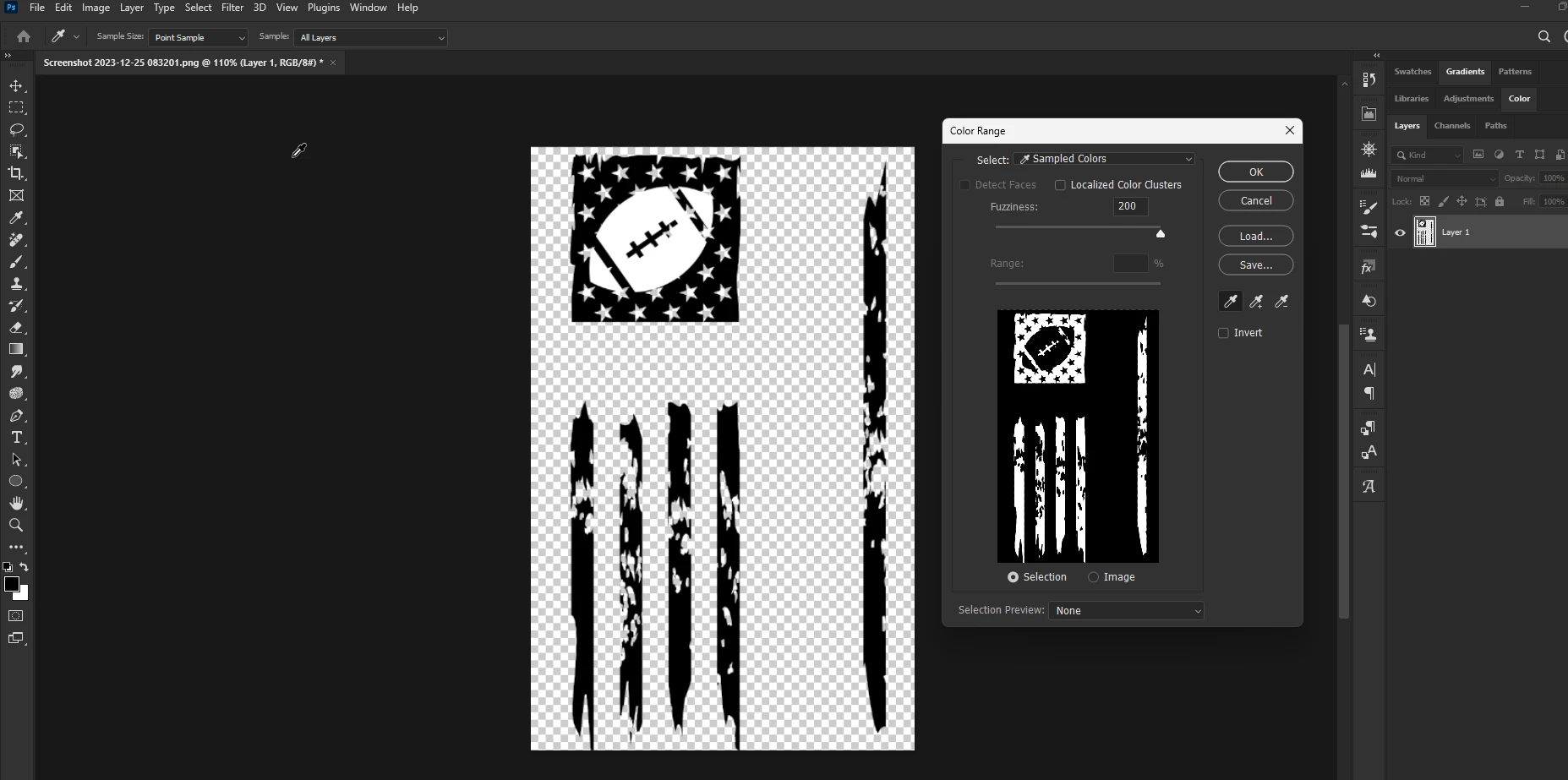
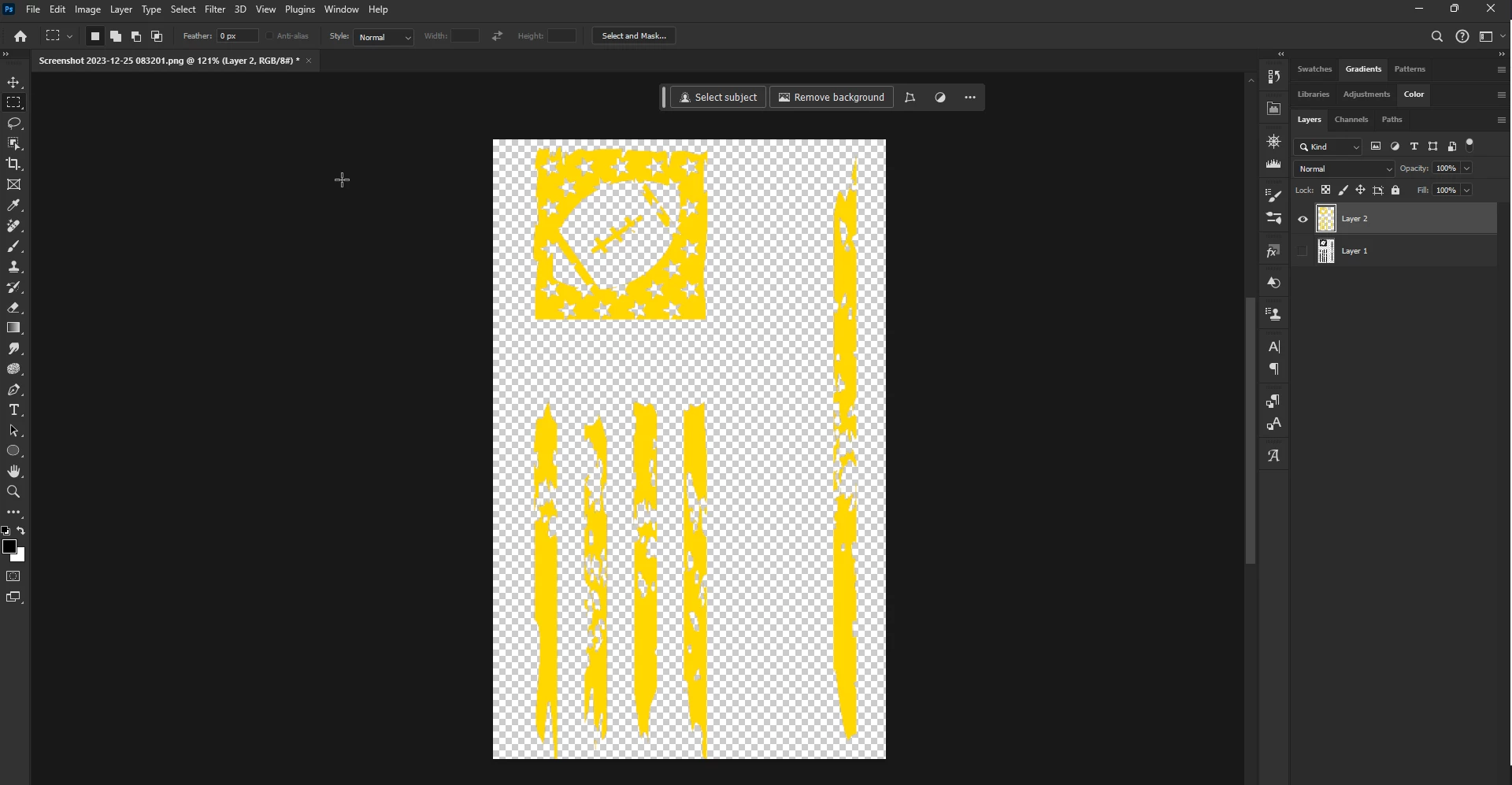
@Adrian235382224zrb have you tried Color Range from the Select menu to make a selection and then Ctrl + J to copy the selection to it's own layer, disable the original layer, Ctrl click on the copied layers thumbnail to make a selection and then Shift + Backspace to bring up the Fill dialog and choose your color of choice
 

1 reply

Ged_Traynor
Community Expert
Ged_TraynorCommunity ExpertCorrect answer
Community Expert
December 25, 2023

@Adrian235382224zrb have you tried Color Range from the Select menu to make a selection and then Ctrl + J to copy the selection to it's own layer, disable the original layer, Ctrl click on the copied layers thumbnail to make a selection and then Shift + Backspace to bring up the Fill dialog and choose your color of choice


Participant
December 26, 2023

OMG, that worked perfectly!!! Thank you so much! You have no idea how much time I spent trying to figure this out. To me your solution is a wonderful Xmas present. Thank you!!
