Participant
June 30, 2018
Question

Farbe so transparent machen das man Muster sieht?

  • June 30, 2018
  • 2 replies
  • 319 views

Moin zusammen,

ich habe folgendes Problem:

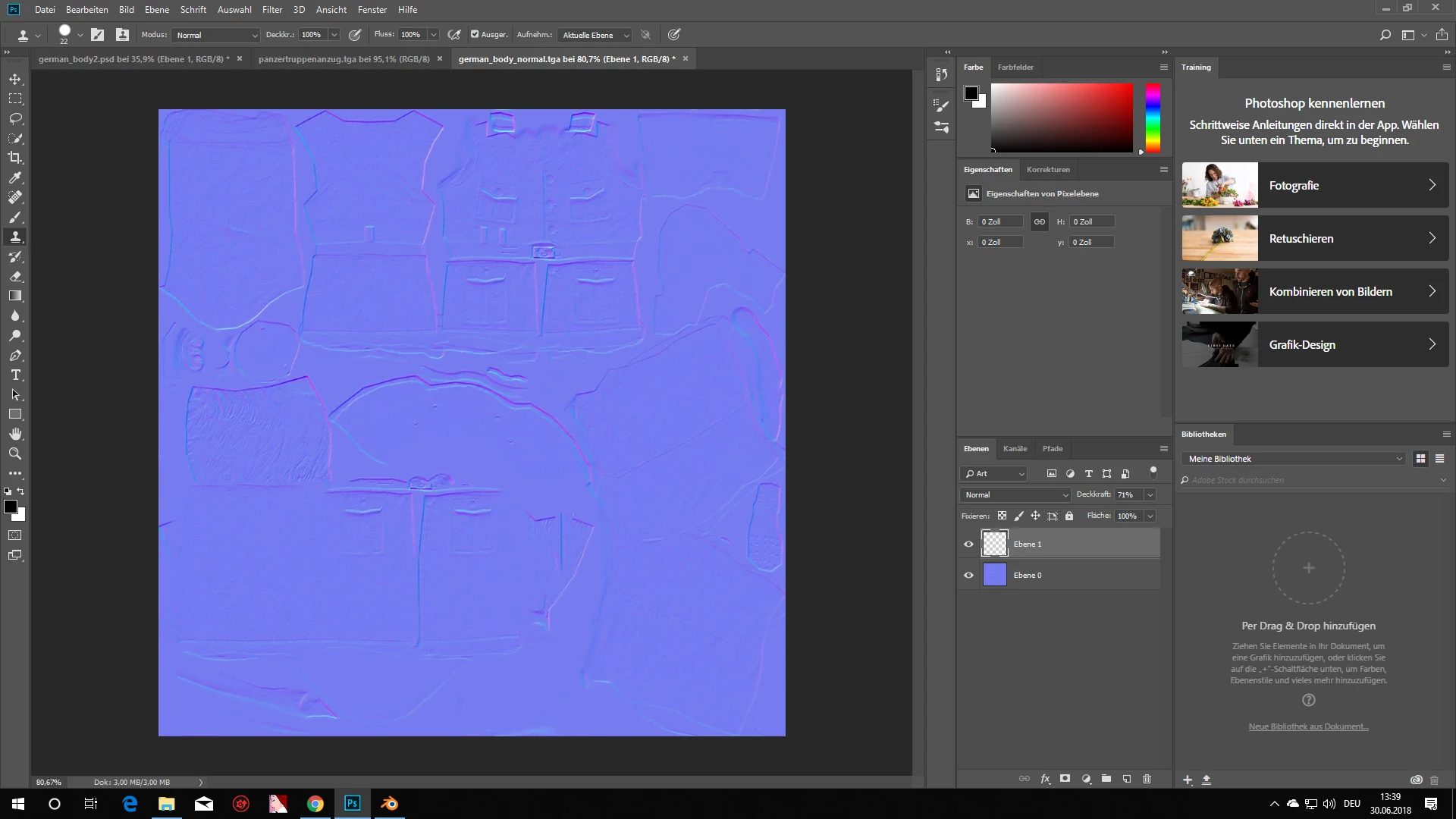
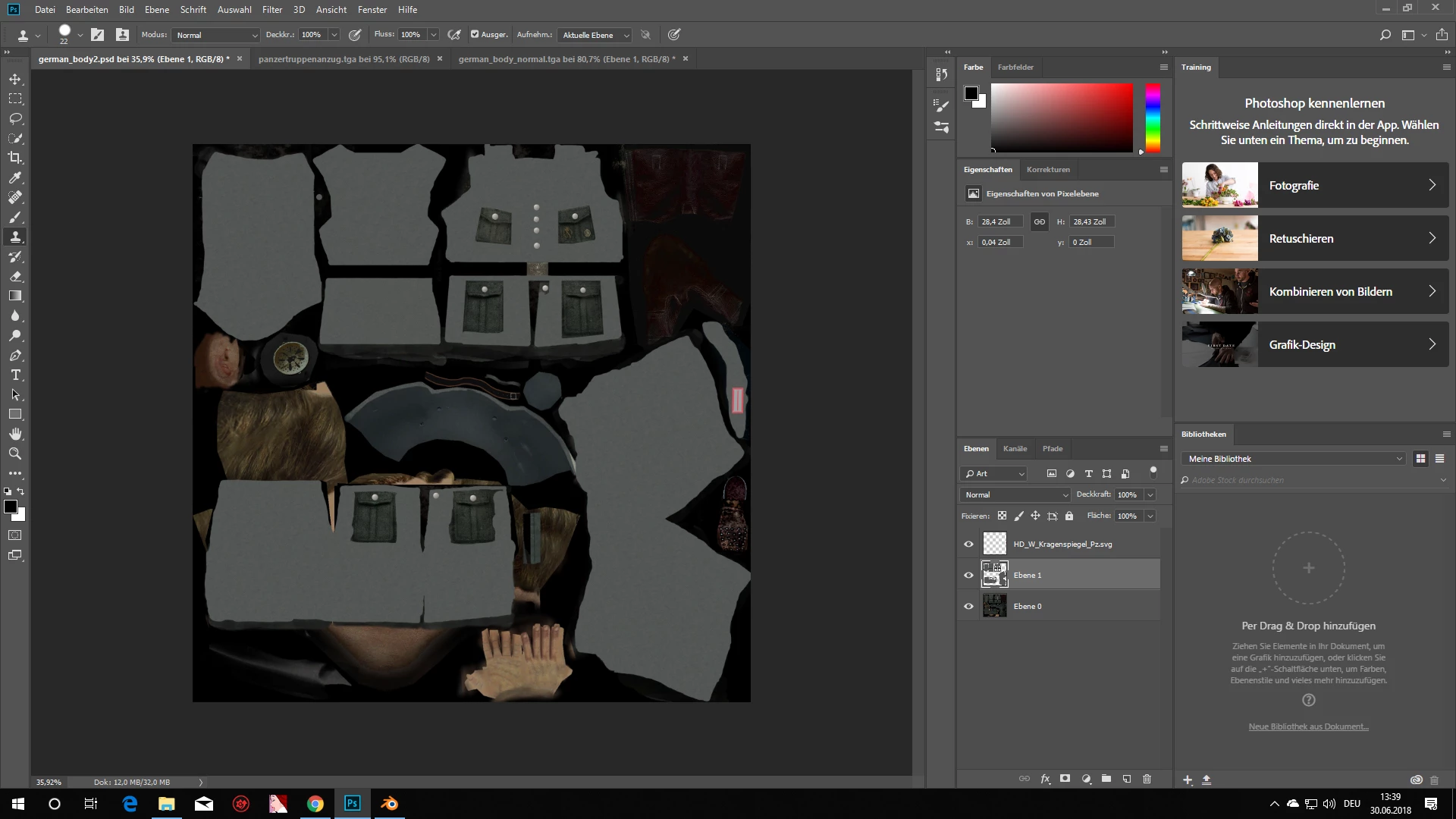
Ich möchte einen Anzug mit einem anderen Material bestücken, allerdings geht dann das angezeigte Muster (die Naht) weg. Kann man Die Farbe irgendwie transparent machen das man die Muster sieht?

Hier ist das Muster:
So sieht sieht es ohne die Muster aus (das graue ist die neue Farbe):
[Here is the list of all Adobe forums... https://forums.adobe.com/welcome]
[Comments is to ask about the operation of the Forum, not a specific program]
[Moved from the Comments forum to the specific Program forum... Mod]

This topic has been closed for replies.

2 replies

c.pfaffenbichler
Community Expert
Community Expert
July 1, 2018

Otherwise please explain what »Muster« you mean – also elements like the buttons, pockets, …?

Mylenium
Legend
July 1, 2018

Versteh dein Problem nicht. Klingt irgendwie ganz grundsätzlich so, als ob du nicht verstehst, wie 3D funktioniert. Was hat die Normalmap mit der Farbinformation zu tun? Das sind zwei völlig unabhängige Dinge und du kannst dein Modell mit einem lila "Joker"-Anzug im Farbkanal ausstatten, ohne dass davon die Normalmap irgendwie beeinflusst wird. Den Rest macht die 3D-Engine. Deine Vorlage enthält ja auch keinerlei sichtbare Nähte in der Farbtextur.

Mylenium