

FastPictureViewer Not Showing Some .psd Files
Hello Photoshop Community,
Does anyone out there use FastPictureViewer with Photoshop and know how to troubleshoot this problem? Recently, I had to create a new Windows user profile on my work computer. I have a codec called FastPictureViewer installed, which let me view thumbnails of my Photoshop projects from Windows Explorer, just like on Apple's Finder. VERYconvenient TIME-SAVER!
For some reason, the codec does not work under the new profile. Only about one-third of the Photoshop files actually display thumbnails. The rest only display the generic Photoshop icon. It doesn't seem to matter what the file sizes are. It seems random as to which ones display correctly. Here are screenshots to show what I mean:
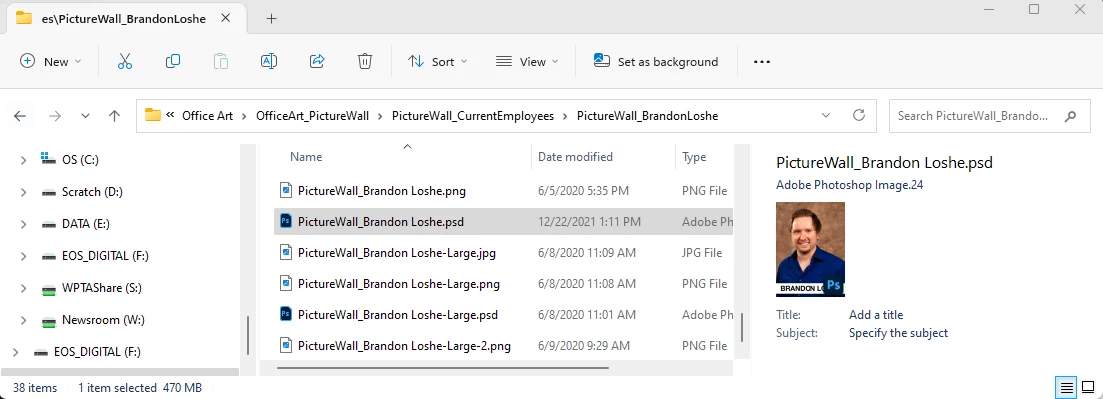
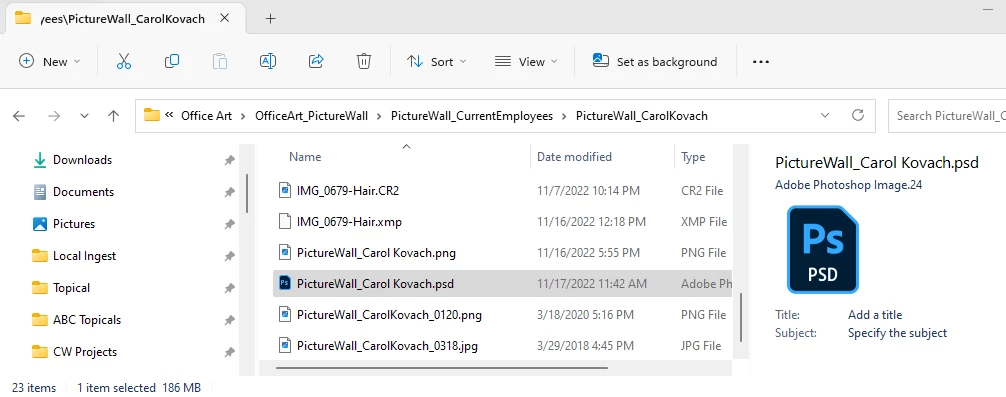
I haven't updated my Windows OS nor Photoshop version for a while, so I don't think it's update-related. But I am on Photoshop Version 24.1.1. Anyone else ever run into this or know how to fix this?
And no, I don't want to use Adobe Bridge. The objective here is to figure out how to view my files through the Explorer windows through FastPictureViewer again.
Thank you in advance,
Brandon Loshe
 AdChoices