
Participating Frequently
November 14, 2019
Answered

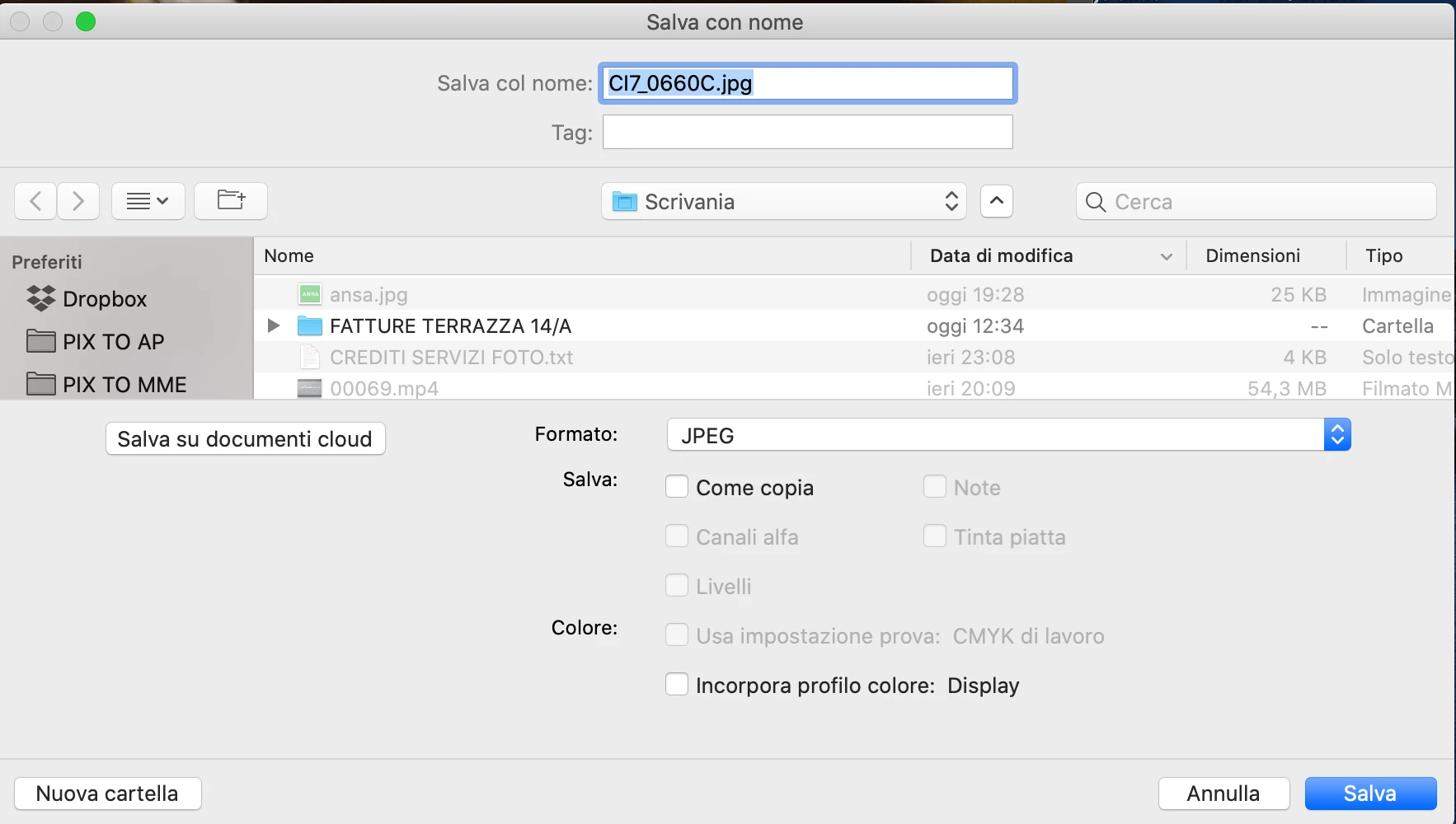
File name and extension highlight when saving on macOS 10.15 Catalina

  • November 14, 2019
  • 35 replies
  • 12409 views

Hello. After last updates (Osx Catalina and CC 2020), when the save window appear, the focus, highlite, is on all the file name and extension instead only the filename. I suspect the issue is related to Catalina, but I ask if anyone has noticed the same thing. My working speed is affected and I would like to know if anyone has a solution to ensure that only the file name is highlighted (in save and export).
Thank you
 

This topic has been closed for replies.
Correct answer Martie Seesing

I have no solution for the highlighting, but if you save the image the extension will be attached in the proper way. 

35 replies

juliew34345023
Participant
December 18, 2019

I have this issue and just recently it's not highlighting anything with a new document when I click save. I have to highlight the file name (Untitled1, for example) and type it in. It used to be highlighted so I could just start typing. This is getting to be so very annoying! This all started with the Catalina update. They've been addressing this issue, it seems, with Photoshop somewhat - but not InDesign. Adobe - are you out there?

DTP-1984
Known Participant
November 12, 2021

Same problem here. NO Highlight at all. Must click up on the name.. argh...  On Big Sur, now Monterey. Very annoying. Please fix or I'll switch to Affinity Publisher.  haha...  Why do things in this world seem to go backwards? Like Apple taking away Labeled lines in file lists. I hate the tiny dots. 

jihanemo1
Participating Frequently
December 11, 2019

Never mind - typing OVER the extension will not solve the problem. While Photoshop may recognize the file, other programs may not load/open the image UNLESS the extension is typed out.

jihanemo1
Participating Frequently
December 10, 2019

I'm having the same problem as well. It's slowing down my work flow... And saving the file without the extension (typing over the extension) is not a good idea. I tested this out and some programs will not open an image without a typed file extension.


Additionally, has anyone noticed that the "paste" function will not work in the save window either? (on Mac Catalina, at least?) When I work with batches of files, some files will require the same name and not being able to use "paste" is slowing down my work flow... again.

Participant
December 9, 2019

same problem, here.

Martie SeesingCorrect answer
Participant
November 14, 2019

I have no solution for the highlighting, but if you save the image the extension will be attached in the proper way. 

jihanemo1
Participating Frequently
December 10, 2019

Thanks. I just tested this out and you're right.