Participant
January 31, 2018
Answered

File size questions

  • January 31, 2018
  • 5 replies
  • 603 views

Hi - could anyone explain how a file with smaller pixel dimensions and lower resolution can be bigger in cms?  Two screenshots to explain what I mean:
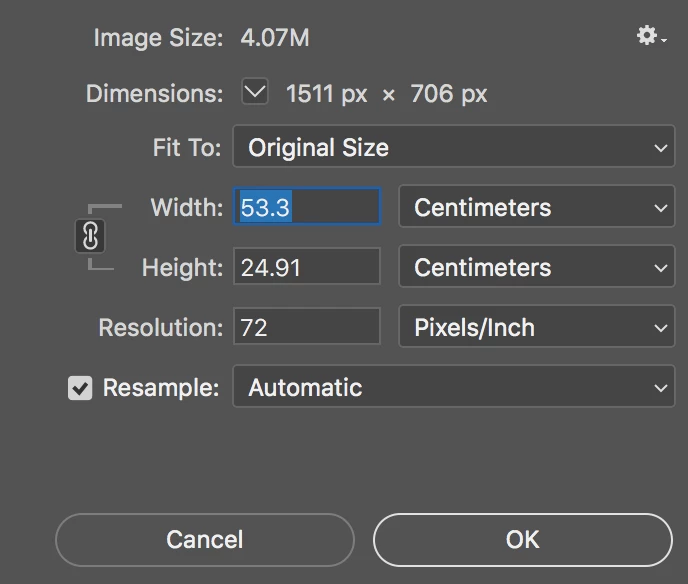
I really can't understand it - any insights would be greatly appreciated.  If it makes any difference the 4.07m file is CMYK and the 57.7m file is RGB.

Many thanks

Angela

This topic has been closed for replies.
Correct answer JJMack

StudioAnjou  wrote

Hi - could anyone explain how a file with smaller pixel dimensions and lower resolution can be bigger in cms?  Two screenshots to explain what I mean:
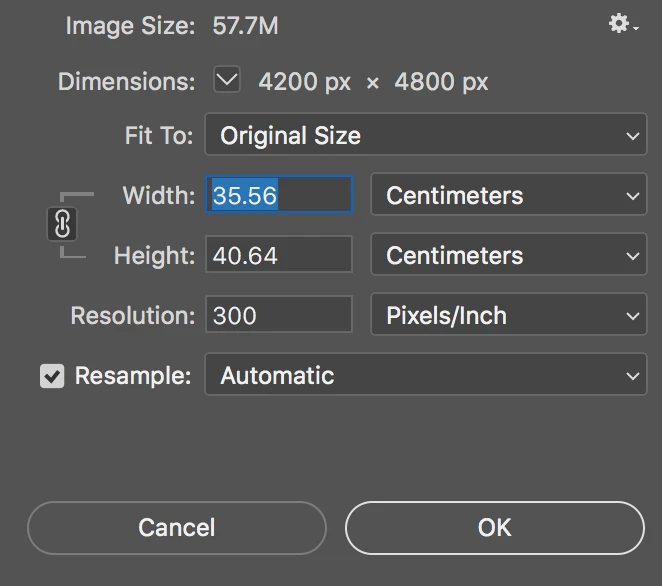
I really can't understand it - any insights would be greatly appreciated.  If it makes any difference the 4.07m file is CMYK and the 57.7m file is RGB.

Many thanks

Angela
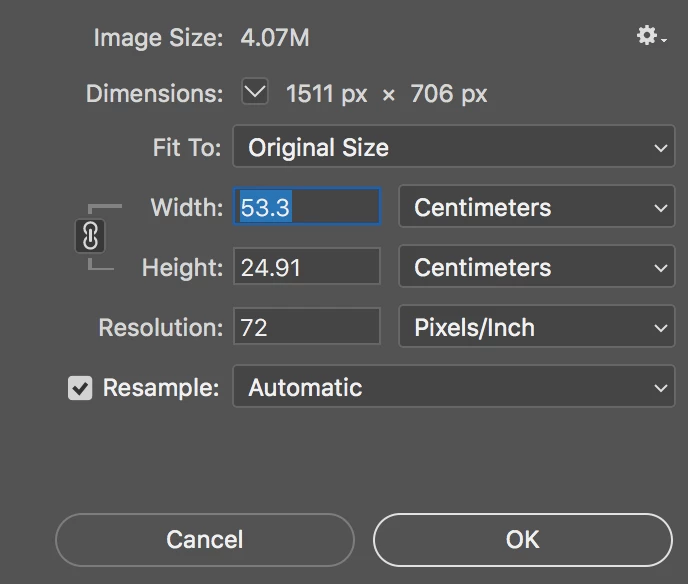
Its a miss leading dialog its not pixel dimension its number of pixels.  Image file size is dominated by pixels data and pixels can be print any size pixel density PPI.  That is why these have print size are are nearly the same. One will be printed with large pixels where there are only 72Pixels per inch and the other is print with small pixels where there are  300pixel per inch.    5,184 pixel per square inch vs 90,000 pixels per square inch.   Resolution is pixels print dimension not display resolution displays can not change  their spots. They display a fixed number of pixels at the resolution they are manufactured with.

5 replies

Participant
February 1, 2018

Thank you everybody for taking the time to answer. Yes, it makes sense to me now!

Much appreciation!

Angela

Theresa J
Community Expert
Community Expert
January 31, 2018

I recorded a youtube tutorial on this topic. Maybe this will help. Photoshop Image Size and Resolution - YouTube

JJMack
Community Expert
JJMackCommunity ExpertCorrect answer
Community Expert
January 31, 2018

StudioAnjou  wrote

Hi - could anyone explain how a file with smaller pixel dimensions and lower resolution can be bigger in cms?  Two screenshots to explain what I mean:

I really can't understand it - any insights would be greatly appreciated.  If it makes any difference the 4.07m file is CMYK and the 57.7m file is RGB.

Many thanks

Angela
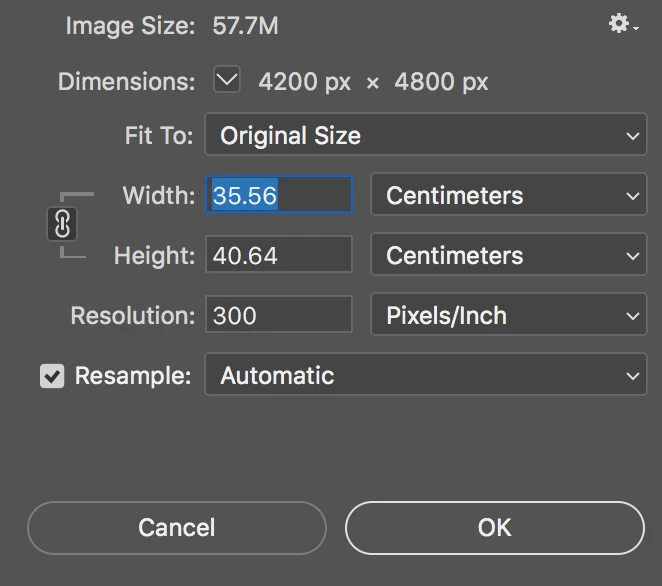
Its a miss leading dialog its not pixel dimension its number of pixels.  Image file size is dominated by pixels data and pixels can be print any size pixel density PPI.  That is why these have print size are are nearly the same. One will be printed with large pixels where there are only 72Pixels per inch and the other is print with small pixels where there are  300pixel per inch.    5,184 pixel per square inch vs 90,000 pixels per square inch.   Resolution is pixels print dimension not display resolution displays can not change  their spots. They display a fixed number of pixels at the resolution they are manufactured with.

JJMack
Theresa J
Community Expert
Community Expert
January 31, 2018

Width and Height represents print size in relation to resoltuion. The higher the resolution, the smaller the print size. Change the resolution in the second image, without resampling and you will see the print size increase.

c.pfaffenbichler
Community Expert
Community Expert
January 31, 2018
Hi - could anyone explain how a file with smaller pixel dimensions and lower resolution can be bigger in cms?

Don’t forget the resolution.

Edit: Sorry I was being unclear – the lower resolution means the pixels are »bigger« in output size.