
Participant
November 8, 2022
Answered

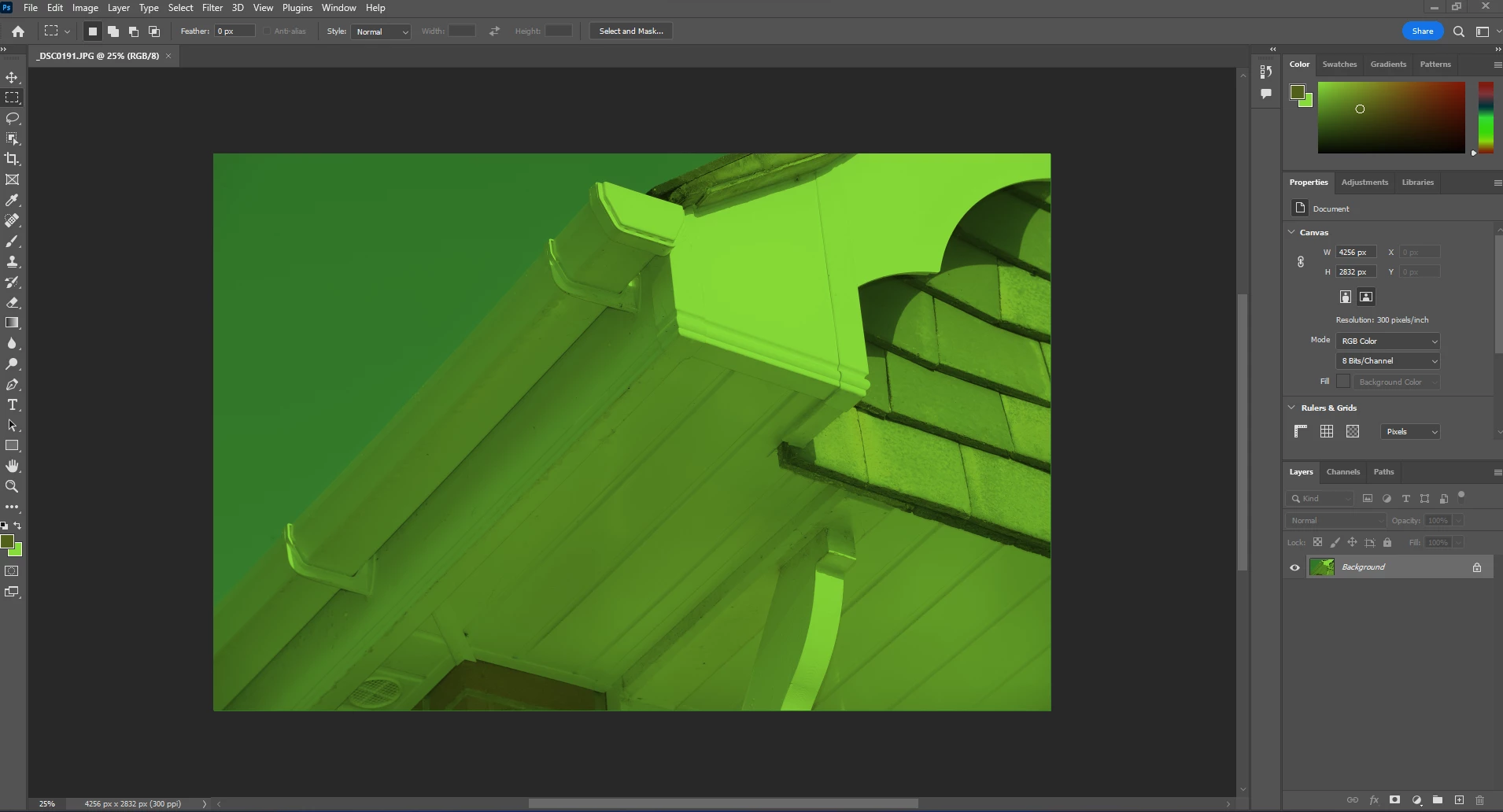
Files are green and so is artboard when opening

  • November 8, 2022
  • 3 replies
  • 421 views

Hello

Please see the screenshot and also please look at the colours on the right. 

I have tried turning the GPU off and then I went to Preferences - Technology Previews and check Deactivate Native Canvas.

These are the most common fixes I have tried with no avail. 

I have also uninstalled and reinstalled Photoshop and I have also installed a previous version. 

Another thing I tried was changing the colour settings, which again didn't work so I am very stuck now. 

Any ideas? 
This topic has been closed for replies.
Correct answer Voyage Branding

HDR is currently only supported in Camera Raw for Mac.

See https://helpx.adobe.com/camera-raw/using/hdr-output.html


I followed this guide and now it works https://www.windowslatest.com/2021/05/14/windows-10-to-enable-hdr-support-for-photoshop-to-help-artists/

3 replies

chrisg11235813
Participating Frequently
November 8, 2022

any chance you accidently turned on Colour Blindness preview?


View>Proof Setup>Colour Blindness

Per Berntsen
Community Expert
Community Expert
November 8, 2022

Is HDR checked in Windows display settings? If so, uncheck it.

If that doesn't help, you probably have a defective monitor profile.

As troubleshooting, and as a possible temporary fix, try setting the monitor profile to sRGB. (use Adobe RGB if you have a wide gamut monitor)

If this fixes the issue, you should ideally calibrate your monitor with a hardware calibrator. This will also create and install a custom monitor profile that will be more accurate than sRGB.


With Photoshop closed, press the Windows key + R, type colorcpl in the box and press Enter.

Add the sRGB profile, then set it as default.


Participant
November 9, 2022

Hi


HDR turned off works! But how can I get it to work with Photoshop? Without HDR my screen looks terrible in comparision, so ideally I'd like to continue using HDR and Photoshop to display correctly. 

Thank you

Per Berntsen
Community Expert
Community Expert
November 9, 2022

HDR is currently only supported in Camera Raw for Mac.

See https://helpx.adobe.com/camera-raw/using/hdr-output.html

Mylenium
Legend
November 8, 2022

Looks like you toggled single channel preview. Check the channels palette and the respective view options.


Mylenium