
Participant
September 11, 2018
Question

Fill Color with Pen Tool while drawing

  • September 11, 2018
  • 2 replies
  • 5920 views

Hello everyone, here's the deal:

Does someone know any way to set Pen Tool of Photoshop to behave like in Illustrator? And i mean color filling the already-drawn-part-of-path.
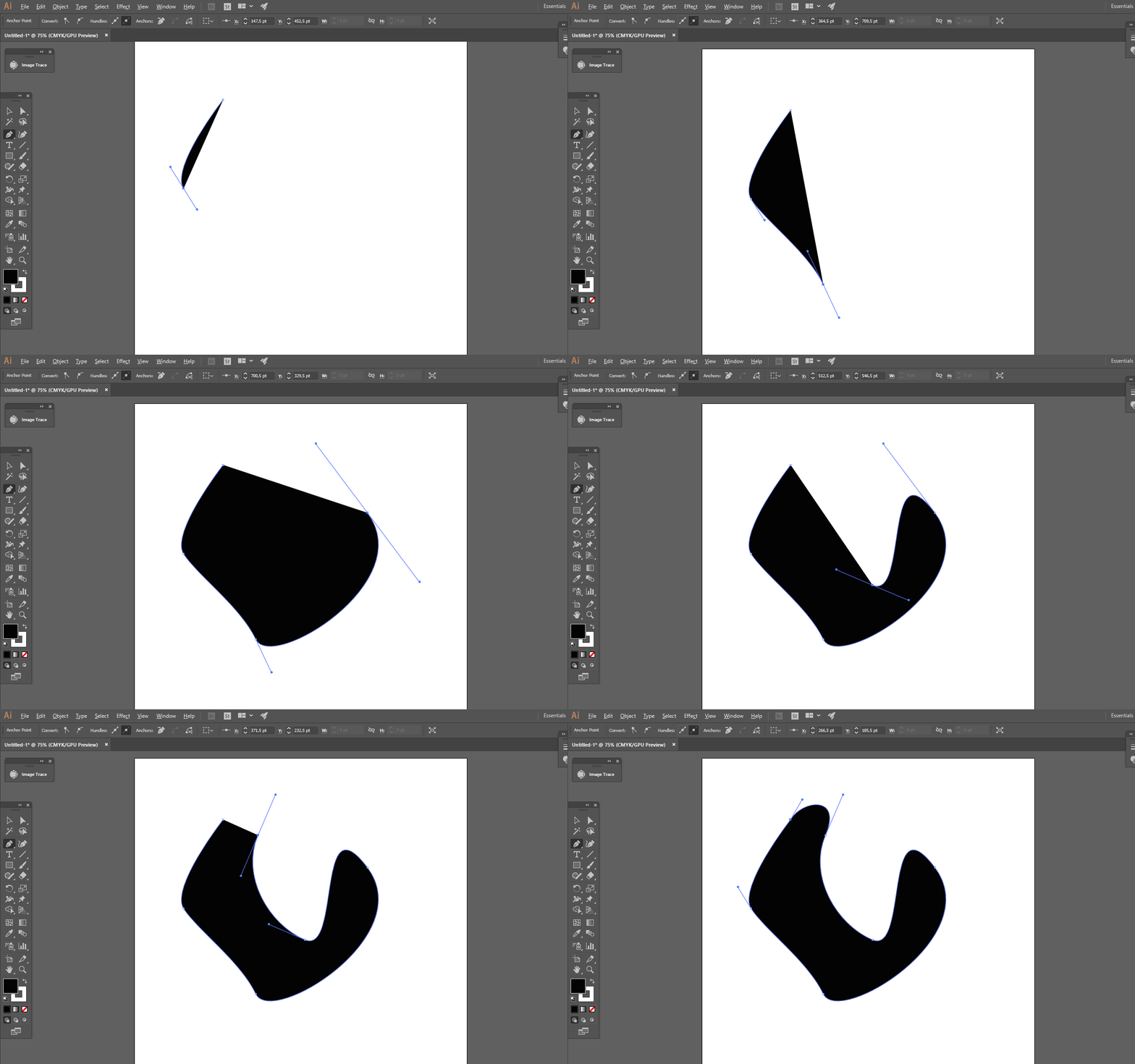
Please check this timelapse - he creates Color Fill layer, pick Pen Tool and start coloring, just as simple as it goes. Most likely he has sort of prepared actions, but maybe some of you can say, what should this action consist of? I desperadly wanna know this method

    This topic has been closed for replies.

    2 replies

    pauls79411266
    Participant
    January 16, 2020

    ok here you go took me some time to work this out as done this by mistake as was colorizing ,,any way here goes so click on background copy click..and add a solid color ajustment layer of what ever color you want ..ok ..at this point you would nomaly invert it ..but dont just leave the screen the color it is ..click on the white color fill box then got to layer in panle and add a vector mask hide all then you can now use your pen tool to make any shape and it will color in as you go ..you can also now delet then layer mask white box thumbnail in you wish ..

    September 11, 2018

    Hi

    Maybe I missing something but can't you just set the Pen Tool to Shape in the options bar

    johnreedbAuthor
    Participant
    September 11, 2018

    Almost there, I forgot I figured out the first part of the question

    But again, about the timelapse, each of his shape layers have the Color Fill + Vecor Shape construction. It allows to easily see, which colour is applied to the particular layer. This is very comforbable, especially when you have tonns of layers

    Shape mode of Pen Tool gives me layer thumbnail like this

    And I want to get this kind of displaying