
nickl16277777
Participant
April 10, 2019
Answered

Filling a selection results in blurred object

  • April 10, 2019
  • 1 reply
  • 317 views

Hello,

Been searching for a solution for this persistent problem! 

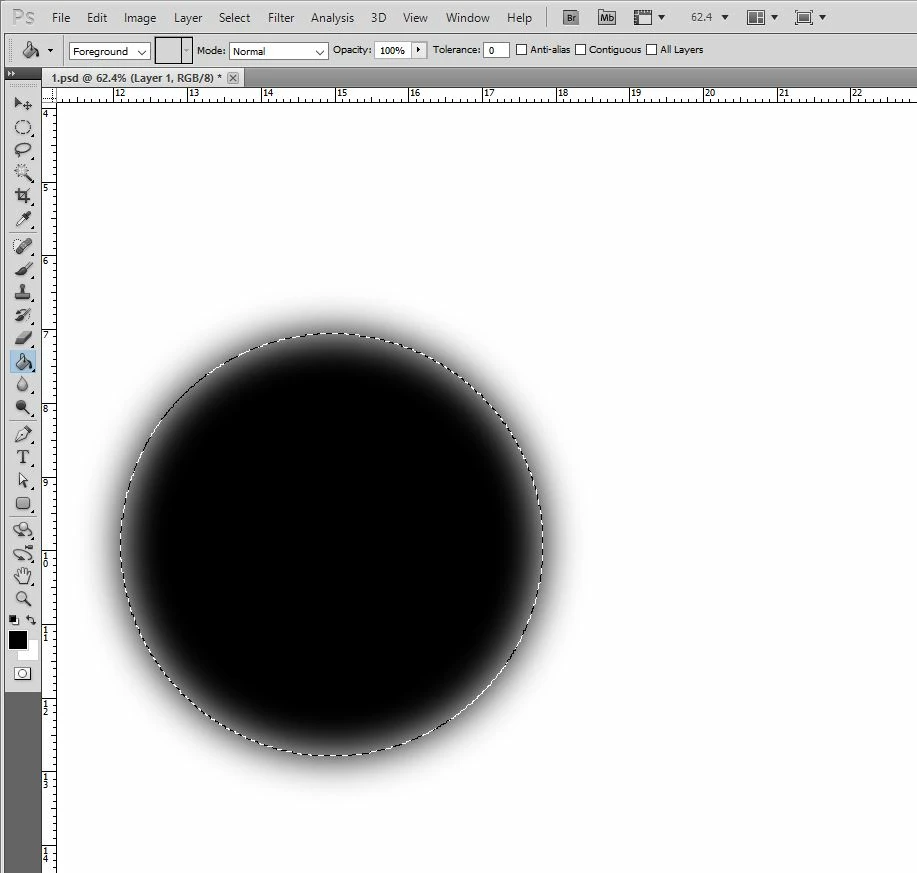
If I try to fill a selection via Paint Bucker or Paint Brush, I end up with a highly blurred object.

Setting is Normal, Opacity 100%, Feather 0, Tolerance 0.    How can I solve this?    Thank you!
This topic has been closed for replies.
Correct answer davescm

Hi

That is the refine edge setting - not the initial feather. With the selection tool selected - look at the options bar - as shown by Ged

Dave

1 reply

April 10, 2019

Hi

Have you checked the Feather setting for the selection tool, make sure it's set to 0

nickl16277777
Participant
April 10, 2019

Hello Ged, Yes it is set to 0  (see image)

davescm
Community Expert
davescmCommunity ExpertCorrect answer
Community Expert
April 10, 2019

Hi

That is the refine edge setting - not the initial feather. With the selection tool selected - look at the options bar - as shown by Ged

Dave
