Participant
November 26, 2017
Answered

Filling transparent with existing background

  • November 26, 2017
  • 3 replies
  • 444 views

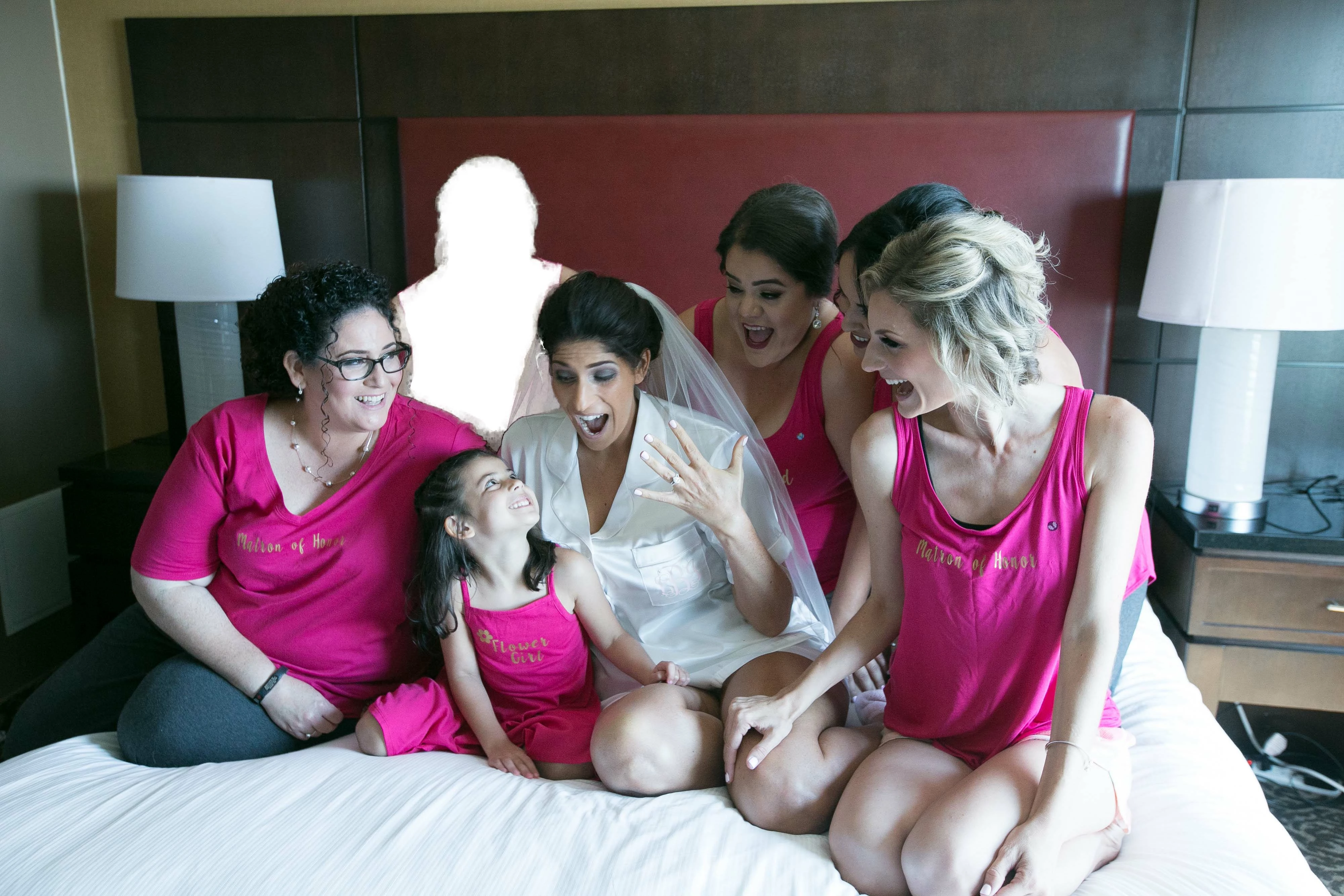
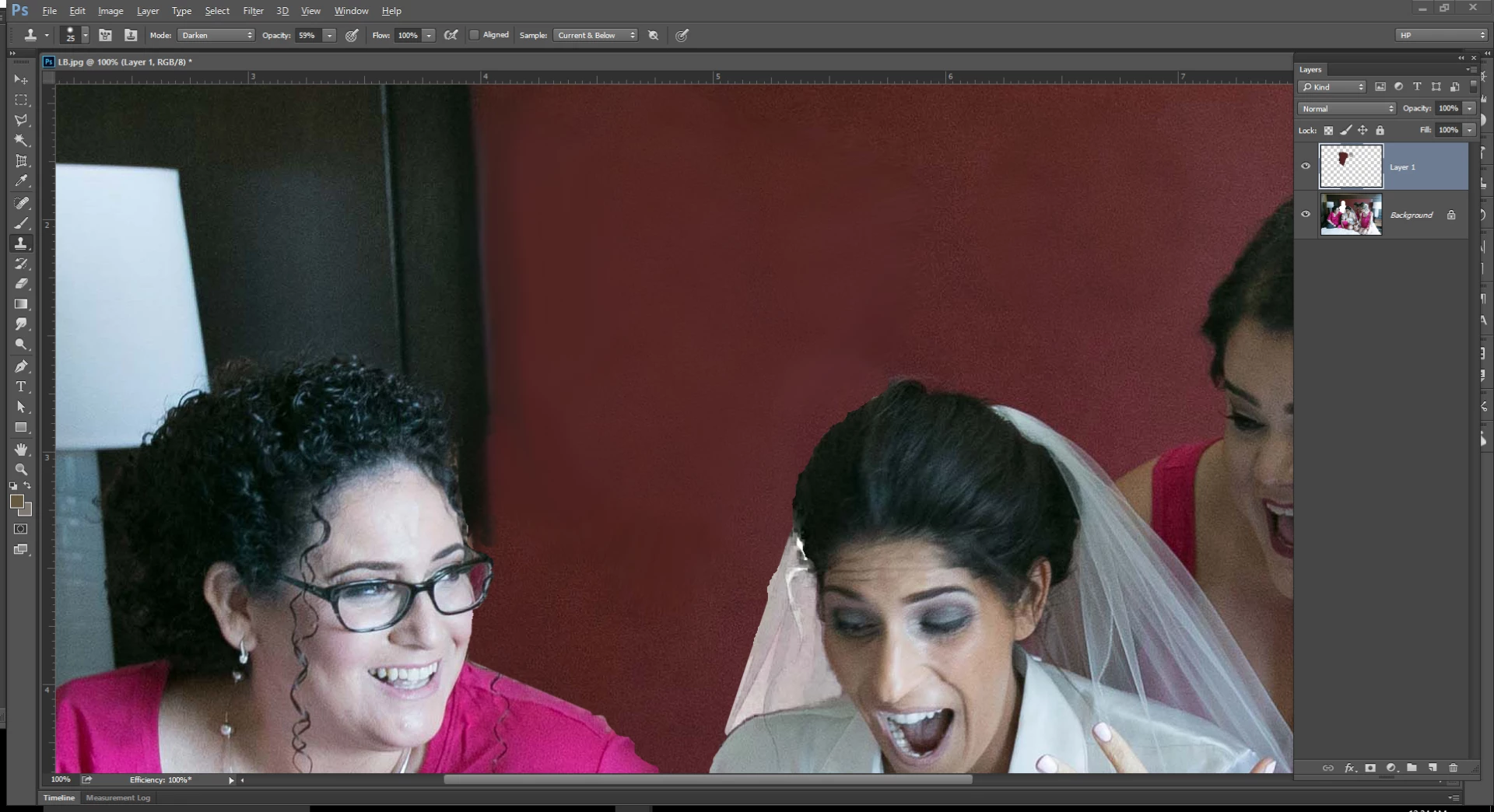
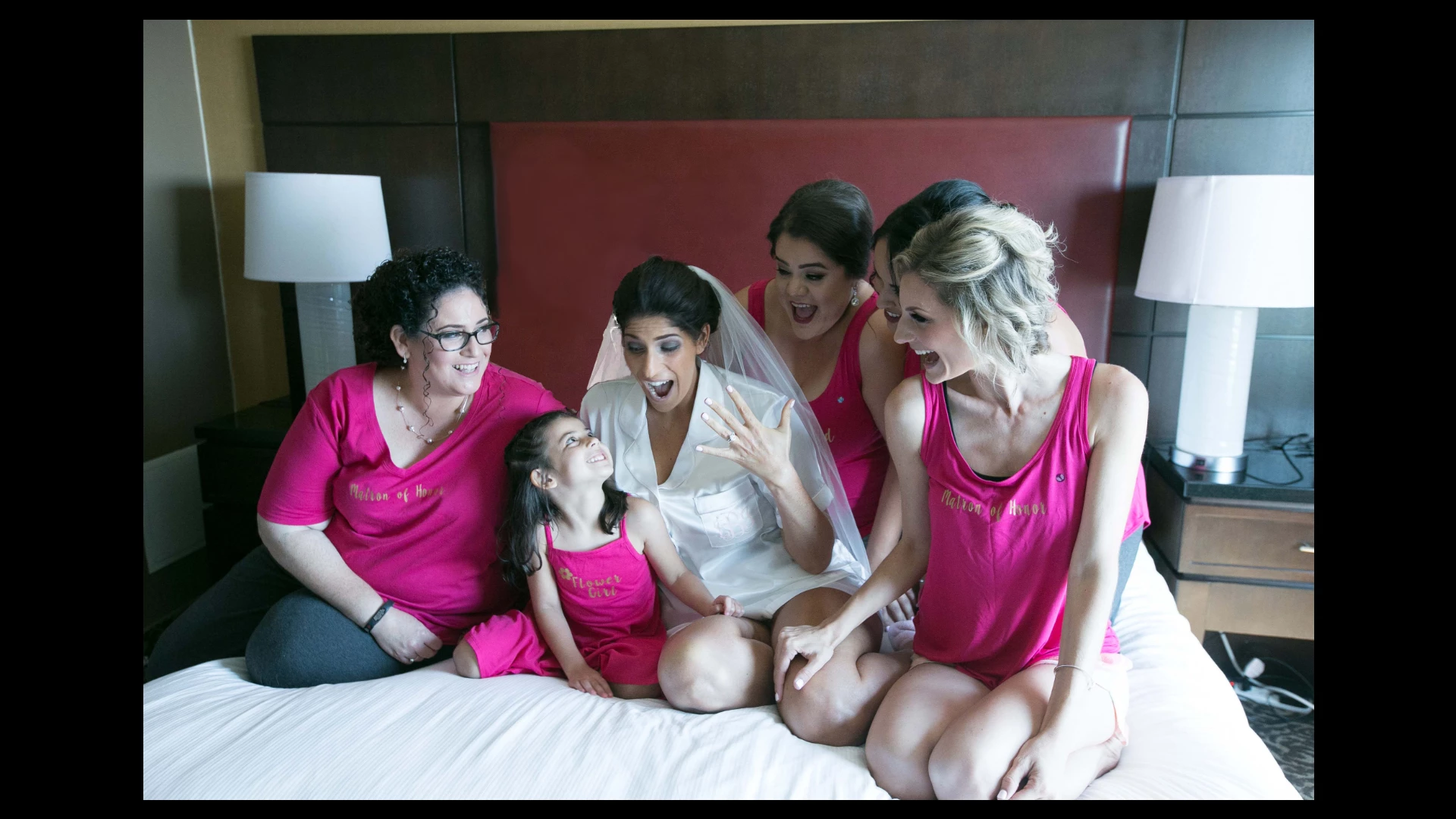
So I'm trying to edit a photo where a girl was removed, but I can't think of how to fill the transparent part of the photo to match with the headboard in the background. Can someone please give me some advice as to what tool to use. As you can see the headboard goes from a dark red to bright red. So I need it to blend well.
    This topic has been closed for replies.
    Correct answer JJMack

    You can use other tools to blend in the clone, Levels, smuge, blur it does not need to be perfect.

    3 replies

    Chuck Uebele
    Community Expert
    Community Expert
    November 26, 2017

    You can also use content aware fill, by placing what you want to fill and only sections of the headboard and a bit of the wall on a new layer. Some cloning and other steps might be required.

    Chuck Uebele
    Community Expert
    Community Expert
    November 26, 2017

    You can also use content aware fill, by placing what you want to fill and only sections of the headboard and a bit of the wall on a new layer. Some cloning and other steps might be required.

    JJMack
    Community Expert
    Community Expert
    November 26, 2017

    Add an empty layer on top and clone over the area.

    JJMack
    Participant
    November 26, 2017

    When i tried doing that I got a harsh line going through the middle. It wasn't a smooth transition from left to right as the red headboard goes from a dark red to a lighter red. Is there a trick to fixing the line? I tried lowering the hardness but still got the line.

    JJMack
    Community Expert
    JJMackCommunity ExpertCorrect answer
    Community Expert
    November 26, 2017

    You can use other tools to blend in the clone, Levels, smuge, blur it does not need to be perfect.

    JJMack