
Known Participant
January 23, 2019
Answered

Filling vector path shape with color problem

  • January 23, 2019
  • 5 replies
  • 2114 views

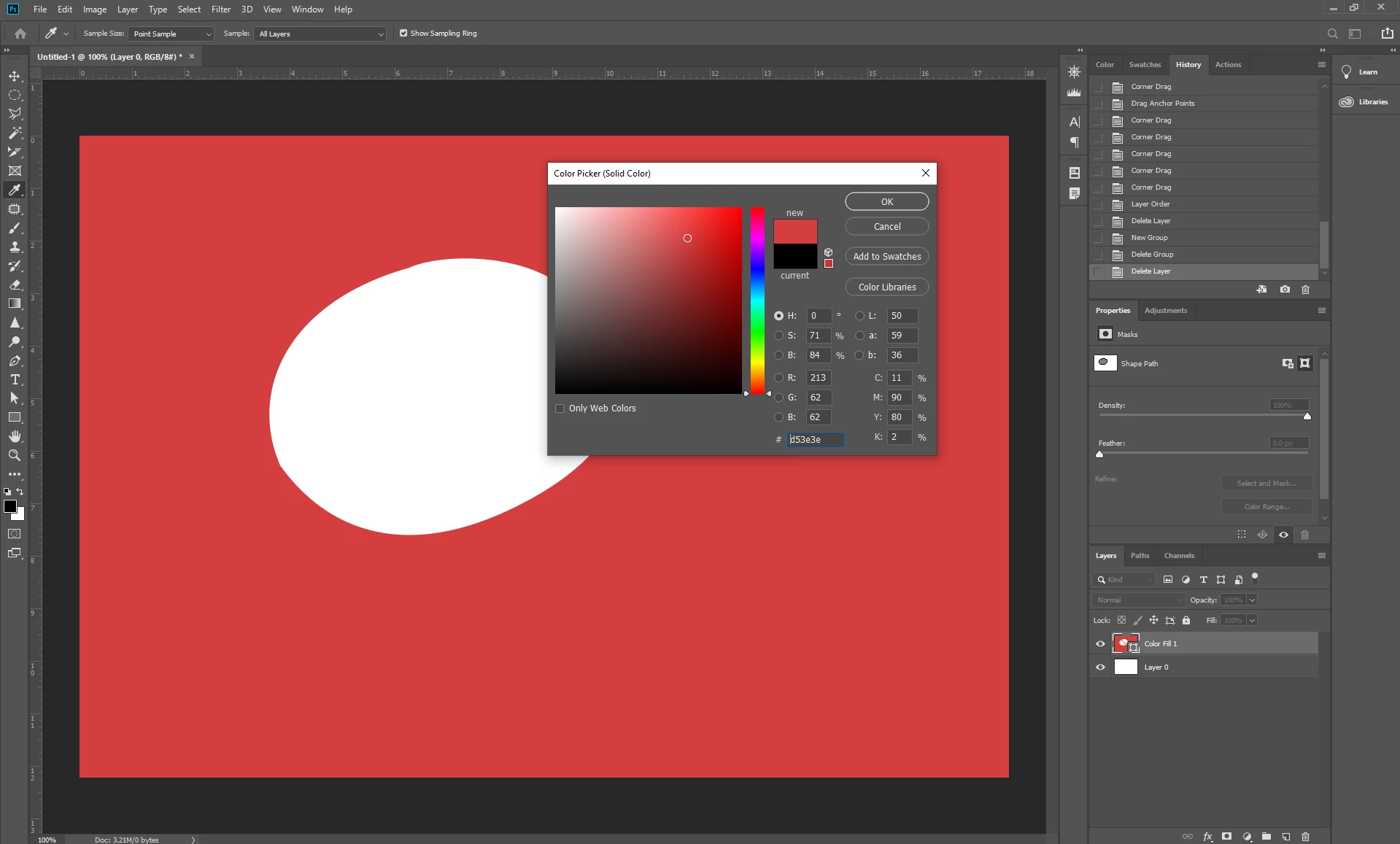
So i made a random vector shape using paths. And when i want to fill it with color it actually fills background instead? Why is it happening? Im using Adobe Photoshop 2019. Is there a bug or something?
    This topic has been closed for replies.
    Correct answer JJMack

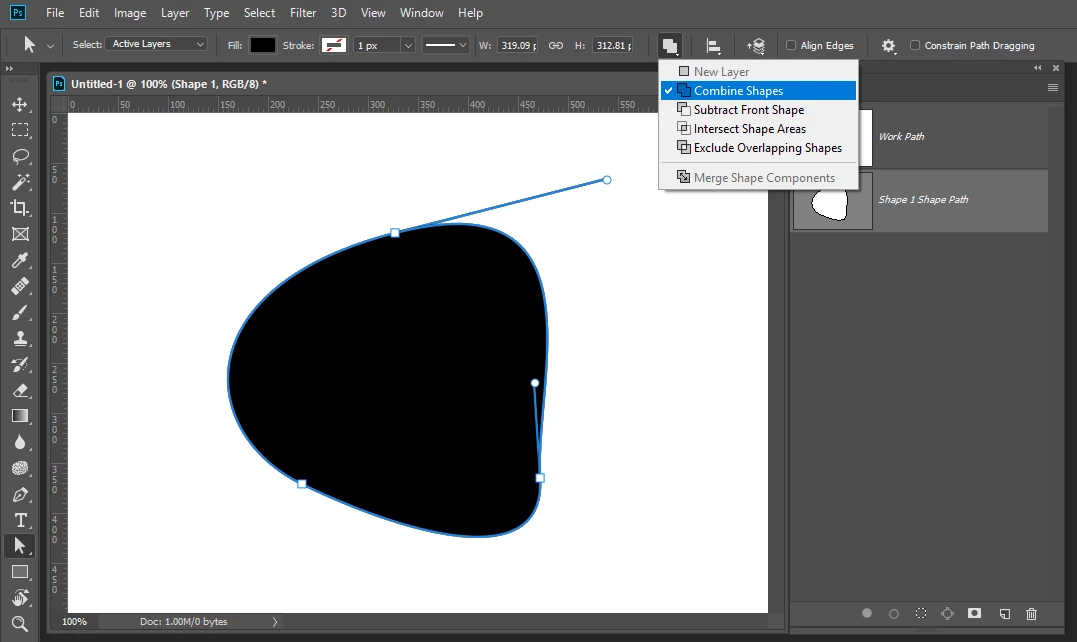
    You can target the vector path and change its operation from Subtract to Combine

    5 replies

    begich96Author
    Known Participant
    January 23, 2019

    Thanks for everyones help i got it now.

    Community Expert
    January 23, 2019

    As others have said, change it from subtract to combine

    JJMack
    Community Expert
    JJMackCommunity ExpertCorrect answer
    Community Expert
    January 23, 2019

    You can target the vector path and change its operation from Subtract to Combine

    JJMack
    JJMack
    Community Expert
    Community Expert
    January 23, 2019

    Chuck gave you the correct answer first I just help you to do it....

    JJMack
    JJMack
    Community Expert
    Community Expert
    January 23, 2019

    Look are the vector path in\t the paths palette whatpart is white?

    JJMack
    begich96Author
    Known Participant
    January 23, 2019

    Oh ok thanks alot, my bad, i didnt know that.

    Chuck Uebele
    Community Expert
    Community Expert
    January 23, 2019

    Your vector shape is in subtract mode change it to combine mode in the dropdown list in the menu bar.