

Answered
Filter Gallery not adding a layer
This may be a daft question, and something simple, so apologies if it is!
When I apply a filter to an image, I am sure Filter Gallery used to apply the filter on the layer and show underneath the layer which filter had been applied...therefore allowing the filter to be adjusted/changed.
I noticed today applying a filter no longer does that. It does apply, and the changes are obvious, just no layer options added now.
The below is how it used to look:
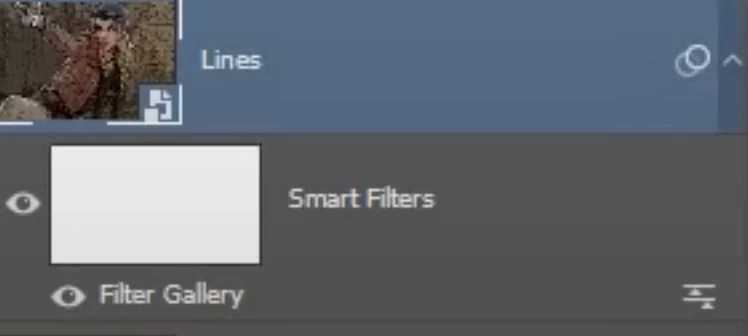
The Smart Filters and Filter Gallery are not showing. There is no drop down at the right of the layer.
Am I likely doing something wrong?
 AdChoices