

Finding only Alphabets in File name
Hi,
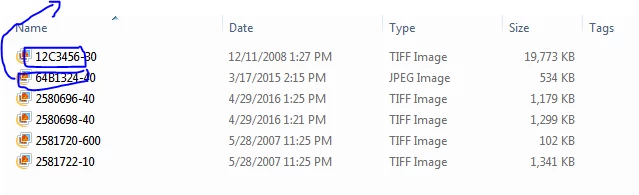
I am trying to find if any alphabets comes in the file name i should get an alert. As well as only numbers also i need to make a script.
I tried writing the code like this:
It storing the file name. But not getting alert !!!!
Does any one help on this.
#target photoshop
var myInputFolder = Folder.selectDialog ("Select Web Folder");
if(myInputFolder!=null){
var myFiles = myInputFolder.getFiles(/\.(tif)$/i);
for(var fileIndex=0;fileIndex<myFiles.length;fileIndex++)
{
var currentFile = myFiles[fileIndex];
if(currentFile instanceof File)
{
if(currentFile.hidden) continue;
var doc = app.open(currentFile);
myDoc = doc.name;
var fileNameNoExt = myDoc.split('-')[0];
var dashIndex = fileNameNoExt.split('-');
var imageNum = Number(fileNameNoExt.split('-')[dashIndex.length-1])
alert(imageNum)
}
}
}
I am getting before "-" file name in alert. But not throwing error if file name contains Alphabets.
Thanks in Advance,
Suresh.
 AdChoices