kaylathompson
Participant
March 7, 2018
Question

Fitting Subject Into Guide Lines

  • March 7, 2018
  • 2 replies
  • 284 views

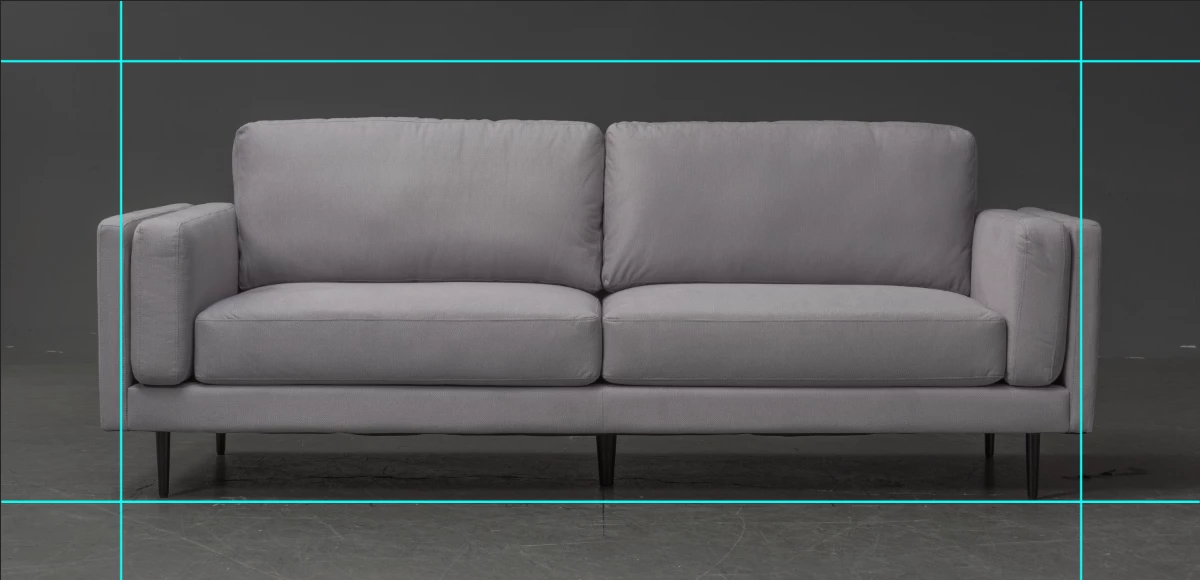
Does anyone know how, or if possible, to fit a subject perfectly into pre-made guidelines in Photoshop?

My images are 12 inches wide and I need a 1in buffer between the "object" and the edge of the canvas.

I can do this manually, but when I'm working with 100's of images a month production is hindered. Does anyone know of an automate way to accomplish this?

I have attached the image of the sofa I need to fit within the guide marks. The left and right arms of the sofa should fit within the left and right lines.

Thanks
This topic has been closed for replies.

2 replies

Nancy OShea
Community Expert
Community Expert
March 8, 2018

Ctrl (win) or Cmd (mac) +T to transform sofa layer.

Hold Shift+Alt while you drag handles & re-scale sofa to maintain its aspect ratio.  

Note the horizontal and vertical scale.   Unless your images are all exactly the same height & width, I don't see how an Action will help you much.

Nancy

Nancy O'Shea— Product User & Community Expert
JohanElzenga
Community Expert
Community Expert
March 7, 2018

If I understand you correctly, you now manually resize the image to 10 inch wide so it fits the 12 inch canvas with a 1 inch border? If so, maybe you can turn it around. Resize the image to 10 inch wide, then add 1 inch to both sides of the canvas (and whatever is correct for the top and the bottom). You could record this in an action, so that it can be done with a single mouse click.

-- Johan W. Elzenga