Participating Frequently
October 20, 2020
Answered

Fixed: Photoshop 22.0 neural filter style transfer not available

  • October 20, 2020
  • 42 replies
  • 124389 views

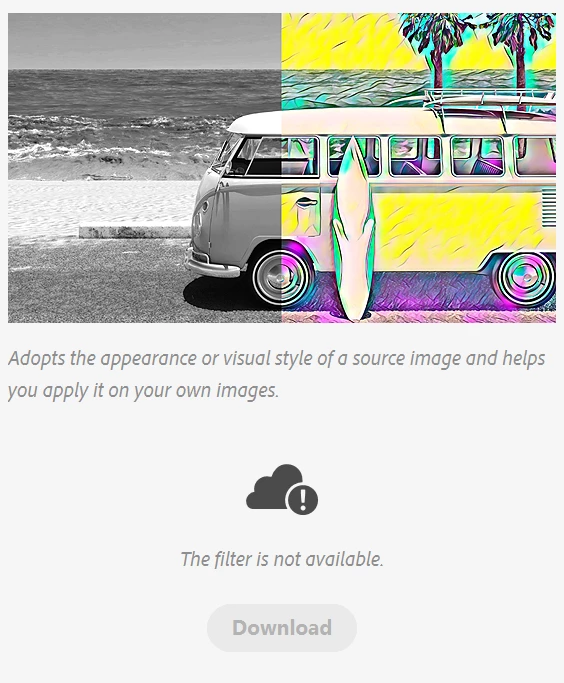
I am pumped for the style transfer feature in photoshop 2021, but it is the only neural filter that wont work. The download button is unclickable and greyed out and it says the filter is not available.
{Moderator Note: Edited thread title, LFP-1846, PS-57169}

Correct answer Corvette1968

Finally I could install these filters... First I had to set the temporary path (TEMP and TMP) to c:\windows\temp. Second I had to run PS as administrator. Then the download worked.


Then I started PS without admin-rights and the filters were not installed... So I had to change the rights for all of the directories in folder c:\users\....\Appdata\Roaming\Adobe\UXP\PluginsStorage\PHSP\22\Internal\com.adobe.nfp.gallery\ that I am authorised to access it.


Afterwords the filters worked!! *halleluja*

42 replies

Participant
May 12, 2021

I hope this will be fixed within new updates, 

mine says filter is not available, when i click on it

Known Participant
May 12, 2021
There should be a few filters available for download.
Again, mine would'nt download because I moved the temp folders off the C
drive.
dsports
Known Participant
March 10, 2021

The fix for me windows 10 was to launch photoshop with admin privledges.


When I saw the post about permissions and inheritance it seemed obvious at that point.


good luck

Known Participant
March 10, 2021
Yes. I read that worked for some. I tried it but thinking because I
moved as much stuff as possible off my NVMe C drive it didn't work?

Mystery continues as to why you can install Photoshop, LR, Bridge, WITHOUT
Admin privileges but to install a plug-in/filter? This should be
easily corrected by Adobe... instead they've suggested to me at a few
points to contact Microsoft ! ! !
If Adobe really needs Microsoft for their SW to function the future is not
bright?
Inspiring
March 9, 2021

This problem is not fixed, just wanted to keep the thread up to date because it may appear that this issue has a fix that is generally applicable.

volkers30689345
Participant
March 10, 2021

I just updated to Version 22.3, the problem is still there !!!

Inspiring
March 10, 2021

If anything, 22.3 is worse. It fails to download as usual and then hangs my computer for 10 minutes.

Does anyone monitor these threads or is this where feedback goes to die? 

Can I suggest that admin remove the 2 correct answers nonsense at the top of this thread please?

Known Participant
February 12, 2021

In my case there was a problem with ramdisk, i changed the leter drive  from a to z and temporary set scratch disk to drive c. Then neural filters works fine,   

Participating Frequently
December 12, 2020

You don't need to change permissions and you don't need to create a new account or use the Administrator account, but Ps does have to be running as administrator. Instructions for Windows 10: To do this, instead of launching Ps from the creative cloud app, find it in the Start menu and right click. Hover over to more and then Run as administrator. Open an image and you'll be able to download the Neural filters then. Close Ps and reopen it the way you normally do. Congrats! Your filters are there!

Known Participant
December 12, 2020
Wondering why Adobe didn't know this?
Participating Frequently
December 12, 2020

I don't know, but it would have been really nice if the thing detected the issue and told you that it needed administrator privileges to install the filters. People wouldn't be wasting hours of their time and getting bitter at Adobe.

Phoenix130
Participant
December 8, 2020

This still does not work even after an uninstall and reinstall of photoshop.

Participant
December 8, 2020

Based on everything I've read, it won't work at all unless your user account is in the default location. It's not following the usual protocols of using the specified folder, but the default ones. Adobe appears to have rushed this release.

Known Participant
December 8, 2020
Again. I created a new admin user. Logged on as that user.
Opened Ps
Opened a jpg
and the filters all downloaded.
Located all the newly downloaded plugins folder and copied it to my
corresponding user folder.
Logged out
Logged in as my user.
All good now.
Participant
November 26, 2020

Even after the update Photoshop always crashes when I try to use the neural style filter. It is available, but once I swithc the button Photoshop crashes. See the photos below. Any suggestions?


Participant
November 29, 2020

Hi all, after struggling with downloading the filters I have found and tried a workaround.

I created a new user on my Mac and installed Photoshop 22.0.1 as that user. Within this installation I was able to download the Neural Filters. I then copied the PluginData folder from the newly created user and replaced my own PluginData folder with that one. And guess what, it works.

The folder I replaced can be found here: 

~/Library/Application Support/Adobe/UXP/PluginsStorage/PHSP/22/Internal/com.adobe.nfp.gallery/PluginData

The ~ is the home directory of the user.

Somewhere in this post somebody used this workaround on Windows. I am going to try that as well, but I can't say already if that will work also.

Known Participant
November 29, 2020
Yes. Worked here on W10 machine. Must be an administrator!
Not just belonging to the admin group, but an actual admin!
I thought they rolled out a fix for all this?
Participant
November 19, 2020

I just applied the update to Photoshop 22 on on a Mac Pro 5,1 running OS X Mojave (10.14.6) and, after an initial effort to download, the progress rings run in reverse until they count back down to zero.


I have been using computers for forty years and have never seen anything like that. It's like seeing an odometer run backward. I would have thought it impossible, unless intentionally programmed.


In the interests of full disclosure, my home directory is not on Macintosh HD, where the application is, but on a separate spinning hard drive.

lancee_xyz
Participating Frequently
November 19, 2020

I did a clean install of Big Sur and moved my home from another disk to MacOS - might be a coincidence but now it works...


Dio Vayne
Known Participant
November 18, 2020

Thanks for the update. The problem hasn't been solved but changed.
You can see here what happens when I click on "download" 
xpnOkre

Dio Vayne
Known Participant
November 18, 2020

Extra info.
I updated to the latest version.

I tried the trick with the PluginData directory.
I tried running as Admin.

I tried 'turning it off and on again'.

I tried setting Temp to C and Scratch disk too.


Also: I'm not albe to install Marketplace plugins either. Maybe these two are connected?


Participant
November 21, 2020

There is some hardcoded junk that needs to be rectified the latest update doesn't fix anything it just adds more buggy weirdness to the neural filters download process by creating a reverse progress of the download ?! I have one of filters reach %80 only to drop to zero. Small neural filter don't even start downloading.

Mohit Goyal
Community Manager
Community Manager
November 18, 2020

Hi all,


We're happy to announce the release of Photoshop 22.0.1 that should resolve this issue.


This update includes fixes to some of the top users reported issues. Check out the list of all fixed issues here: Fixed issues in Photoshop


To update Photoshop to 22.0.1, click "Update" in the Creative Cloud desktop app next to Photoshop. 

For help with updating, see Update Creative Cloud apps.


Let us know how it goes.


Thanks,

Mohit

Participant
November 21, 2020

Hi, 


I have a windwos 10 ltsc and i checked all update. This morning, ı removed creative cloud and all data/plugin etc. and re-installed all programs. But ı didnt solve.