
Inspiring
January 20, 2022
Question

Fixing color banding in image without altering text and other details

  • January 20, 2022
  • 2 replies
  • 1590 views

Hi all. Please see the below image.


There is some color banding in the purple sky and I wish to fix this without altering the clarity of the text, street, and grass. I've looked up tutorials on this sort of issue but my fear is that I will unintentionally take away from parts of the image that don't need to be changed. Is there a way to isolate a particular area of the image so I can fix it?
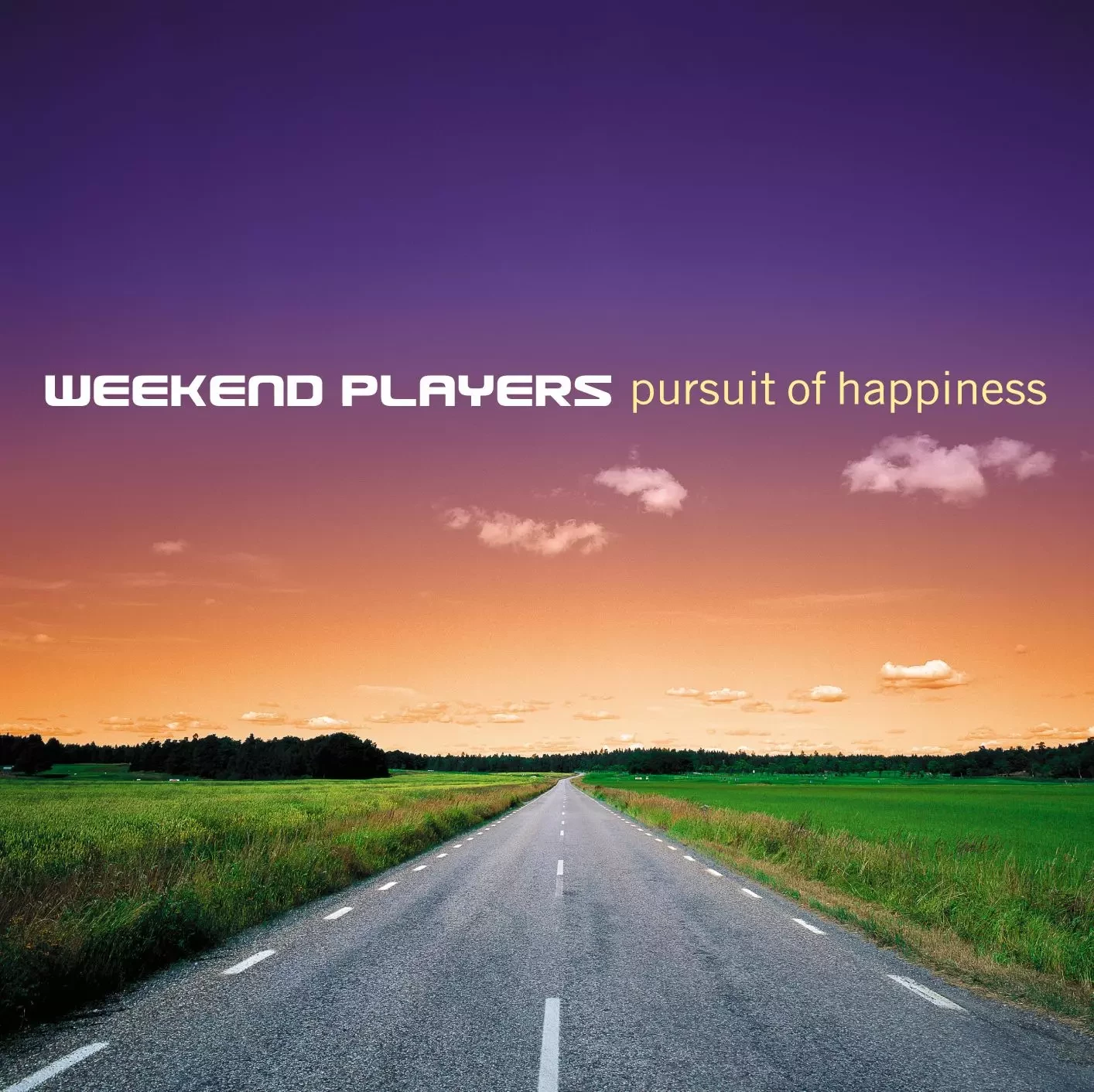
 

Thank you for any assistance!

This topic has been closed for replies.

2 replies

c.pfaffenbichler
Community Expert
Community Expert
January 20, 2022

You should start with the original layered file that is undamaged by lossy compression.

That should take care of the text. 


Then you can mask the sky and the clouds and go from there. 

kirbydooAuthor
Inspiring
January 20, 2022

I wish I had access to the original file but I downloaded the attached jpeg from Google Images. I don't know why images like it have to be so heavily compressed. I know the file size becomes quite small but the value of the image is annoyingly reduced.

c.pfaffenbichler
Community Expert
Community Expert
January 21, 2022

Then switching to 16bit might be recommendable. 

In cases like these I like to mask the foreground objects, remove then from the background (Content-Aware Fill might help some with that task) and apply a Smart Filter to blur (and add noise as a Pattern Overlay). 

D Fosse
Community Expert
Community Expert
January 20, 2022

Select > Color Range. Select the color of the text (white + tan) and invert the selection.


Select > Modify > Contract a pixel or two, so it's well away from the text. You may need to manually clean up other areas away from the text with simlar colors.


Then copy this to a new layer and do whatever it takes. If you "lock transparent pixels" on that layer, there's no danger of spilling into the text.