Participating Frequently
June 22, 2020
解決済み

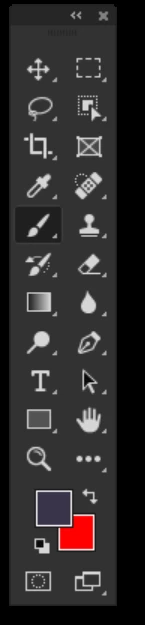
Flip toolbar horizontally! There is a way to do but i don't remember how i did it! Help me!
  • June 22, 2020
  • 返信数 1.
  • 2367 ビュー

i had some problem with photoshop because hardware acceleration wasn't working properly in the latest driver from amd and i thought it was a problem of photoshop initially, so i reset everything and now i don't have anymore my toolbar with the tools in the correct position (correct position for me), basically i keep my toolbar attached to the right side, and all the tools before the reset were flipped horizontally  (the brush was where clone stamp tool is now), i don't remember how i did this modification, there is someone who can help my mind to correct this little problem ? Thanks!
このトピックへの返信は締め切られました。
解決に役立った回答 jane-e

Hi Luke,

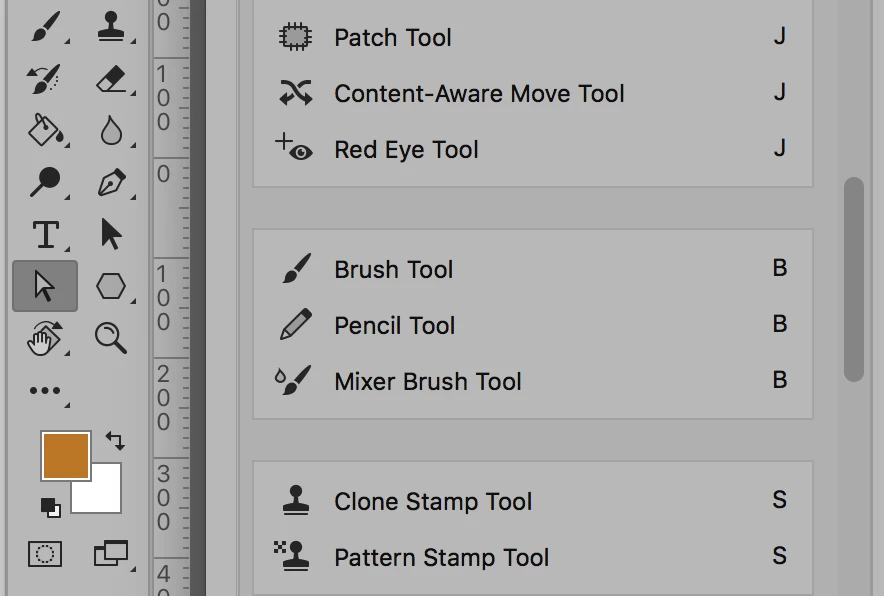
For example, you want to switch the Brush group and the Clone Stamp group. They start off like this:


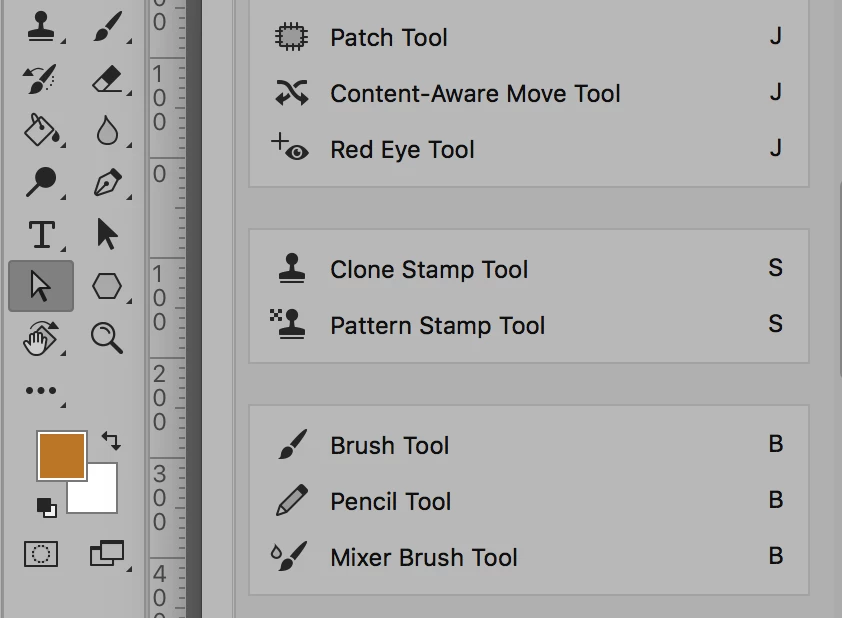
You need to drag the groups in the dialog (not in the Tools panel) so they look like this:


Then save it, because you don't want to do it ever again! 😊


~ Jane


返信数 1

jane-e
Community Expert
Community Expert
June 22, 2020

Hi

If you mean you want to rearrange your tools, go to Edit > Toolbars. If you saved your toolbar before, you can reload it. If not, then drag and drop on the left hand side, then save it as a preset so you never have to do this again.


~ Jane


Luke76Bg作成者
Participating Frequently
June 22, 2020

Unfortunately i didn't saved the preset previously, but i don't properly understand what left hand side i should drag and drop ? On the toolbar ? I don't see any way to do this on it!

jane-e
Community Expert
jane-eCommunity Expert解決!
Community Expert
June 22, 2020

Hi Luke,

For example, you want to switch the Brush group and the Clone Stamp group. They start off like this:


You need to drag the groups in the dialog (not in the Tools panel) so they look like this:


Then save it, because you don't want to do it ever again! 😊


~ Jane