craigirv
Participant
November 5, 2017
Answered

Fog/White-out without affecting subject

  • November 5, 2017
  • 1 reply
  • 766 views

Hey everyone,

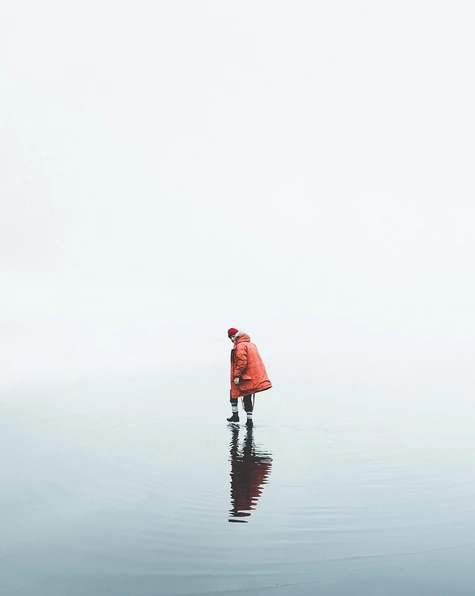
Just wondering how people would go about creating an effect like this? I've tried a number of different things but can't get it to look as natural:

Benjamin Hardman Instagram:
Instagram

Thanks!

    This topic has been closed for replies.
    Correct answer davescm

    Hi

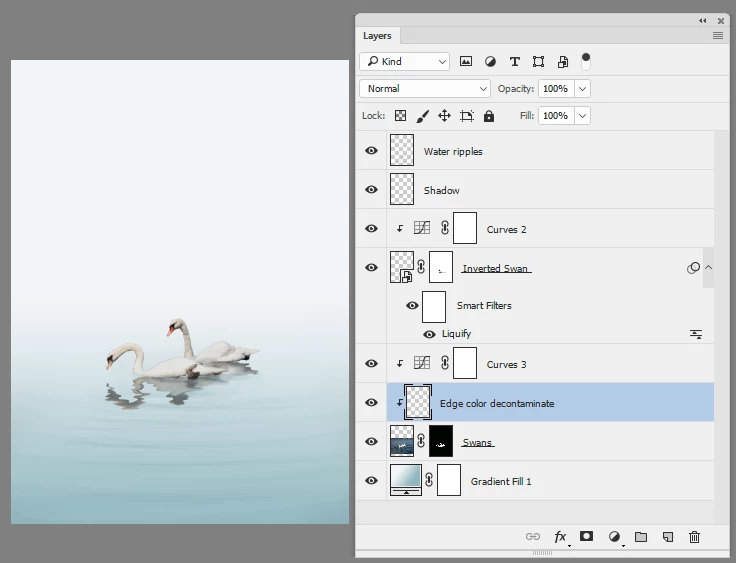
    You could try something like this

    1.A mask on the subject

    2. An inverted copy darkened with a curve and using the liquefy tool to give a ripple effect

    3. A gradient fill layer for a background

    4. Some "water ripples" drawn with a soft brush
    Dave

    1 reply

    davescm
    Community Expert
    davescmCommunity ExpertCorrect answer
    Community Expert
    November 5, 2017

    Hi

    You could try something like this

    1.A mask on the subject

    2. An inverted copy darkened with a curve and using the liquefy tool to give a ripple effect

    3. A gradient fill layer for a background

    4. Some "water ripples" drawn with a soft brush

    Dave

    craigirv
    craigirvAuthor
    Participant
    November 6, 2017

    Hey Dave

    Think you're absolutely right with that one, thanks for that!

    What do you reckon the process is for an image like this, when you're not completely changing the background but still going for the white-out effect?

    Instagram

    Trevor.Dennis
    Community Expert
    Community Expert
    November 6, 2017

    My take.

    Whatever way you do it, you'll need to select and separate the subject (hiker) to its own layer.

    Copy and filp the subject to form a reflection, and use a layer mask to fade the reflection towards its head.  I used the wind filter once from each side, to add some ripple.

    Fill a layer at the top of the stack with white, fade out with a layer mask.  The trick here is having made the gradient, Ctrl click the hiker to load it as a selection, and fill with white, then with a low opacity brush paint over the hiker with black to allow some of the mist shroud the hiker.    You have to keep track of where you are up to doing this, but you can easily start again with the mask.

    Also remember that using Foreground to Transparent when laying the gradients, lets you build up the effect.
