Answered
Folder says one size, Photoshop says another
Something has me befuddled. I have a JPG which, in the file folder, is 648 KB...

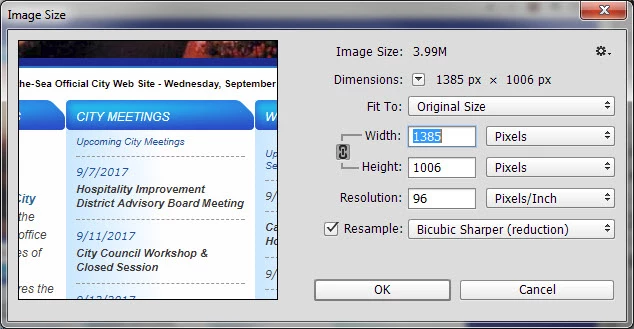
But when I open it in Photoshop, the Image Size box says it's nearly 4 MB...
What might be causing this?

Something has me befuddled. I have a JPG which, in the file folder, is 648 KB...
But when I open it in Photoshop, the Image Size box says it's nearly 4 MB...
What might be causing this?
There is no change one is files size on disk and the other is uncompressed image size in memory
Apple and Oranges they are different things
1385x1006px x 3 bytes per pixel (8bits per color) = 4,179,930 bytes decimal in RAM
Pixel data is data compressed on disk in your png file.
Already have an account? Login
Enter your E-mail address. We'll send you an e-mail with instructions to reset your password.
 AdChoices