
Participant
October 18, 2020
Question

Font

  • October 18, 2020
  • 3 replies
  • 297 views

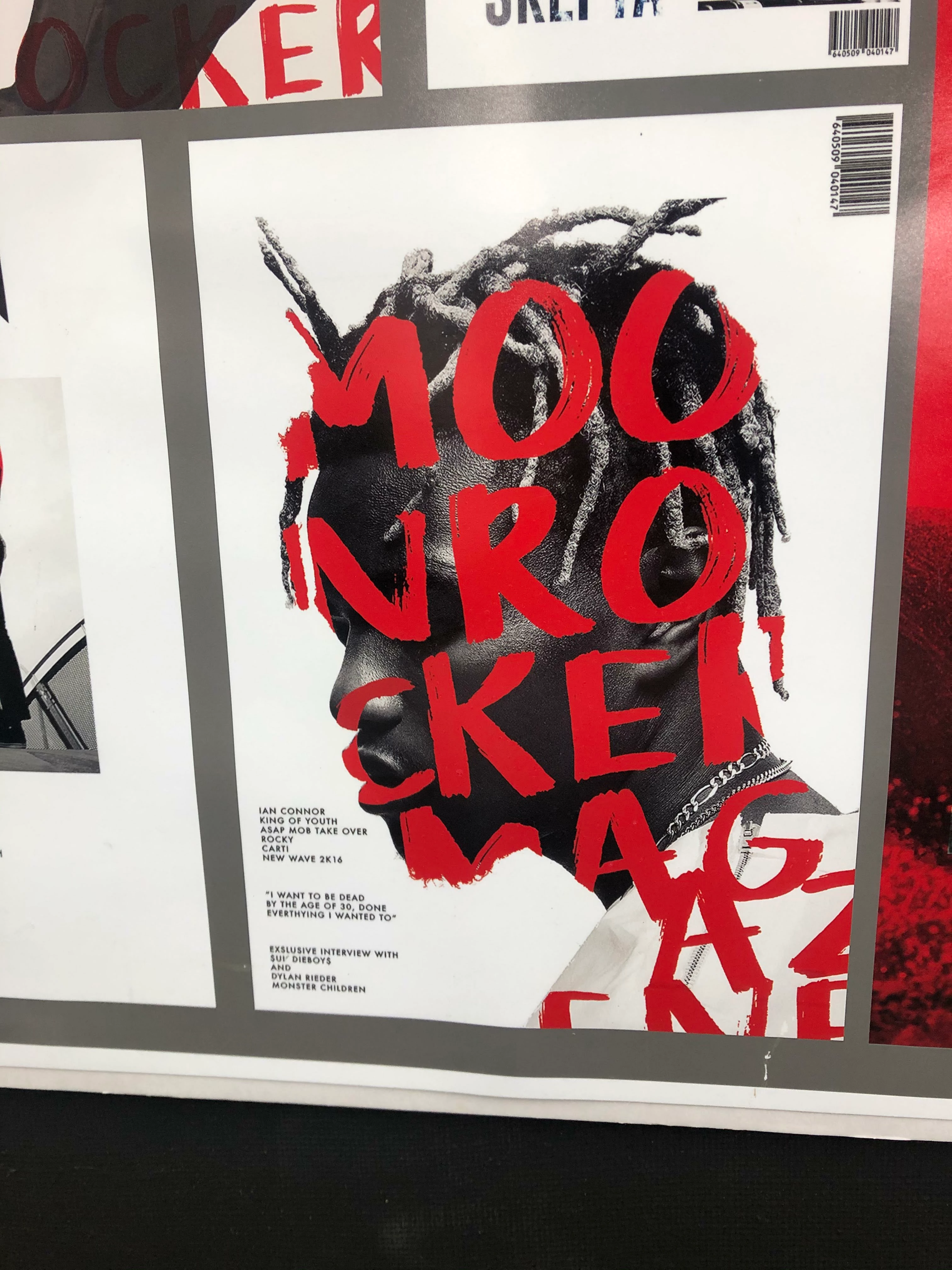
Hello, I have started using photoshop recently and couldn't figure out how to put the font inside the photo.

something like this, and also how do you cut out the hair so detailed like that and how do you find such a good quality photos from??


This topic has been closed for replies.

3 replies

Warren Heaton
Community Expert
Community Expert
October 18, 2020

To add to the great responses so far...


When you have your photo of your subject that you want to place text inside of, you'll want to use Select > Subject with the end result being a Layer with a Layer Mask, showing just the person and hiding the background.  Create a Type Layer in front of that Layer using the Character Panel and Paragraph Panel as needed to select and format your type.  Then, create a Layer Clipping Group with the Layer showing the person as the base layer.  To finish, fill a 3rd Layer behind the two you've already created with the color you want to see behind the person that's filled with text.

KShinabery212
Community Expert
Community Expert
October 18, 2020

Use one of the many select tools to select the person's head.  Then in a new layer your you can type into the selected area.


The other idea is to do the same... select the head (there are several ways to do it).  Then create a new layer fill it what ever color (does not matter as you will hide this layer or erase it later).  Then in a new layer type the text.  Move it around to where you want it to appear.  Then go back to the color layer select that.  Then go back to the text layer.  Flatten that layer... then selecte inverse and hit delete.  This will make it look like the text is inside the image.


There are several ways to do this.

Let's connect on LinkedIn. https://www.linkedin.com/in/kshinabery/
@mj
Community Expert
Community Expert
October 18, 2020

Hi @Jaemin5FE2 ,


First you'll need to add your text:

https://helpx.adobe.com/photoshop/using/add-edit-text.html


Then, you'll need a selection of your subject (the photo). Here's a resource that explains how to do that.

https://helpx.adobe.com/photoshop/using/making-selections.html


Then use the selection as a mask:

https://helpx.adobe.com/photoshop/how-to/layer-mask.html


Good luck on your Photoshop journey

mj


Then you will n

c.pfaffenbichler
Community Expert
Community Expert
October 18, 2020