February 23, 2019
Answered

Font type classification problem in Photoshop cc

  • February 23, 2019
  • 1 reply
  • 1687 views

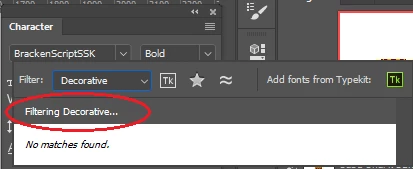
I am using Photoshop cc 2018  and having problem to filter fonts by classification. it used to work fine but now its not working. I have deleted CT Font Cache and Font Feature Cache folders but still not filtering.
Kindly suggest solution.
This topic has been closed for replies.
Correct answer jane-e

Hi

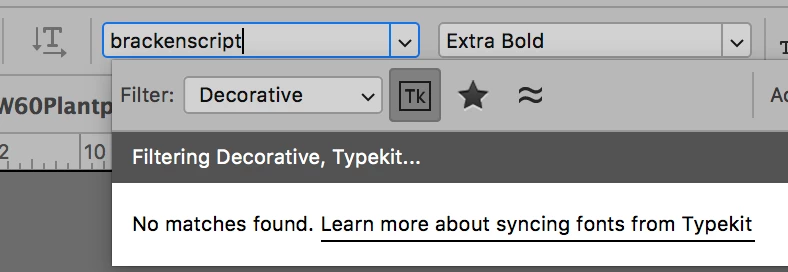
I don't have BrackenScriptSSK, but I wonder if PS is filtering for that plus Decorative? When I type it in and filter for Decorative, I also get "No matches found."

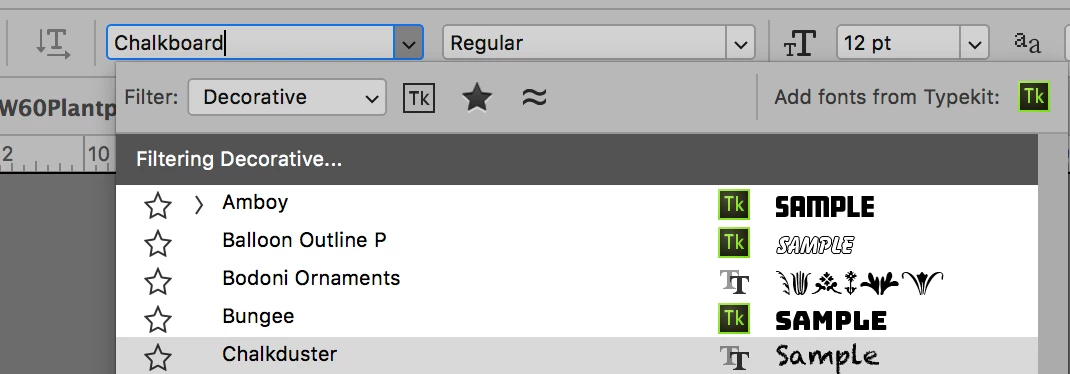
To test, try changing the typeface and try again. And confirm you have no other filters as I do above with "Tk", which is the shortcut for "Adobe Fonts", formerly TypeKit.

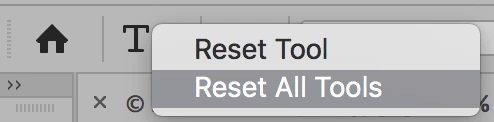
If that doesn't work, reset the Type tool by right-clicking it and choosing Reset Tool.

Does any of that help?

~ Jane

1 reply

jane-e
Community Expert
jane-eCommunity ExpertCorrect answer
Community Expert
February 23, 2019

Hi

I don't have BrackenScriptSSK, but I wonder if PS is filtering for that plus Decorative? When I type it in and filter for Decorative, I also get "No matches found."

To test, try changing the typeface and try again. And confirm you have no other filters as I do above with "Tk", which is the shortcut for "Adobe Fonts", formerly TypeKit.

If that doesn't work, reset the Type tool by right-clicking it and choosing Reset Tool.

Does any of that help?

~ Jane

February 24, 2019

Issue resolved, Thank You Jane!