Participant
April 8, 2021
Question

Forgot what Brush i used

  • April 8, 2021
  • 2 replies
  • 3427 views

I used a brush to create this affect on photoshop, and I cant remember what brush it was. I spent a long time going through my brushes to match it, but there has to be a faster way.. any ideas?

thank you!
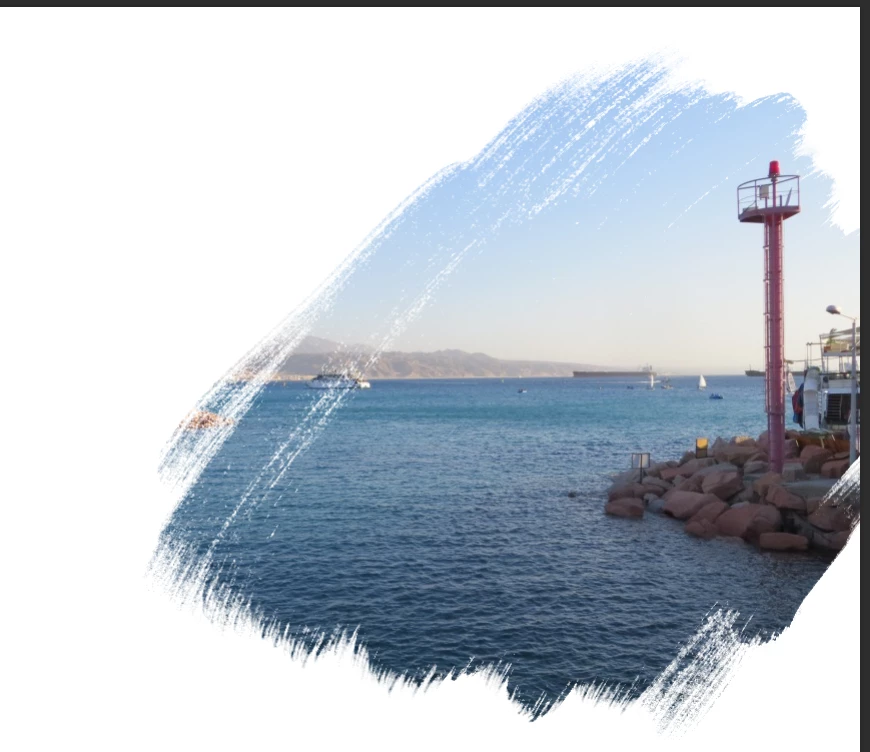
This topic has been closed for replies.

2 replies

Trevor.Dennis
Community Expert
Community Expert
April 8, 2021

Do you have the Kyle Webster Megapack? You can get it from the Add more brushes via the wee cog at the top right corner of the right click menu.  

Participant
April 8, 2021

Thank you so much!

This brush created the effect in your picture?

c.pfaffenbichler
Community Expert
Community Expert
April 8, 2021

Do you mean something to identify brushes like »Match Fornt« tries to do for fonts? 

Then I am afraid that is not an option so far. And I doubt it will be anytime soon. 

Trevor.Dennis
Community Expert
Community Expert
April 8, 2021

The right click search tool is useful if you have an idea of what search words to use, but with the confusion so many people have had since we could save Tool Settings when making a new brush preset, and people like Kyle Webster creating huge preset collections many of which are tool specific, I'd say it would be worth them adding filters to the right click panel.  Even just a 'current tool only' (like in the Preset Manager) would be a huge help.


Tehilla could search for Charcoal (as below) and find options that will give the asked for effect.

c.pfaffenbichler
Community Expert
Community Expert
April 8, 2021

Yeah, if the OP has an inkling about the brush’s name the search-field is definitely the way to go. 

I suspected they were after a graphic brush-recognition feature …
