
NilsA
Participant
June 26, 2019
Question

Free Transform selection on all Layers

  • June 26, 2019
  • 3 replies
  • 385 views

Hello everybody!

I would like to free Transform a selection on all the layers.

I have a pictureset of 8 pictures and I need to adjust the size/rotation/position of each element in each layer. Like you can see in the picture below:
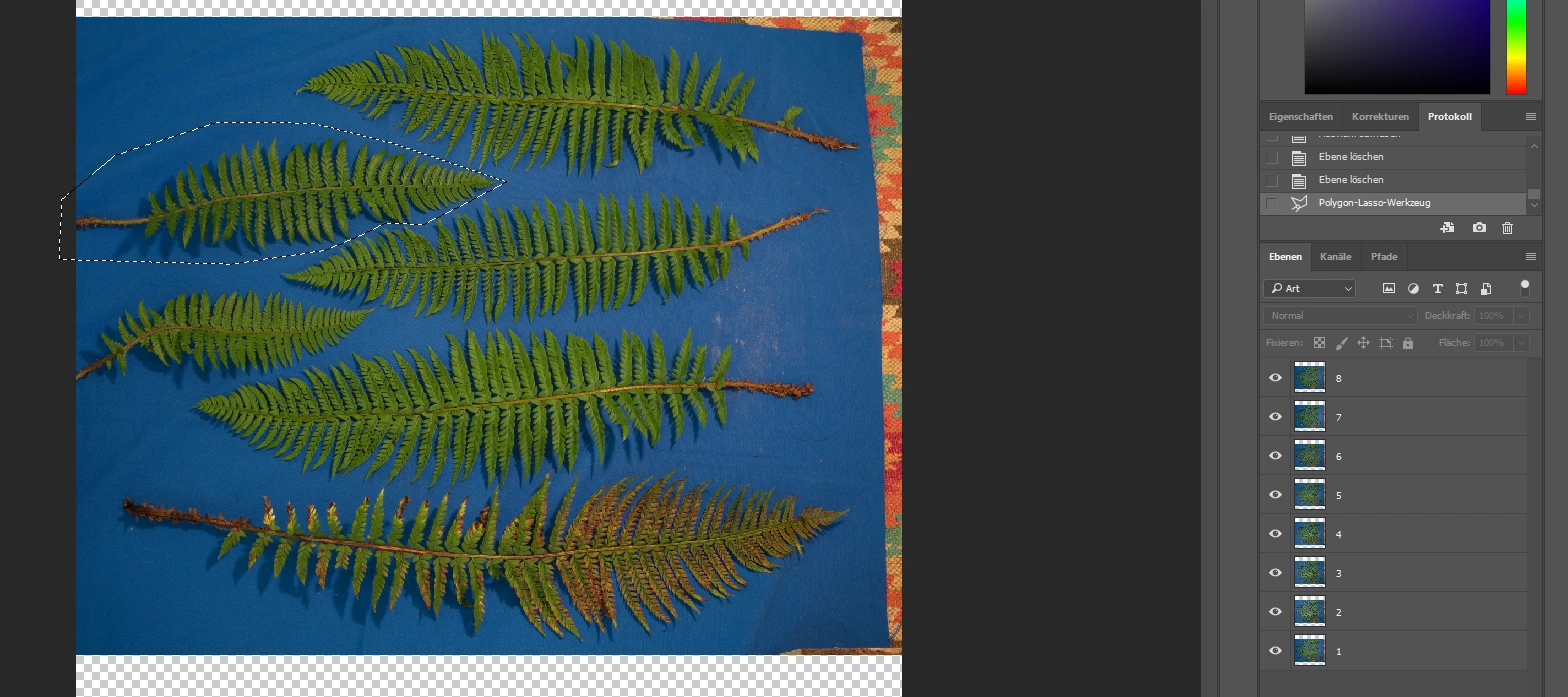
Now I would like to move/rotation/scale the selection I made on all layers of the document.

Hope you can help me out! Thanks!

This topic has been closed for replies.

3 replies

D Fosse
Community Expert
Community Expert
June 26, 2019

As long as the selection itself remains constant, Edit > Transform > Again can be used to repeat the same transform on each layer.

The problem is that you need to reload the selection each time, because it obviously gets transformed with the pixels.So you need to save it as an alpha channel and ctrl-click it when you select a new layer.

And then again, maybe I misunderstand.

NilsA
NilsAAuthor
Participant
June 26, 2019

Thanks for the responses!

I'll look into both.

c.pfaffenbichler
Community Expert
Community Expert
June 26, 2019

Why the bunch of Layers anyway?

Another option might be to convert the stack to a Smart Object and use Liquify or Puppet Warp (or even Displace) to transform locally, but that probably does not meet your needs.

NilsA
NilsAAuthor
Participant
June 26, 2019

Each picture contains information I need for a different workflow.

(Substance Multi light angle scans -> I light an object from 8 different angles and than I can calculate a more accurate map.)

Thats the reason I need to have them in seperate layers.

So far I need to group the layers, than duplicate them, delete the information I don't need and than transform the object.

Maybe there is a more efficient way.

c.pfaffenbichler
Community Expert
Community Expert
June 26, 2019

It’s possible to automate the repeated transformations, another option might be putting all the layers into one Smart Object and use Layer Comps.

c.pfaffenbichler
Community Expert
Community Expert
June 26, 2019

I recommend you use

Merge Visible (from the Layers Panel’s flout menu) with the alt-key pressed

and edit the resulting Layer.

The possible workarounds (Action, Script, …) to transform a Selection on all Layers identically seem like a waste of time and an unnecessary risk.

NilsA
NilsAAuthor
Participant
June 26, 2019

I need to have all 8 layers as output, because every picture is different.

That's the reason I need to transform a selection on each Layer identically.

The only workaround I know is to seperate each object out of the pictureset and than transform that pictureset.

But I thought that there must be a faster way.