Frequency separation doesn't work/ apply image & subtruct
Hi,
I have worked on frequency separation in photoshop many times and it always worked as it should but for some reason I can't get it work anymore.
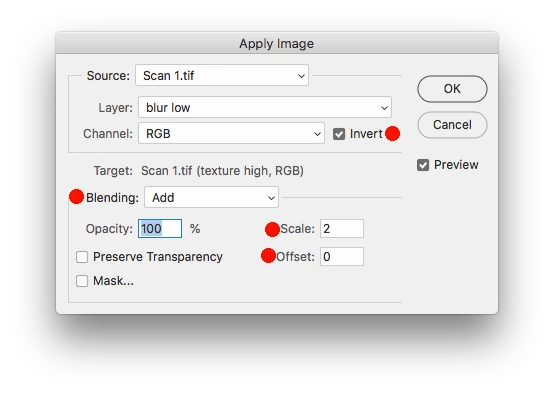
So I made "gaussian blur" and "texture" layers. The problem starts with Apply image - I do everything as it should be done (choose "gaussian blur" layer, bending "Subtract", Scale 2, offset 128) but the image turns into a black color instead of turning into gray and of course accordingly setting a blending mode to "Linear light" doesn't give the needed effect at the end as well.
Can anyone explain to me why is this happening and what is it that I have started to do in a wrong way?
I am attaching 2 pictures - the black one is what I get, and the grey one is what I was supposed to get.
I have Adobe creative for photographers and I am using Photoshop CC.
.png)
.png)
 AdChoices