
Participant
May 22, 2024
Question

Frequency Separation not working normally anymore - Photoshop 25.9.0

  • May 22, 2024
  • 3 replies
  • 921 views

Hello everyone! I'm sorta new to photoshop but I need dire help with frequency separation. I followed a tutorial video on youtube and did every step precisley. At first it was working just as it was shown on the video but then the mixing brush effect starting to make this awful mush and I don't know what's causing it. I even resetted all the settings too and reinstalled PS but the same thing keeps happening. 
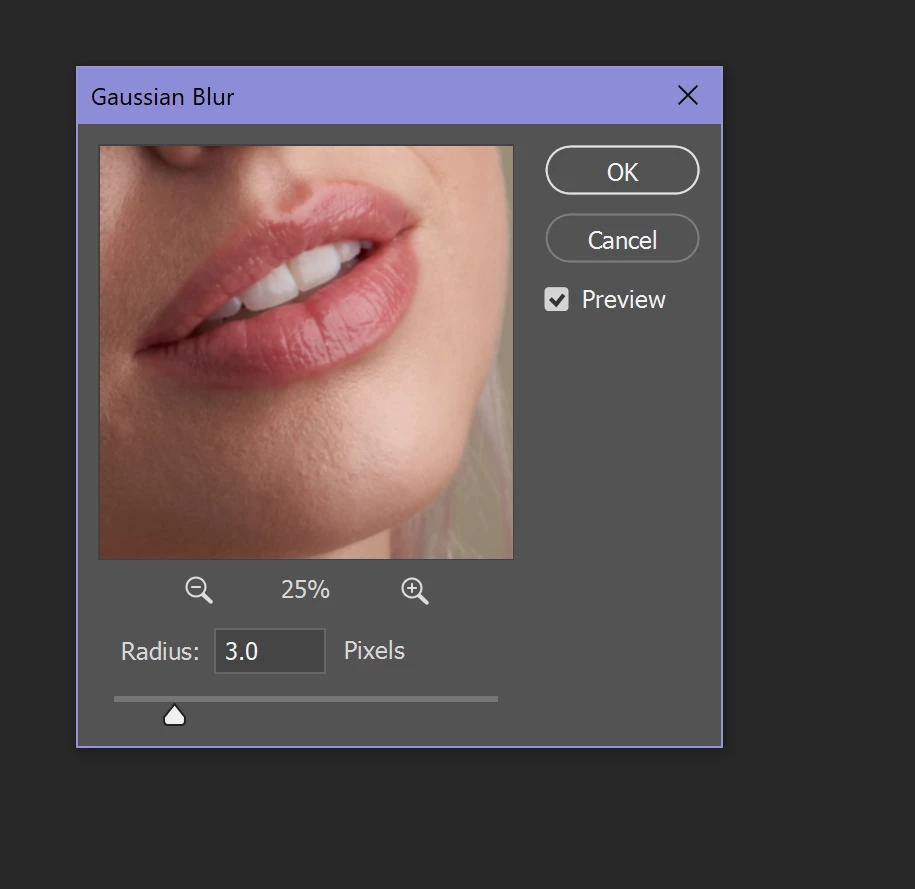
This is my Gaussian Blur settings on the LF layer.
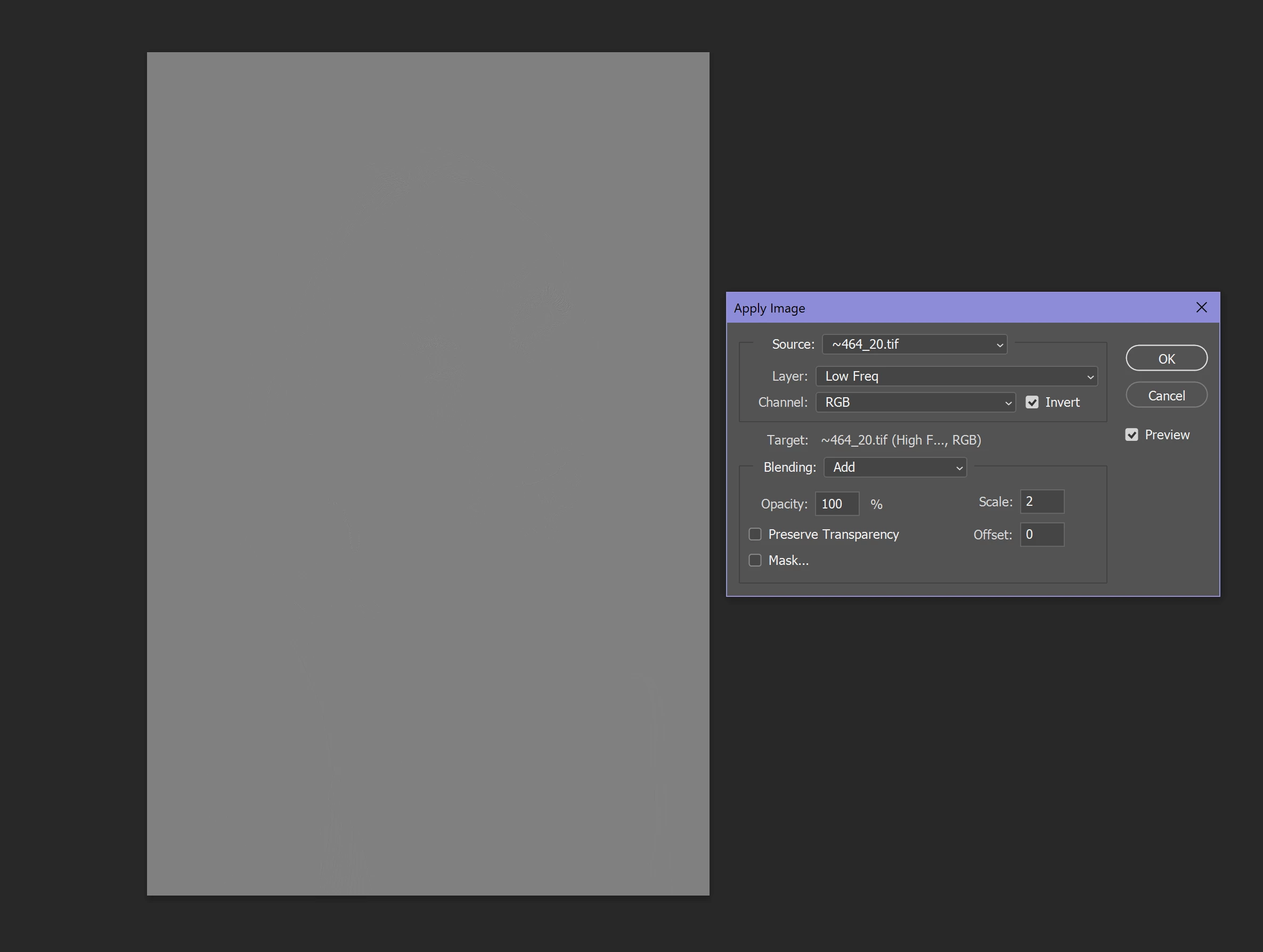
 

This is the Apply Image settings on the HF layer, 16 bit version.
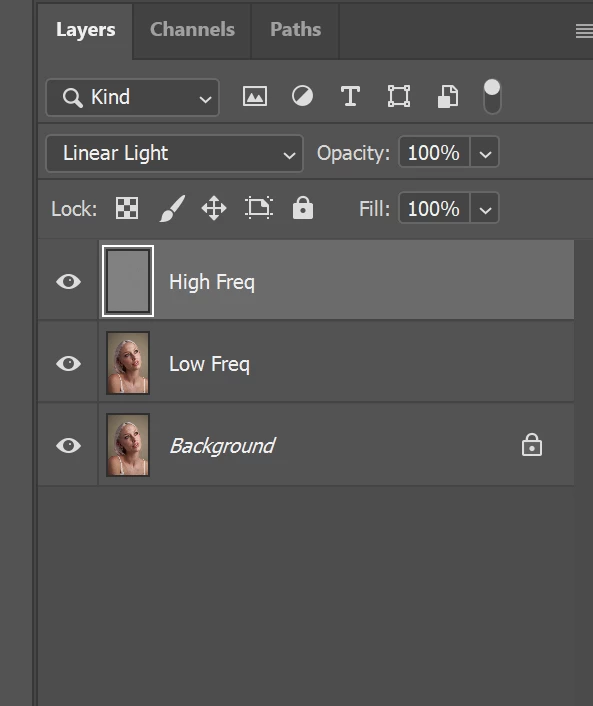
 

On the HF layer, I have Linear Light selected in blend mode

 

This is my Mixer Brush settings on the LF layer.
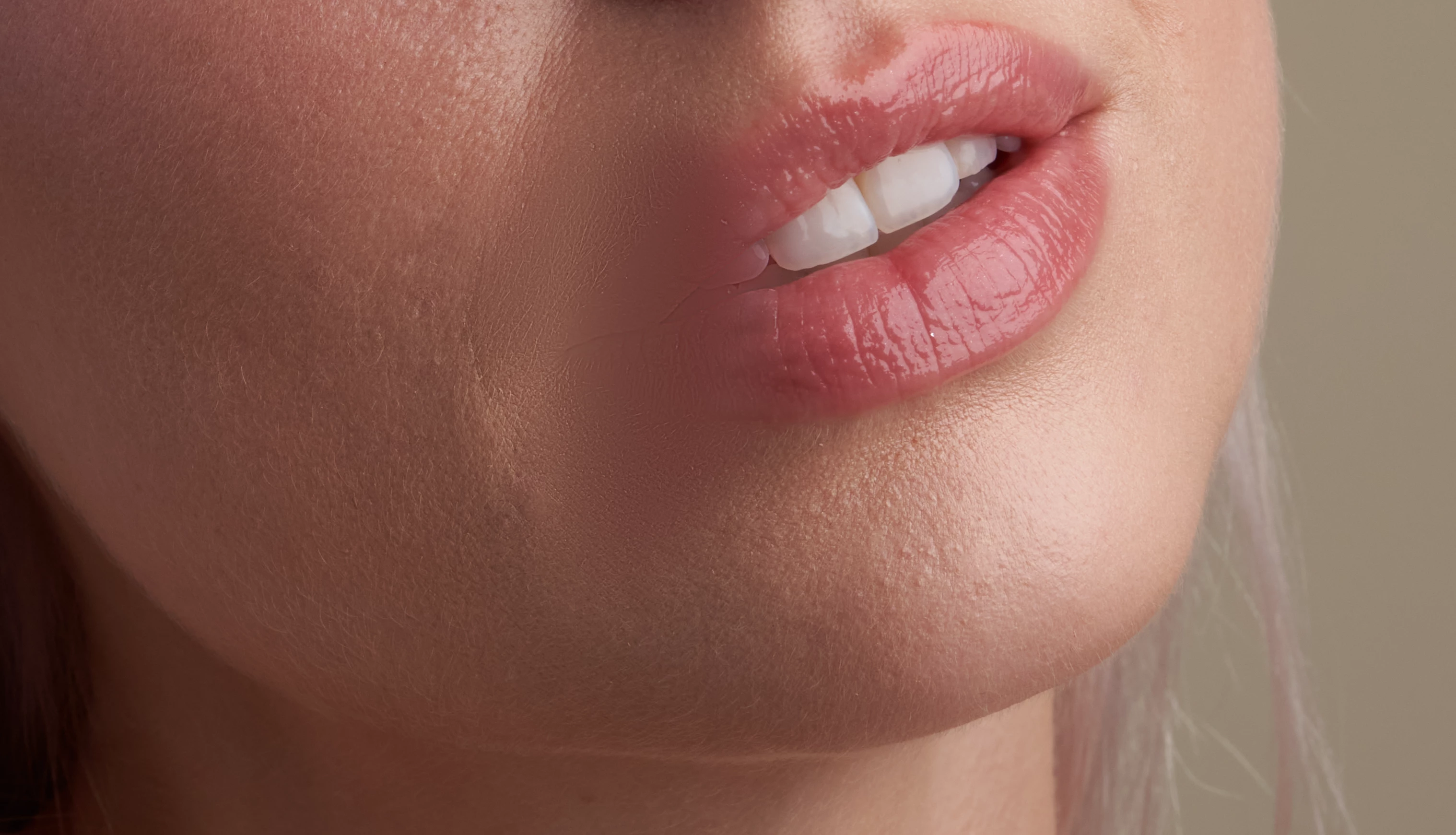
 

And finally this is that mush blur effect when using the mixer brush on LF layer. 

This topic has been closed for replies.

3 replies

Chuck Uebele
Community Expert
Community Expert
May 22, 2024

What are your settings on the mixer brush? What tutorial are you using? A friend who does extensive retouching uses the mixer brush, but doen't recomend it for faces. Perhaps you should use another method for touching up the LF layer. It looks like your brush is too big and spilling color into other areas that it shouldn't be in, like over the mouth.

Participant
May 22, 2024


So this is my mixer brush settings and this is the tutorial link I've been following. In the beginning it worked perfectly with the same size which was 369 , but later on the brush effect completely changed. Also would you happen to know a better way to do FS? 


 https://www.youtube.com/watch?v=50Qdv4yUaII&list=LL&index=3&t=215s


Chuck Uebele
Community Expert
Community Expert
May 23, 2024

Were you using the same image when this change happened? If not, were the resolutions of the two images different? I Don't do highend facial retouching, but just have picked up a few things. It's easy to overdo it with facial retouching and have the model take on a plastic look. So it might be that the mixer brush might be a bit harder to control as to not go too far. As far as your issue, to me it just looks like your brush or feathering was too big, and it spilled over into other areas.

Legend
May 22, 2024

Show your actions panel with this particular action expanded.

Participant
May 22, 2024

Yes of course, here it is.


Legend
May 22, 2024

That doesn't show a frequency separation action, nor are the actions expanded. There is no way to tell what is happening.

John T Smith
Community Expert
Community Expert
May 22, 2024

To ask in the forum for your program please start at https://community.adobe.com/


This is not a download & install question so moved to the Photoshop forum