sheenad20008746
Known Participant
July 18, 2019
Answered

Frustrated by a recurring problem with curves and sometimes color balance PS CC macOS Mojave

  • July 18, 2019
  • 1 reply
  • 600 views

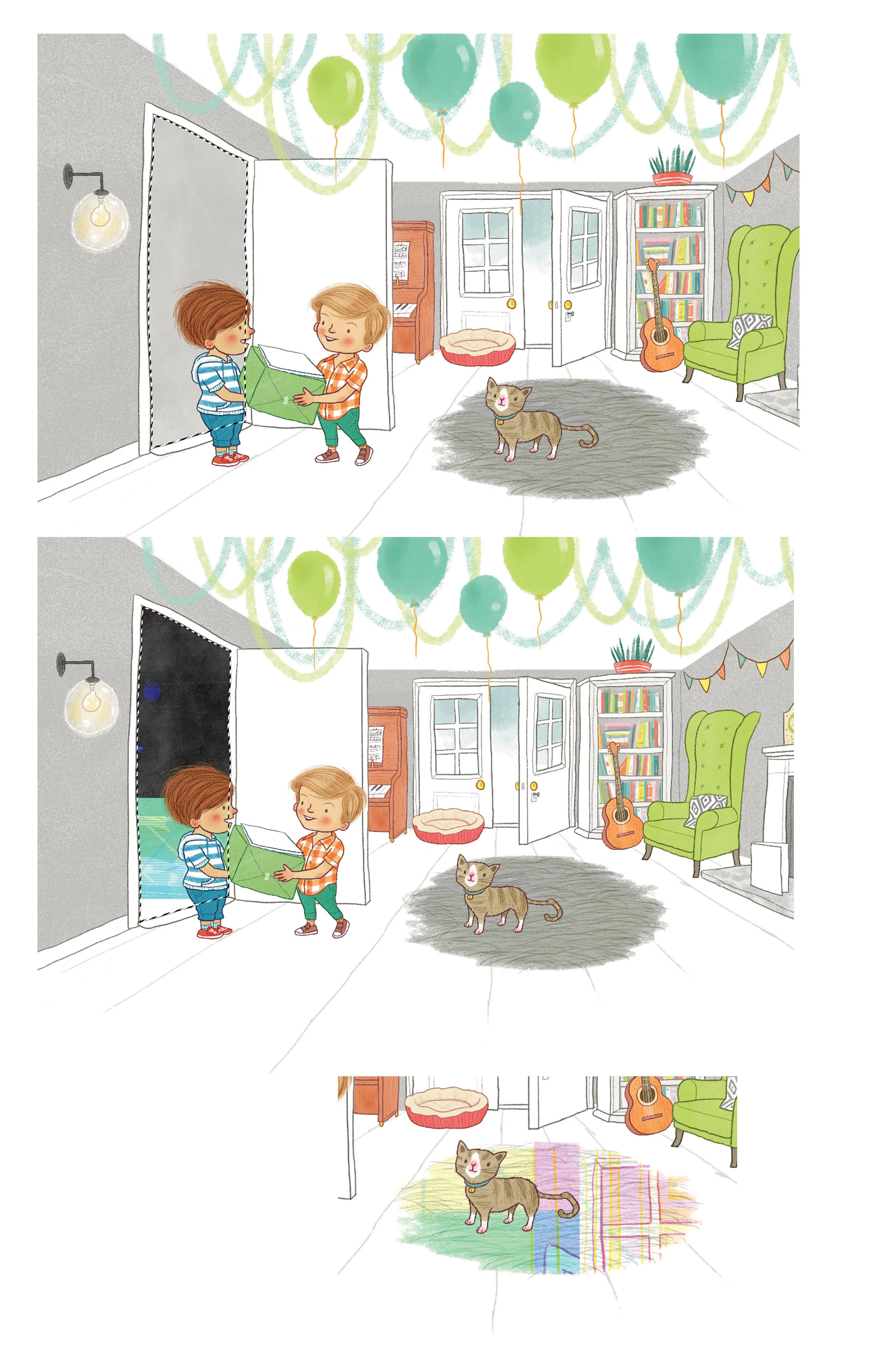
I am at my wit's end with a recurring PS CC problem. I am working on a one year old iMac with Mojave and  I have updated PS to newest version before and it has made no difference. When I select a part of an image, then alter curves or change colour balance, something very strange happens. In the image below, the second crop shows the selected doorway gone all different colours and all I meant to do is to make the area darker. In the third crop the rug the cat is standing on is meant to be grey as in above pics but when I apply curves, it goes all psychedelic. It's like it picks up different parts of the spread and repeats it in a random way, in different colours. I would really like to get this sorted out cos it happens 80% of time I hit curves. I know there is adjustment layers but this is the way I prefer to work. It's really slowing me down and killling my buzz.

Thanks in advance!
{Thread renamed by moderator}

    This topic has been closed for replies.
    Correct answer davescm

    Hi

    Try going to Preferences >Performance and check "Use legacy compositing" then restart Photoshop.

    Dave

    1 reply

    Sahil.Chawla
    Adobe Employee
    Adobe Employee
    July 18, 2019

    Hi Sheena,

    That shouldn't be happening, let's make it right.

    As Photoshop is not working as expected, could you please try resetting the preferences of Photoshop and let us know if it helps? Preferences in Photoshop

    Note: Make sure that you back up all your custom presets, brushes and actions before restoring Photoshop's preferences. Migrate presets, actions, and settings

    Regards,
    Sahil

    sheenad20008746
    Known Participant
    July 18, 2019

    Hi, is there a way to sort this out without resetting all of PS? I am on a deadline and don't want to risk losing all my brushes...

    Are there any other suggestions? Thanks...

    davescm
    Community Expert
    davescmCommunity ExpertCorrect answer
    Community Expert
    July 18, 2019

    Hi

    Try going to Preferences >Performance and check "Use legacy compositing" then restart Photoshop.

    Dave