

Full screen mode problem Photoshop 2023
Photoshop 2023 - Windows 11 - 32GB of RAM - RTX3080 (10GB)
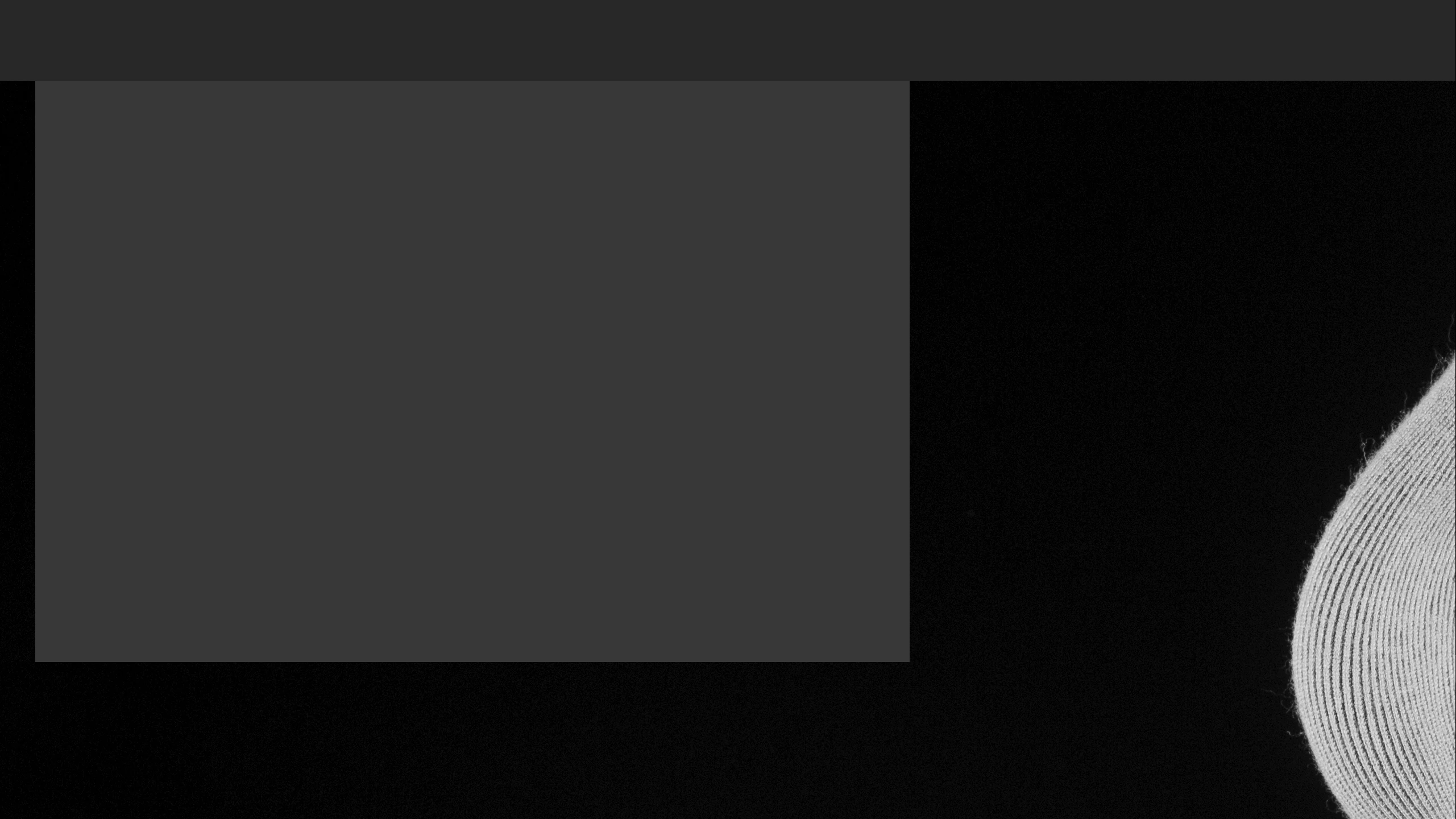
When I go to full screen mode (F) and move my multiple layered file (display at 100%) to the top of the image (overscroll mode is on) the screen flickers and displays gray sections at the top of the screen. (see below) ...
... On returning from full screen mode to normal screen mode (F) Photoshop is cropped and outside of the viewing window. Menus at the top and left are unreachable with the mouse. (see below) ...
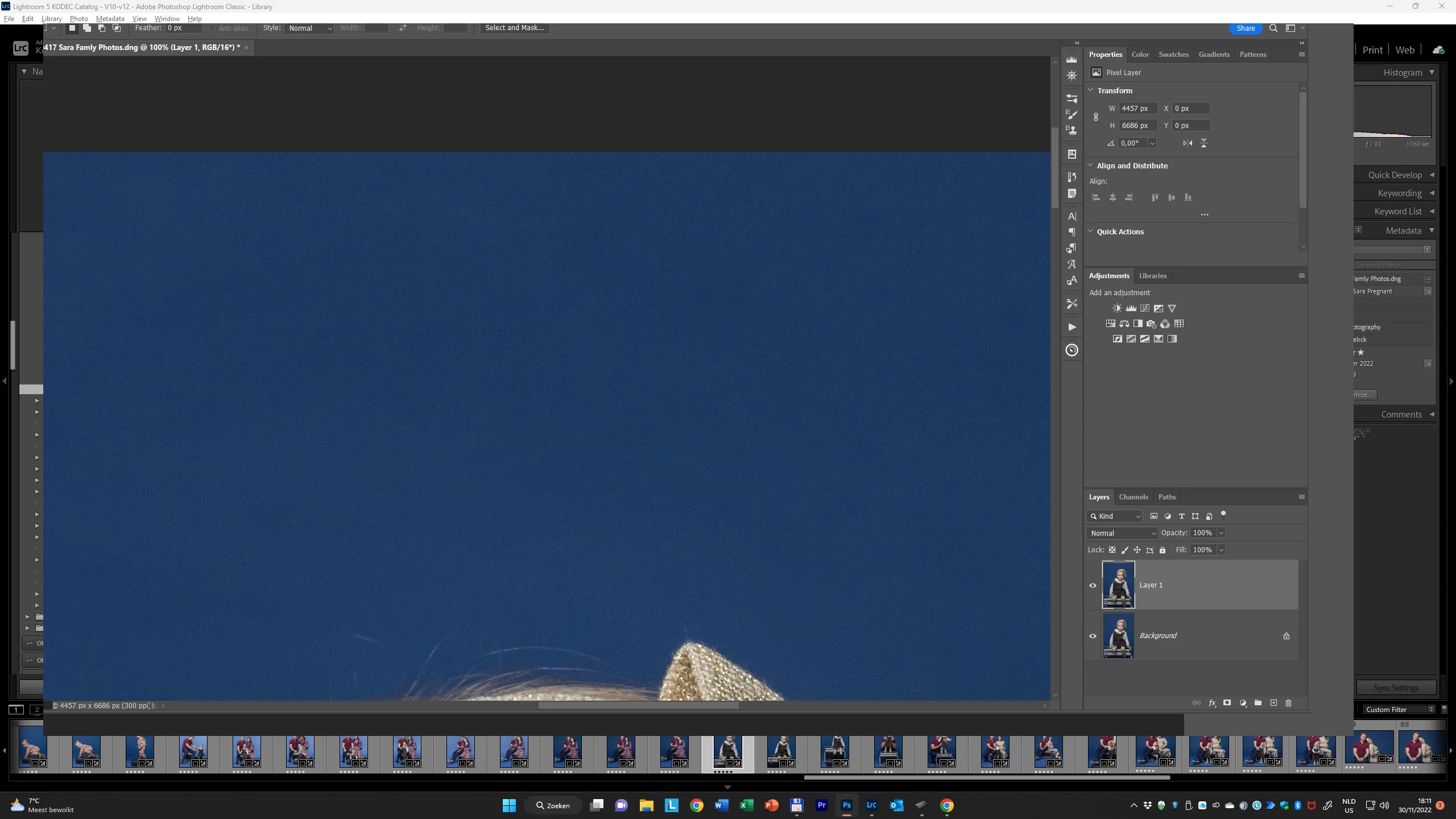 Anyone any idea how to solve this very annoying problem.
Here is my Photoshop system info:
Adobe Photoshop Version: 24.0.1 20221111.r.112 a12a934 x64
Number of Launches: 33
Operating System: Windows 11 64-bit
Version: 11 or greater 10.0.22621.819
System architecture: Intel CPU Family:6, Model:7, Stepping:2 with MMX, SSE Integer, SSE FP, SSE2, SSE3, SSE4.1, SSE4.2, AVX, AVX2, AVX-VNNI, HybridCPU(8:8), HyperThreading
Physical processor count: 16
Logical processor count: 24
Processor speed: 3187 MHz
Built-in memory: 32488 MB
Free memory: 20528 MB
Memory available to Photoshop: 24966 MB
Memory used by Photoshop: 69 %
Crash Handler: Adobe
DCX Version: 6.7.2
SAM SDK Version: 2.0.0-main.1415
ACP.local Status:
- SDK Version: 2.7.1.2
- Core Sync Status: Reachable and compatible
- Core Sync Running: 6.0.0.43
- Min Core Sync Required: 4.3.66.28
Live Edit Client SDK Version: 3.91.3
Content Credential Helper Version: Not Available
Manta Canvas: Enabled.
Alias Layers: Disabled.
Modifier Palette: Disabled.
Highbeam: Enabled.
Wintab Digitizer Services
Spec Version 1.4
Impl Version 1.39
Num Devices 1
Image tile size: 1024K
Image cache levels: 8
Font Preview: Medium
HarfBuzz Version: 4.3.0
TextEngine: Unified Text Engine
======= GPU
Native API stable: True
OpenGL API stable: True
OpenCL API stable: True
D3D12Warp renderer: False
GPUDeny: 0
GPUForce: 0
useGPU: 1
useOpenCL: 1
isGPUCapable: 1
GPUName: NVIDIA GeForce RTX 3080
GPUVendor: NVIDIA
IsNativeGPUCapable: 1
IsOpenGLGPUCapable: 1
IsOpenCLGPUCapable: 1
HasSufficientRAM: 1
GPU accessible RAM: 10,567 MB
Required GPU accessible RAM: 1,500 MB
UseGraphicsProcessorChecked: 1
UseOpenCLChecked: 1
Windows remote desktop: 0
Display: 1
Display Bounds: top=0, left=0, bottom=1440, right=2560
Display: 2
Display Bounds: top=0, left=2560, bottom=1200, right=4480
 AdChoices