Answered
Fuse to Photoshop CC Dark Image
I've created a custom 3D character in fuse, and have imported it into Photoshop. When I bring it to the stage, it is VERY dark, and I have tried everything to correct it. Any thoughts?
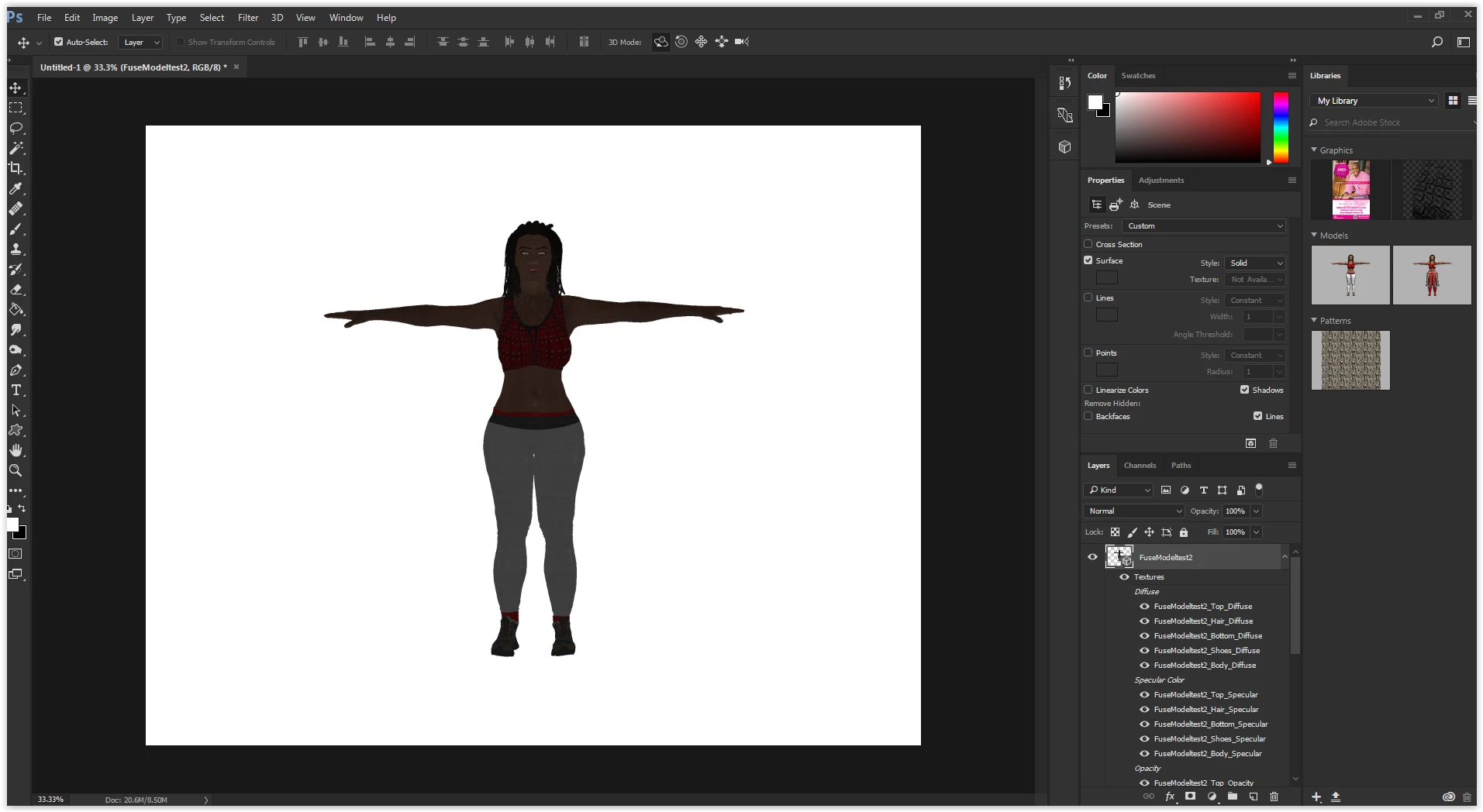
I've created a custom 3D character in fuse, and have imported it into Photoshop. When I bring it to the stage, it is VERY dark, and I have tried everything to correct it. Any thoughts?
I figured it out. Unfortunately the graphic card on my work machine can't tolerate the renders. On my home lab its perfectly fine.
Hi,
Curious that the GPU support is dropping the lighting. Is this a discrete card or an integrated chipset? Have you checked for driver updates?
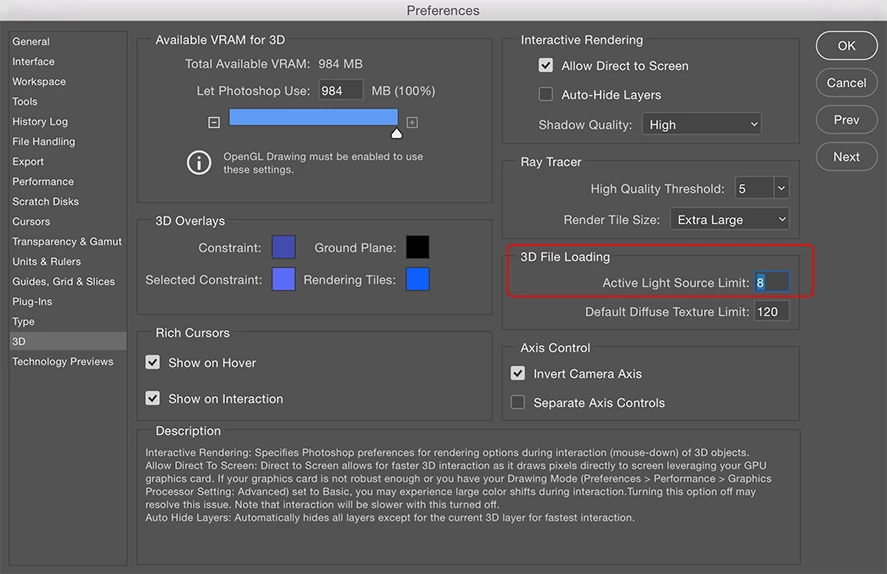
Another thing to check is the 3D settings options and see if the Active Light Source Limit is set to 1. You will want it at a minimum of 2 for Fuse models, and 8 is the default.
regards,
steve
Already have an account? Login
Enter your E-mail address. We'll send you an e-mail with instructions to reset your password.
 AdChoices