
Question
Fuzzy outline/edge outside artboard, PS cc 2019
Hi,
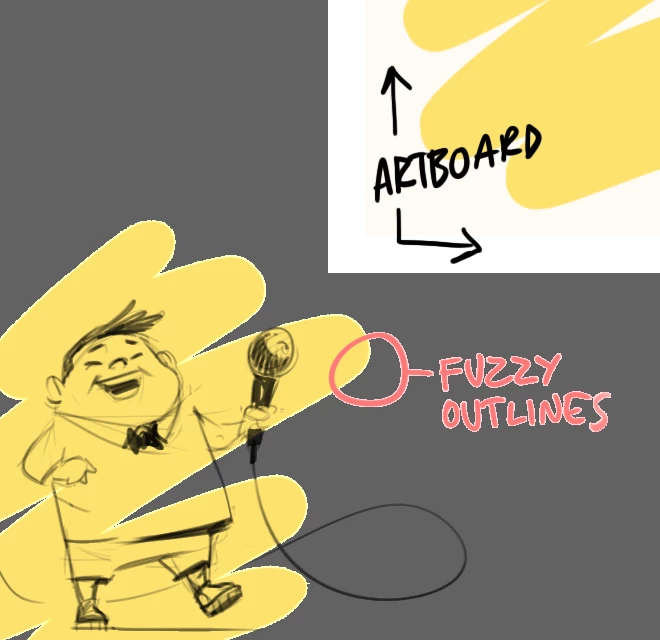
After updating to Photoshop CC 2019, objects outside artboards gets a fuzzy outline/edge.
This appears when the color is lighter than the background.
I have searched all over without finding a solution.
Although it's not a big problem, I find it a distracting because I draw and place objects outside the artboard all the time.
In previous versions of PS everything looked the same, both outside and inside.
Here is a preview of what it looks like.
Hopefully there is an easy fix..
Cheers
 AdChoices