


Generate batches of quotes script not working? Error 24: doc.Saveas is not a function
My mission:
I want to create a script that will generate a batch of quotes easily with reference and source included without having to do it manually all the time. The script will keep everything in place and simply change the text, so no further styling is needed. etc.
The script will allow us to simply add text of quote, reference and source and then save as jpeg, gif or jpg,etc.
I am following a YT tutorial here except I've followed along exactly yet I still receive an error, I am thinking i'm using an old method?
Note: I am half way in the middle and won't continue until this is fixed. if you can help me achieve this script all together, that will be better!
Example:
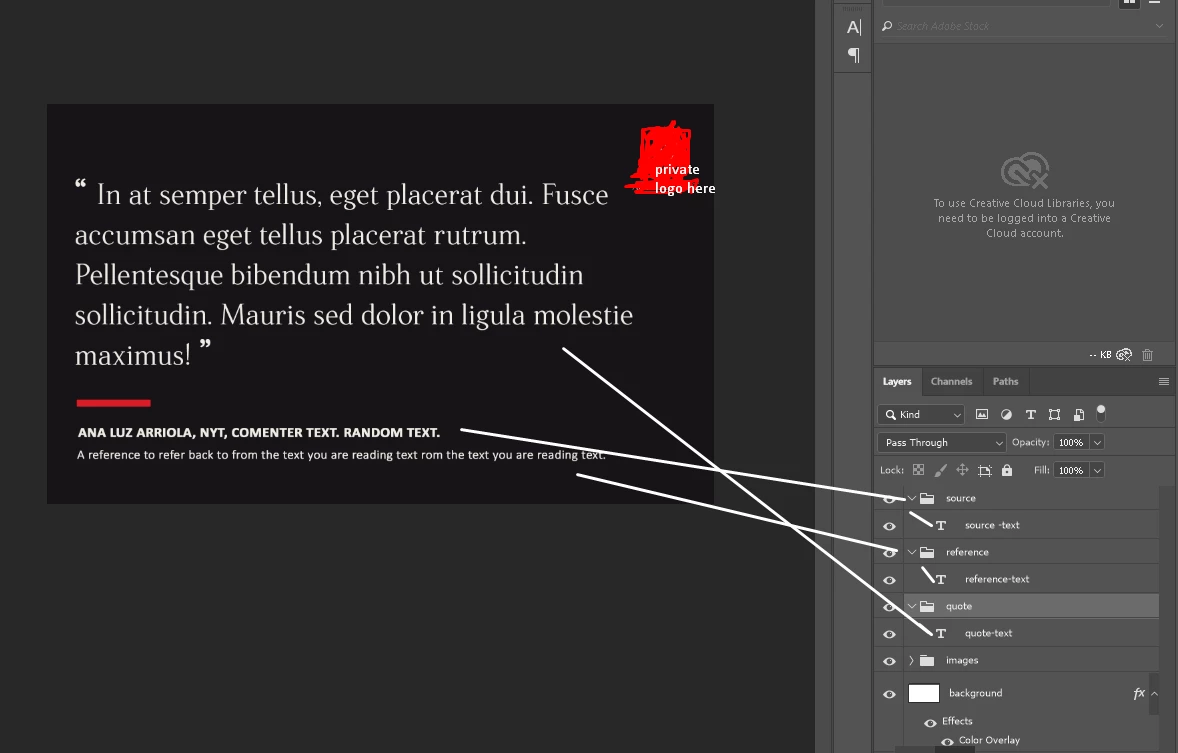
My current code:
//change text* 10
// quote > quote-text
// source > source-text
// reference > reference-text
var quoteGroup = app.activeDocument.layerSets.getByName('quote');
var quoteLayer = quoteGroup.layers[0];
quoteLayer.textItem.contents ='Hello World'; //textitem >text layout
// change jpeg
saveJpeg('hello-world'); //<<file name here
function saveJpeg(name) {
var doc = app.activeDocument;
//where to output saveJpeg
var file = new File(doc.path + '/' + name + '.jpg');
//save options
var opts = new JPEGSaveOptions(); //this is ref to save JPEGSaveOptions
opts.quality = 10; //quality
doc.SaveAs(file, opts, true);
}
//alert(quoteGroup.name);
error:
error 24: doc.Saveas is not a function. Line 23
-> doc.Saveas(file,opts,true);
tutorial followed:
Photoshop Scripting Tutorial - YouTube
Note: I find the photoshop scripting reference unclear and confusing for someone who has NOT gotten into JavaScript yet.
i APPRECIATE A RESPONSE! THANK YOU.
 AdChoices