
Participating Frequently
May 21, 2022
Answered

Generate Image Asset TIF

  • May 21, 2022
  • 1 reply
  • 720 views

I am wondering if there is an extention/plugin that can work in conjunction to work along side the generate image asset for tif files? This would be incredibly helpful. 


Or is there another way I can batch export each layor crop as tif files? 

Not sure if this would be done via plugin, action, or script.

any insights would be apperciated.
This topic has been closed for replies.
Correct answer Stephen Marsh

@Devin D Calico 


Do you wish to retain canvas transparency or crop/trim transparency?


Have you looked at the export layers to files script that ships with Photoshop?


There is also a Layer Saver and Layer Saver Plus script from Paul Riggott:


https://github.com/Paul-Riggott/PS-Scripts/blob/master/Layer%20Saver%20Plus.jsx


1 reply

Stephen Marsh
Community Expert
Stephen MarshCommunity ExpertCorrect answer
Community Expert
May 21, 2022

@Devin D Calico 


Do you wish to retain canvas transparency or crop/trim transparency?


Have you looked at the export layers to files script that ships with Photoshop?


There is also a Layer Saver and Layer Saver Plus script from Paul Riggott:


https://github.com/Paul-Riggott/PS-Scripts/blob/master/Layer%20Saver%20Plus.jsx


Participating Frequently
May 25, 2022

Stephen,

Thanks

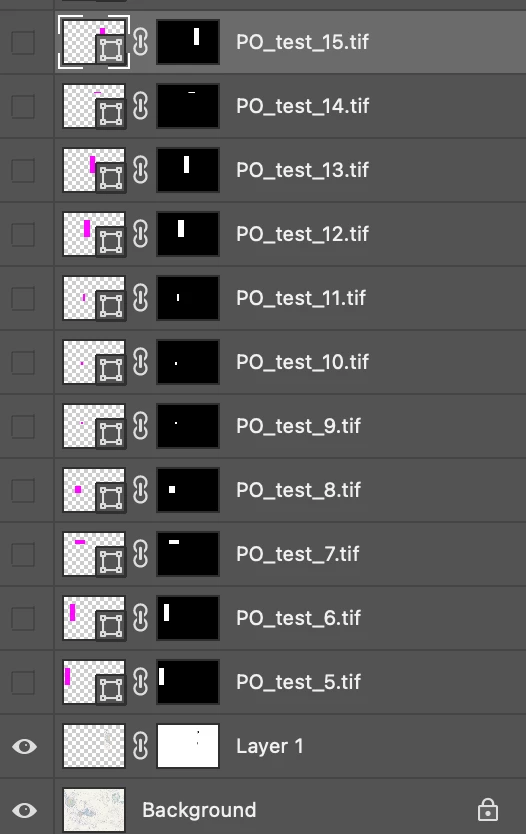
I was looking at it how "Generate Assets" works so the crop would export the cropped image as a tif.


The current workflow I'm using is the background layer is what's actually being cropped and exported. Those shapes are just for making the selection > save copy > tif.


I've tried making an action / scripts (I'm not well versed in scripts). I did take a look at that github, but looking at the general code, I'm unsure if it's what I'm looking to do.

But If there is a way I could automate this process of croping and saving based on those shapes that would be amazing. The number of exports vary from project to project.

Participating Frequently
June 2, 2022

Yes, I do want to trim/crop out the transparency. I'll give this script a go and see how it works. I'm trying to look through the documentation. when saving the TIF file can you set the compression (i.e None, LZW, etc)?


I got an error with the script (below). I'm quite new to scripts...

but judging by your tif files it didn't crop the white/transparency. I would need the files to be the exact size of the shape being clipped too.


Line: 28

->      <meta name="optimizely-datafile" content="{&quot;groups&quot;: [], &quot;environmentKey&quot;: &quot;production&quot;, &quot;rollouts&quot;: [], &quot;typedAudiences&quot;: [], &quot;projectId&quot;: &quot;16737760170&quot;,  .... lots more