PhotoBoy
Inspiring
February 14, 2023
Answered

getting a system bong

  • February 14, 2023
  • 2 replies
  • 5452 views

I make a document in Photoshop 2023, in Ventura 13.2 on a 19,1 iMac.

I add a type layer, color the type.

I select one line of the text.

Go to add a WOW style to one line of type.

Click on the style

The iMac beeps the system bong.

If I try to quit Photoshop quit is grayed out.

Why can I no longer edit layers without the beeping?


What have I left on or need to turn off?


This topic has been closed for replies.
Correct answer jane-e

Kevin, to style w the WOW styles, APS must be out of type mode?

I selected one line of text (ended at a return). Tried to apply the style, beep beep.

I hit the check mark, turned off type mode, BUT then the type was deselected.

So I must style every line in the type box. Is this correct?


quote

So I must style every line in the type box. Is this correct?

By @PhotoBoy


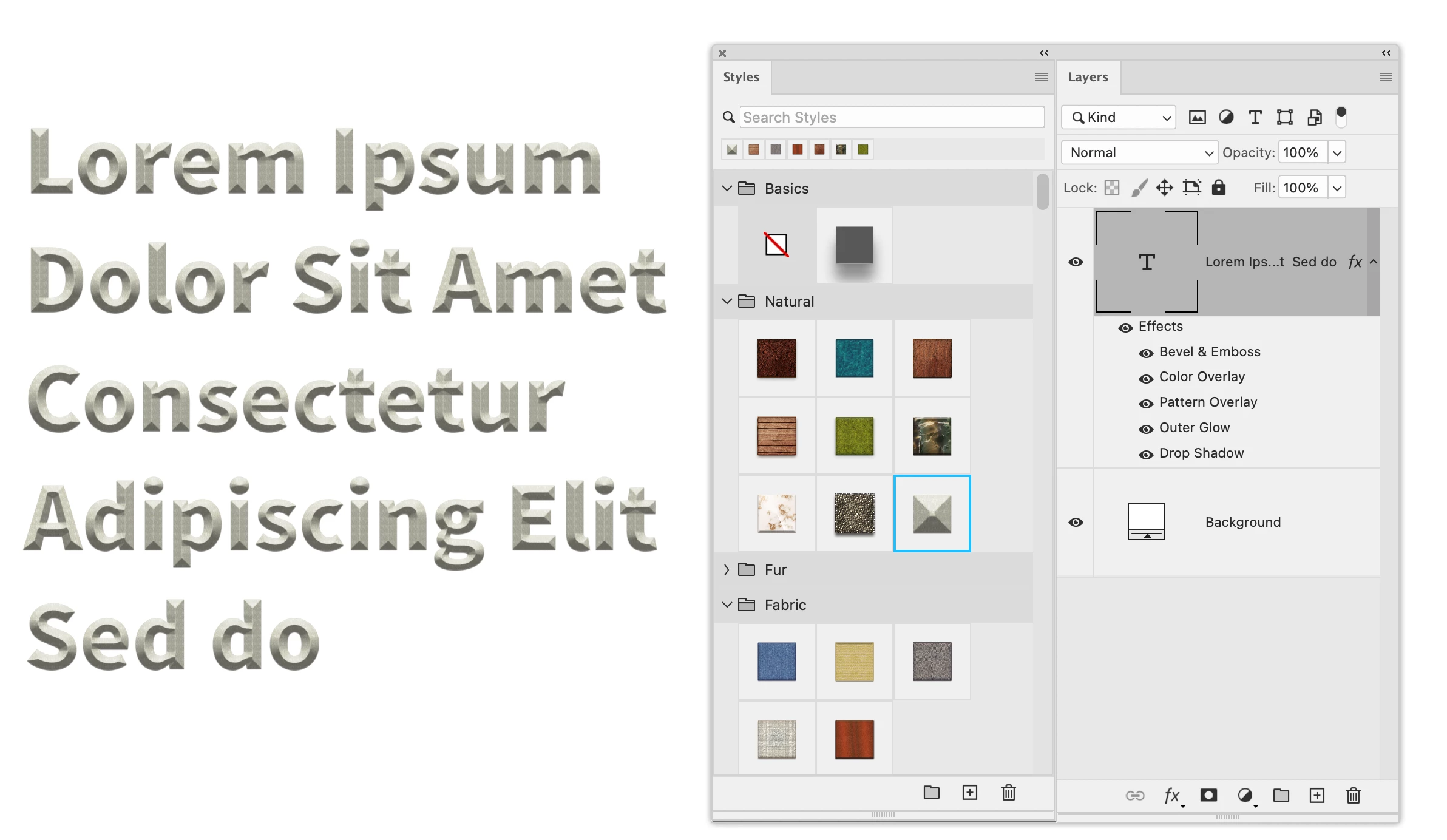
When you apply styles from the Styles panel, they are a collection of Layer Effects.

  • They apply to everything on the current layer
  • You cannot use your Type tool with text selected
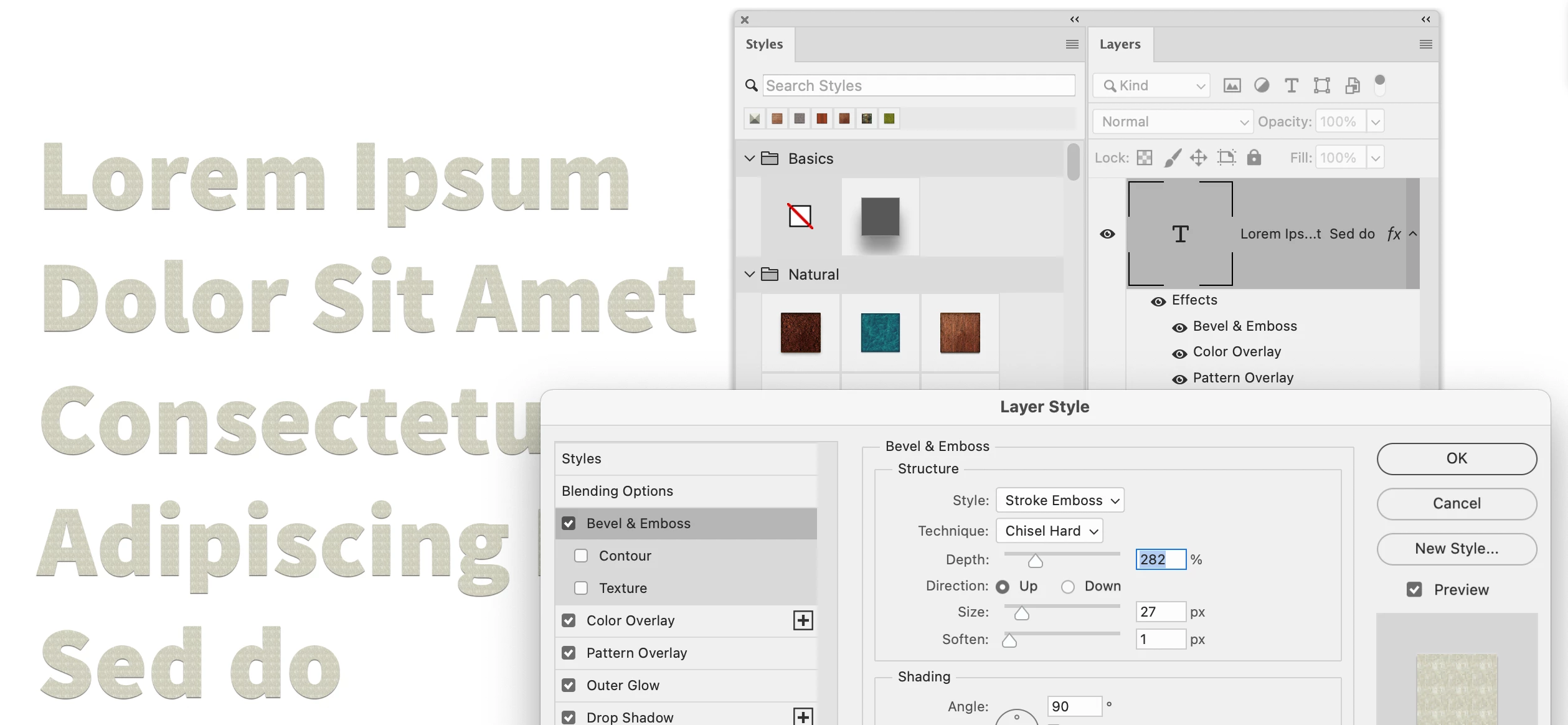
  • Instead, use your Move tool and click on a Style. Look in the Layers panel to see the Effects
  • To edit an Effect, such as Bevel, double-click it in the Layers panel.


Jane

2 replies

jane-e
Community Expert
Community Expert
February 14, 2023


@PhotoBoy wrote:

What have I left on or need to turn off?


  • I add a type layer, color the type.

    Why are you coloring the text before applying the style? Isn't the color part of the style definition?


  • Are you using Point type (click and type) or Paragraph type (drag with type tool, then type)?

  • I select one line of the text. Go to add a WOW style to one line of type.
    Is the "WOW style" a paragraph style or a character style? How is it defined? Or is it a graphic style?
    Show a screenshot of the definition.

  • If I try to quit Photoshop quit is grayed out.

    Have you exited Text mode by clicking the checkbox or choosing cancel?


Please clarify and show screen shots.


Jane


Kevin Stohlmeyer
Community Expert
Community Expert
February 14, 2023

@jane-e if this is the same WOW (World of Warcraft) style I am thinking of its a Layer Style not a paragraph or character style.

PhotoBoy
PhotoBoyAuthor
Inspiring
February 14, 2023

Kevin, Maybe I have forgotten that if I want the text styled differently than the second line of text I must keep the lines separated as two layers. But I swear I have never used the checkmark since Photoshp 3. But I have been away from daily useage for awhile.


Yes, it is WOW, not World of Warcraft

Trying to Live Simply
Kevin Stohlmeyer
Community Expert
Community Expert
February 14, 2023

Does the same thing happen with any style or just the WOW imported style?

What happens if you hit Esc or Enter? Wondering if there is a dialog box hidden somewhere requiring action.

PhotoBoy
PhotoBoyAuthor
Inspiring
February 14, 2023

If I hit esc the type is no longer selected.

If I hit return the line of text I selected is deleted

Also all styles the same beep

Trying to Live Simply
Kevin Stohlmeyer
Community Expert
Community Expert
February 14, 2023

Try this - enter your plain text and exit the type tool.

Select the type layer using the Move tool and apply the style.

Same results?