

Mike_Gondek10189183
Community Expert
Community Expert
June 4, 2018
Answered

Getting existing canvas guides to snap to pixels

  • June 4, 2018
  • 3 replies
  • 596 views

Why does Photoshop allow you to drop a guide that does not snap to pixels?

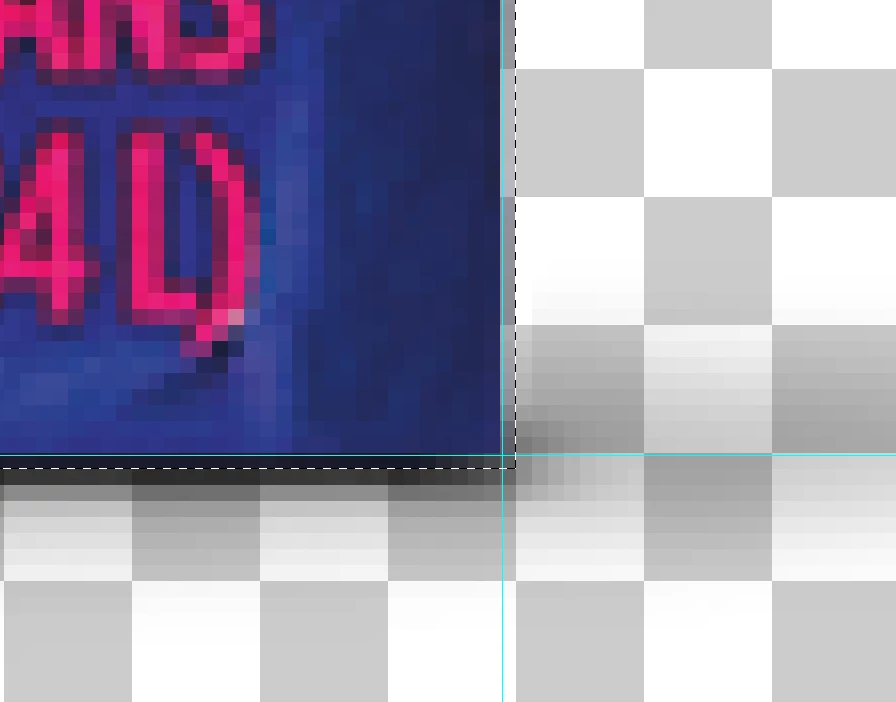
Got a large amount of documents, created by someone else, but the guides are not snapped to edge of pixels.

When trying to make a marquee selection I get this.
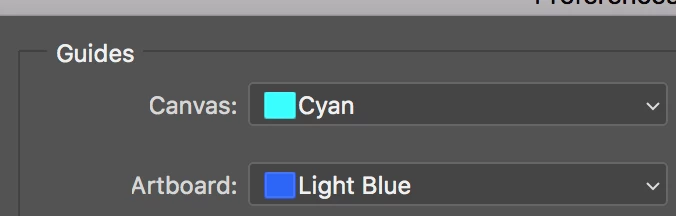
the prefs shows Photoshop also has artboard guides, how do you create those?
I have to make separate layers for shows and product, so the shadow layer can be set to Multiply in InDesign.

    This topic has been closed for replies.
    Correct answer c.pfaffenbichler

    Yes thank you I tried shift and mentioned  in my previous post that snaps to ruler increments, not pixels.


    Sorry, forgot that.

    Setting the rulers to pixels should get the intended result then?

    3 replies

    c.pfaffenbichler
    Community Expert
    Community Expert
    June 4, 2018

    the prefs shows Photoshop also has artboard guides, how do you create those?

    If I understand correctly: When you select an Artboard or a Layer within an Artboard and drag in a guide it should be an Artboard Guide, if no Artboard (or content) or more than one Artboard (or content) is selected it should produce a Canvas Guide.

    JJMack
    Community Expert
    Community Expert
    June 4, 2018

    JJMack
    c.pfaffenbichler
    Community Expert
    Community Expert
    June 4, 2018
    Why does Photoshop allow you to drop a guide that does not snap to pixels?

    An image may subsequently get upsampled or downsampled, the center of a transformation for a Layer with an odd-numbered pixel-dimension may be at x.5px, pathPoints ned not conform to the the pixel grid, …; there seems to be no compelling reason why guides would have to conform to the pixel grid in principle.

    If you want to change the existing guides I am confident that a Script should be able to achieve the desired result.

    Photoshop Scripting

    Mike_Gondek10189183
    Community Expert
    Community Expert
    June 4, 2018

    Thanks for your reply. I usually have no need for guides, in retouching, but snapping to pixels would seem to be very useful in lower res digital work.

    In any case, Is there an option to snap guides to pixels? Like holding down a modifier key while you drag? Shift dragging will snap to ruler ticks, but  snapping to pixels more useful.

    c.pfaffenbichler
    Community Expert
    Community Expert
    June 5, 2018

    snapping to pixels would seem to be very useful in lower res digital work.

    Have you tried shift-dragging a guide in?