



bartonlew
Legend
October 20, 2018
Answered

getting message "no pixels selected"

  • October 20, 2018
  • 1 reply
  • 5668 views

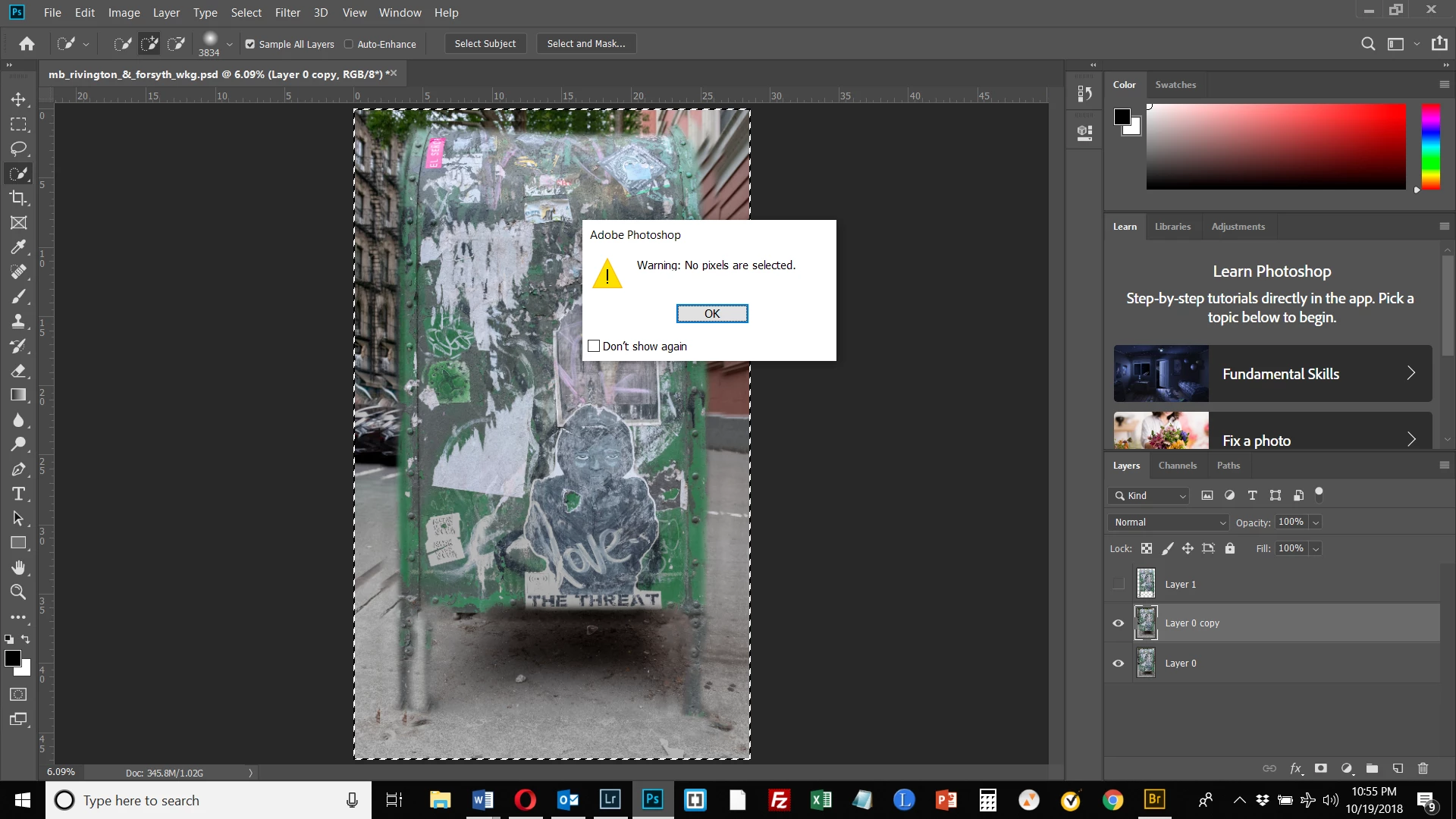
Hi, Chuck Uebele, I am having a problem again with the gaussian blur method you showed me.  I am getting a message "no pixels selected" at the point where I have gone to the top layer element selection, selected the entire selection, and moved back to the copied background layer.  When I press control shift i at this point to invert the selection, I am getting the message "no pixels selected."  Despite having selected the top layer.  Do you know why?  Thanks.
This topic has been closed for replies.
Correct answer Chuck Uebele

What do you mean by painting on the layer? Do you mean on the layer mask? If so, there are no layer masks in your screen shot. Your top layer does have transparency, so you should be able to ctrl-click on the thumbnail to make a good selection.

1 reply

Chuck Uebele
Community Expert
Community Expert
October 20, 2018

From what I can see, you selected the entire canvas and not the mailbox, so when you inverted the selection, there are no pixels selected.

bartonlew
bartonlewAuthor
Legend
October 20, 2018

I thought that painting on this layer would only select the selection, since that's all that's there.  Painting would not select the canvas.  That is how it's worked for me in the past.  I've just painted on the layer with a big brush and all that gets selected is the selection that has been copied to the layer.  Isn't that how it's supposed to work?

Chuck Uebele
Community Expert
Chuck UebeleCommunity ExpertCorrect answer
Community Expert
October 20, 2018

What do you mean by painting on the layer? Do you mean on the layer mask? If so, there are no layer masks in your screen shot. Your top layer does have transparency, so you should be able to ctrl-click on the thumbnail to make a good selection.