swollenandhalo
Participant
March 1, 2020
Question

Ghost strokes with the brush tool.

  • March 1, 2020
  • 3 replies
  • 1292 views

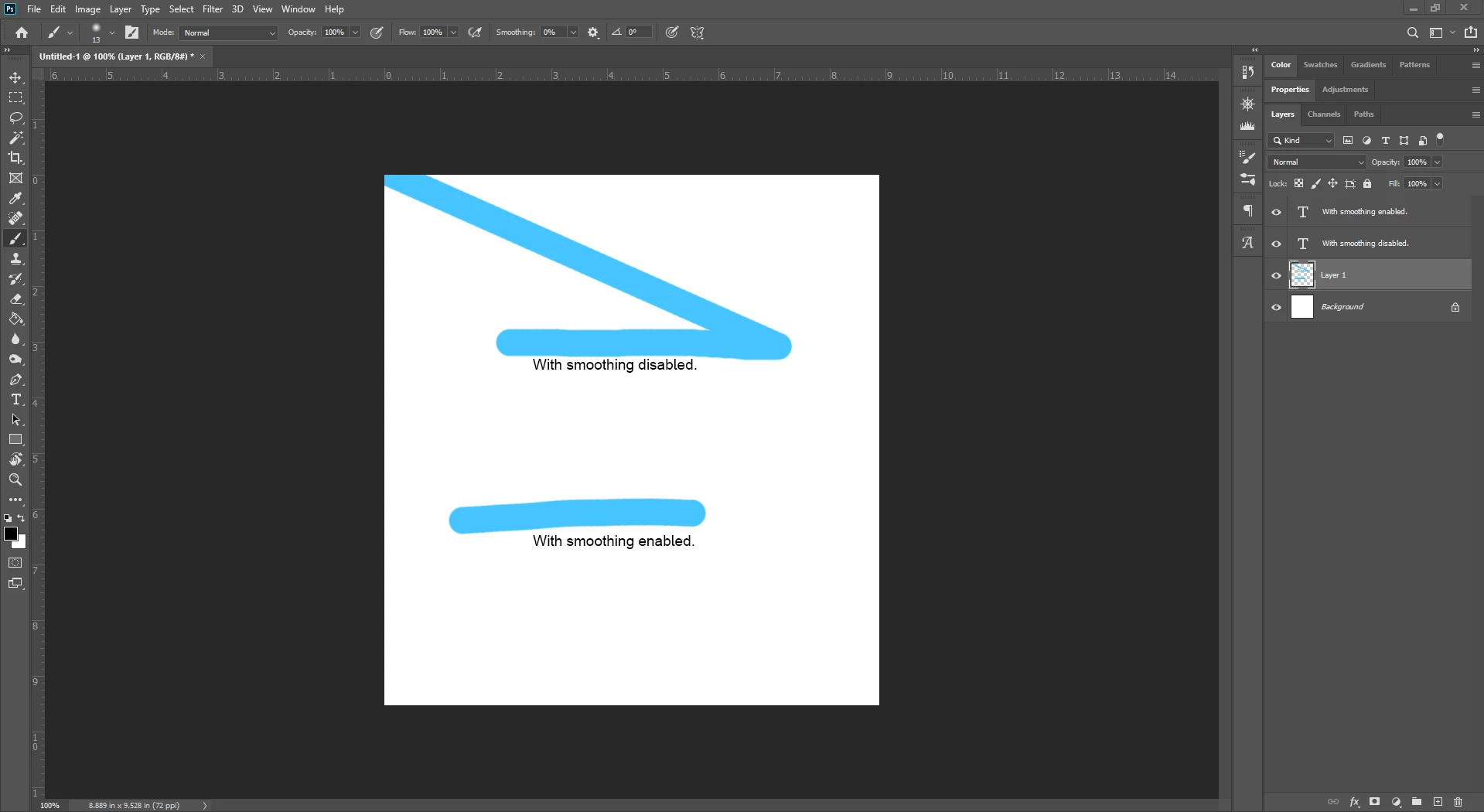
Whenever using the brush tool I get a weird ghost stroke that draws a diagonal line to the left corner of the canvas. The work around to get this to stop is to have smoothing turned on, I don't normally use the smoothing tool since it lags my computer, is there anyway to fix this without having to have the smoothing option on? Using the latest version of CC 2020 on Windows 10 Home.
This topic has been closed for replies.

3 replies

davescm
Community Expert
Community Expert
March 1, 2020

Asd an alternative to reverting, if you are using a pen and tablet with Windows 10, set the tablet to use Windows Ink (e.g for a Wacom that is in tablet properties) and make sure that any PSUserConfig.txt file, used to force the uise of Wintab, is removed from the Photoshop settings folder.

Dave

March 1, 2020

Dave that may help Windows 10 users but wont help Windows 7 users and there are other issues with this update which have been highlighted on both this forum and the feedback forum.

I went back to 21.0.3 for them very reasons, as far as I can see there's no performance improvements with this update in comparison to 21.0.3 as stated by Adobe, they only introduced more bugs.

Adobe really need to test these updates before releasing them to the public, they cause nothing but hassle and frustration for the users.

Participating Frequently
March 1, 2020

Exactly! I'm on Windows 7, pc. I am kind of surprised, I figure that Adobe knows about the problem and should've issued a fix....or maybe it is to come.


Thanks for the help, guys!

I appreciate it.


March 1, 2020

Hi

It's a known issue among other issues with the latest update, I went back to version 21.0.3 and all is good again

https://feedback.photoshop.com/photoshop_family/topics/ps-21-1-every-drawing-action-snaps-to-upper-l...

Adobe screwed up with this update big time, it's not the first and most certainly won't be the last, testing updates before release is something Adobe sadly don't do any longer. This has to be the worst update ever 👿


Participating Frequently
March 1, 2020

I'm having the same issue,

but with the lasso, and some tools (highlight, darken, saturate), also.


How do I go back to the old version?

Is there a link to it with instructions?


Thanks


March 1, 2020

From the Creative Cloud app, click on the 3 dots next to Photoshop and select uninstall

Razor1124
Participant
March 1, 2020

Having same issue since this new update.