
Participant
November 14, 2022
Answered

Ghosting when zooming or moving the picture. Help me to get rid of it.

  • November 14, 2022
  • 2 replies
  • 641 views

Hey guys. I'm having a problem with ghosting in Photoshop v24. The problem disappeares when i turn off GPU acceleration, but using only CPU is way too slow, y'know what i mean. My graphics card is RTX 3070 and i'm using the latest nvidia drivers. I need your help. What's the reason? How to fix this?
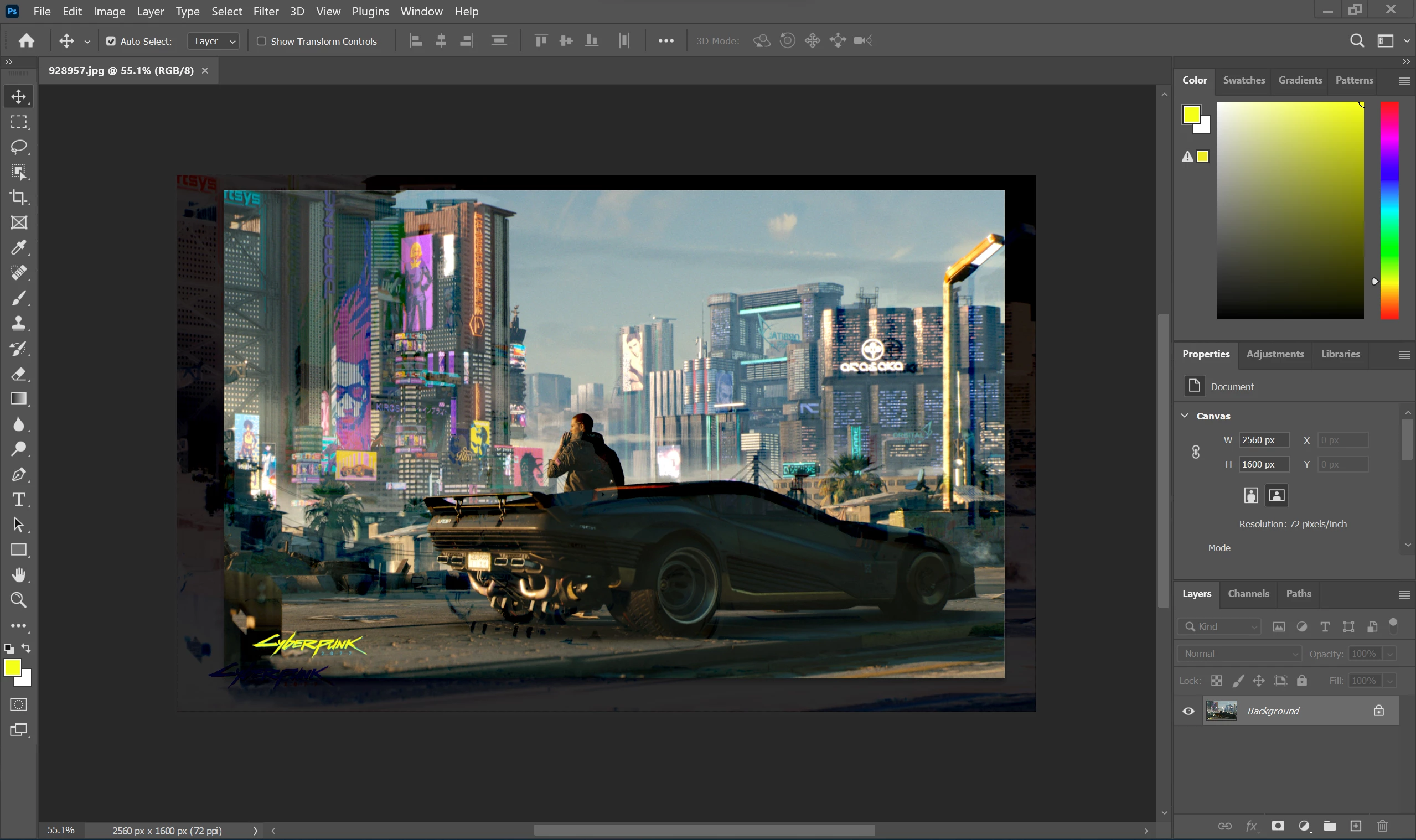
This topic has been closed for replies.
Correct answer J453

Please try the following troubleshooting steps:

  1. Go to Preferences > Technology Previews... and enable "Older GPU mode (pre 2016)" - Restart Photoshop. Does the problem persist?
  2. Go to Preferences > Technology Previews... and check "Disable Native Canvas" - then restart Photoshop. Does the problem still occur?

2 replies

Participant
November 15, 2022

I deactivatied native canvas and the issue is now fully gone. Didn't try the first option though. Thank you so much!

J453Correct answer
Legend
November 14, 2022

Please try the following troubleshooting steps:

  1. Go to Preferences > Technology Previews... and enable "Older GPU mode (pre 2016)" - Restart Photoshop. Does the problem persist?
  2. Go to Preferences > Technology Previews... and check "Disable Native Canvas" - then restart Photoshop. Does the problem still occur?