Trevor.Dennis
Community Expert
Community Expert
June 4, 2019
Answered

Giant UI Double White Arrow — Windows 10 [Not Photoshop]

  • June 4, 2019
  • 1 reply
  • 607 views

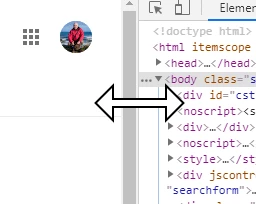
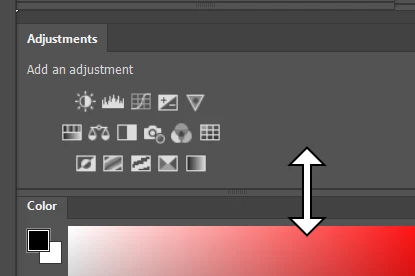
I'm sure I have had and fixed this before, but I can't find the answer now.  I thought it was only happening with the Photoshop UI, but I can make it happen in Chrome.  Hovering over the interface of any two panels brings up this ugly giant double white arrow.   You'd think it would be easy to Google, but I am obviously using the wrong search words.  Anyone know how to turn it off?
If you suggest resetting Preferences, then you will be locked in a room with a certain forum poster, and forced to hear them expound their views on the merits of various colour spaces.

For hours.

Or until you go mad.
    This topic has been closed for replies.
    Correct answer

    Hey Trevor

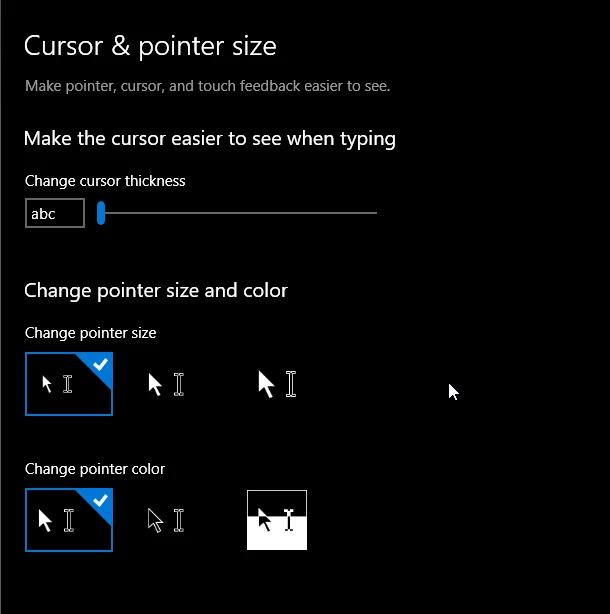
    Have you checked these settings

    Edit: even changing them settings or these setting I can't reproduce that

    1 reply

    Correct answer
    June 4, 2019

    Hey Trevor

    Have you checked these settings

    Edit: even changing them settings or these setting I can't reproduce that

    Trevor.Dennis
    Community Expert
    Community Expert
    June 4, 2019

    OK it's definitely Windows.  I've been able to get the same thing in SketchUp. 

    I was wondering about what I think might be called Windows Accessibility. A setting for visually impaired.  Unfortunately I am more Windows UI impaired, and your reply is about that feature anyway. 

    Trevor.Dennis
    Community Expert
    Community Expert
    June 4, 2019

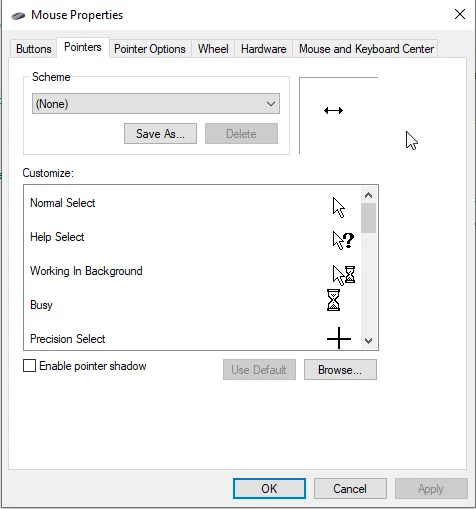
    Ah hah!  You were right.  The Horizontal Resize icon was show white, so I right clicked and set it to default.  That seems to have fixed them all. 

    I think my system was using the Magnified scheme, although I have not knowingly set that.  It is probably a keyboard shortcut erroneously applied by my fingers being faster than my brain.  I swapped out that Logitech G910 that was giving me double space problems, and while the Corsair K95 I am now using is nice, I am still not getting it right all the time.  The worst problem is that I keep turning on Caps Lock when trying to hit the 'A' key.  

    At least no one had to be locked in a room with Dag.