
Answered
Gif size optimization
Hi all,
I use Photoshop CC 14.1.2 on Mac and have trouble understanding the Gif optimisation.
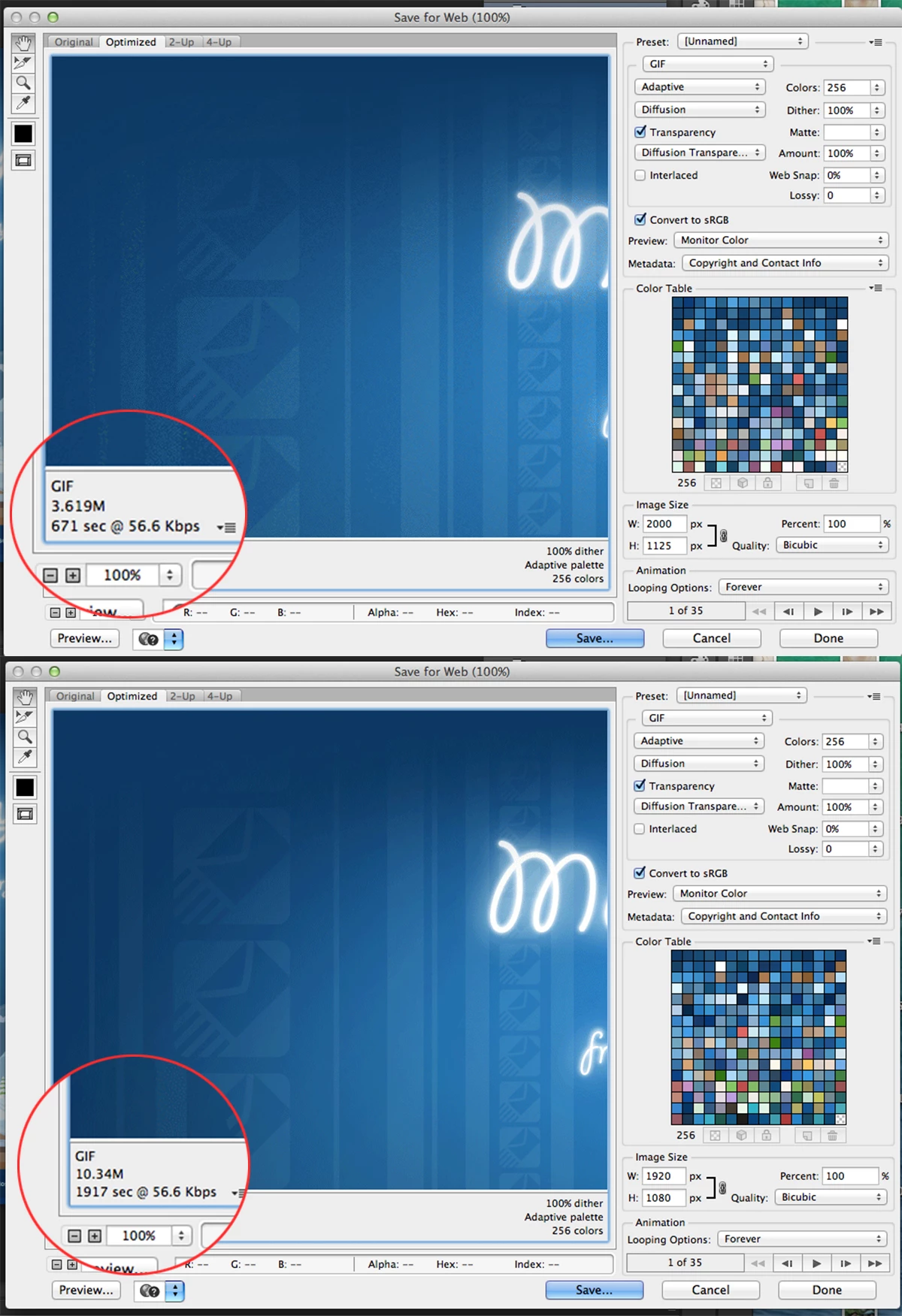
below are two screenshots of the same gif I created. One was optimised already and now Im trying to do it again from the same file but the size is much bigger even though the setting are the same. I honestly cannot figure out what Ive done differently before as the gif was not changed at all from that time.
I have now trouble to figure out how to optimise the new big file to be similar small size. Ive noticed that the difference between the two is left corner information about sec per kb.
My question is how one is able to control this value? I couldnt seem to find any information what is responsible for it. Help ?
 AdChoices