
kylef16925292
Participant
July 22, 2021
Answered

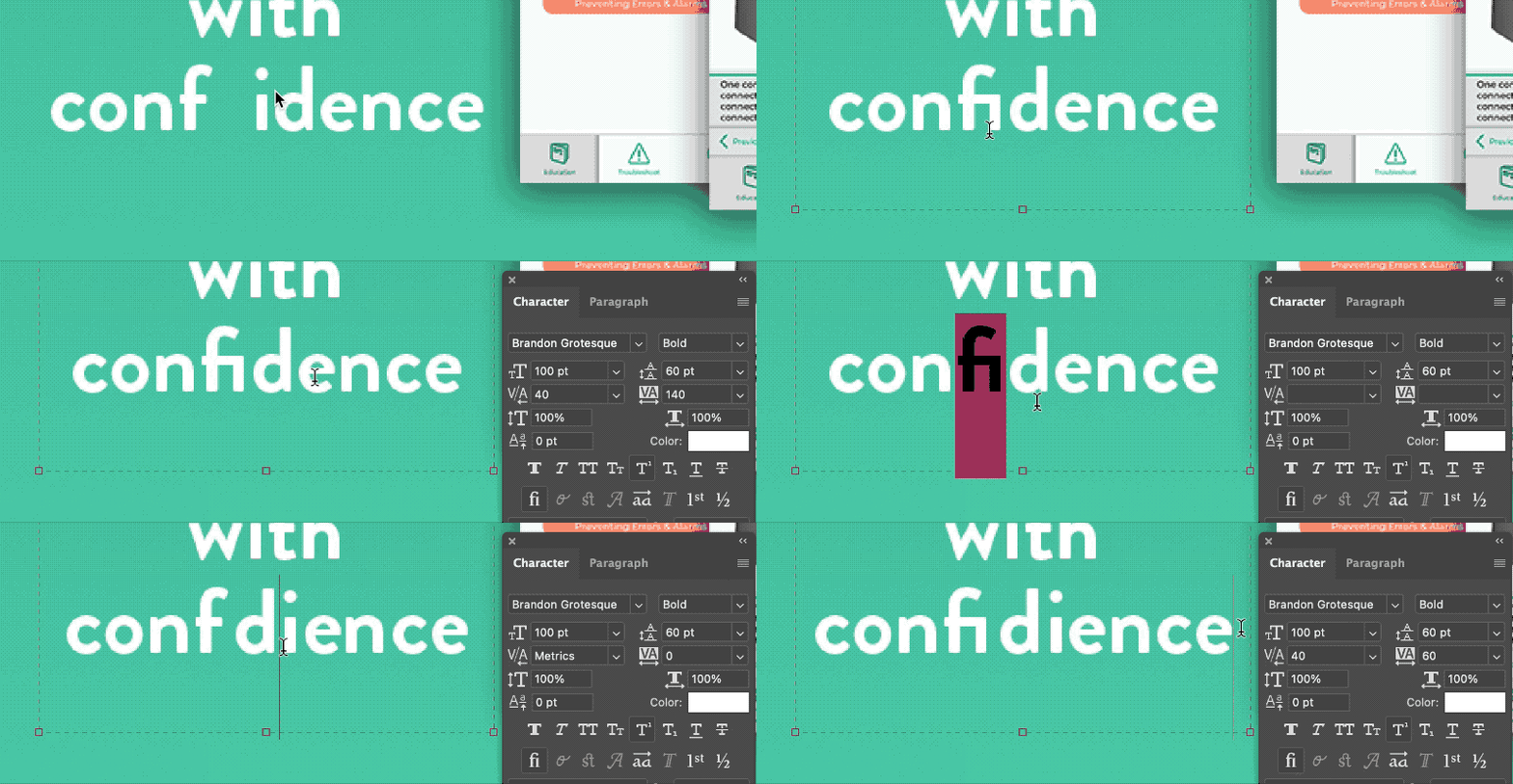
Glyphs are replacing text, even when that functionality is disabled [see animated GIF example]

  • July 22, 2021
  • 2 replies
  • 1176 views

This is happening with various typefaces that have glyphs for certain character combinations. I am trying to type the word "confidence", but it keeps turning the "fi" into a glyph that merges them into some kind of single character. I assume this character exists for another alphanumerical language, but obviously is a neusense for english writing.


NOTE: I have disabled this feature under Photoshop>Preferences>Type>Enable Type Layer Glyph Alternates... With that enabled or disabled, the same behavior persists; even if I type the word fresh into a new text box. This also occurs with other typefaces (e.g. Myriad pro, Lato, etc...) but not with those that don't appear to have that "fi" glyph (e.g. Arial).
 

Correct answer Kukurykus

Look at left bottom corner of your 'Character' panel and (un)click there 'fi' icon 😉

2 replies

kylef16925292
Participant
July 22, 2021

Okay so apparently there's a dedicated "fi" button that I overlooked, which was enabled by default (no idea why).


Mods feel free to mark this solved. It doesn't appear to allow me to edit or delete my original post.

jane-e
Community Expert
Community Expert
July 22, 2021


@kylef16925292 wrote:

Okay so apparently there's a dedicated "fi" button that I overlooked, which was enabled by default (no idea why).


What you are seeing is not "Glyph Alternates", but instead "Ligatures". The reason they are enabled by default is because they are proper typography. See this article and examples by expert Nigel French:

Taking Typography to the Next Level

You can turn them off, of course, but first you might want to pick up a couple of books or magazines and flip through them.


~ Jane

kylef16925292
Participant
July 23, 2021

Thank you, and I appreciate the insight.


Do any of the Adobe products employ a feature where the ligature is ignored when character spacing is above/below a specific value?

Kukurykus
KukurykusCorrect answer
Legend
July 22, 2021

Look at left bottom corner of your 'Character' panel and (un)click there 'fi' icon 😉