Participating Frequently
February 15, 2021
Question

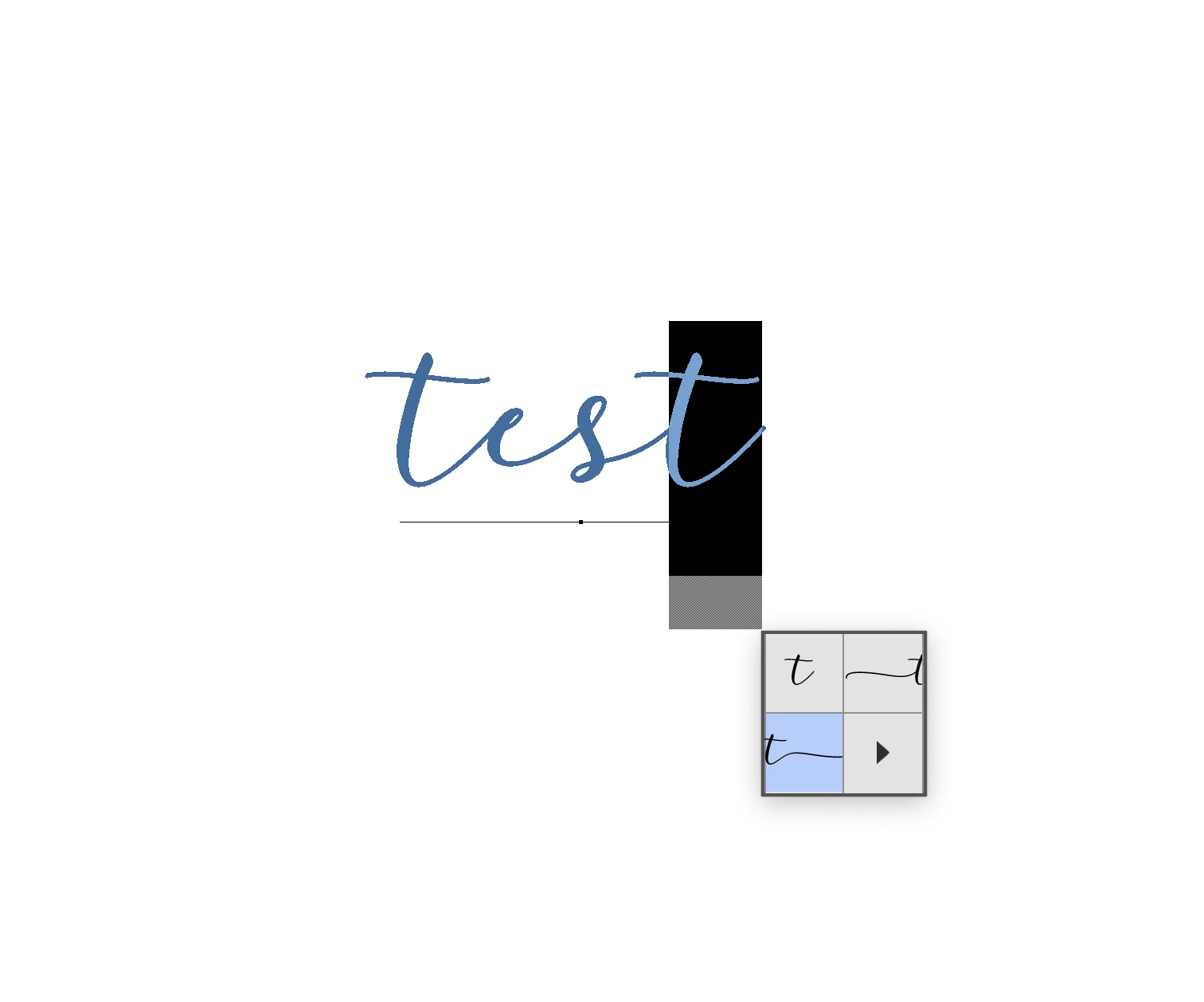
Glyphs don´t work

  • February 15, 2021
  • 2 replies
  • 640 views

Hi,

I'm trying to use the Glyphs in Psd but they dont work. I can see the diferente possibility's but when selected nothing works. I'm using Adobe Photoshop Version: 22.1.1 20210104.r.138

Thanks.
This topic has been closed for replies.

2 replies

Mohammad.Harb
Community Expert
Community Expert
February 15, 2021

Have you tried adding it from the glyphs panel?

Participating Frequently
February 23, 2021

Yes. I think the problem is the font. 

jane-e
Community Expert
Community Expert
February 15, 2021

Hi @ruit61372899 

What typeface are you using?

~ Jane

Participating Frequently
February 15, 2021

I tryed 2 types of Font. darloune and Shorelines and nothing works. I think its not about the font.

jane-e
Community Expert
Community Expert
February 15, 2021

Hi


They are not from Adobe Fonts, so I can't download them to test. Here's what it looks like to me, but this is a guess:


The "t" has three glyphs. It looks like one has a trailing connector, one a leading connector, and one has no connector, but I'm not sure.


  • Try typing a letter after the second "t" in "test", then apply the three glyphs. Does anything change?
  • Select the word, then go to Type > OpenType. The features that are in black are that ones the designer built into the type. What is available and what is checked?


~ Jane
