Participant
July 21, 2022
Answered

Glyphs panel missing in Spanish version of PS 23.4.2

  • July 21, 2022
  • 2 replies
  • 473 views

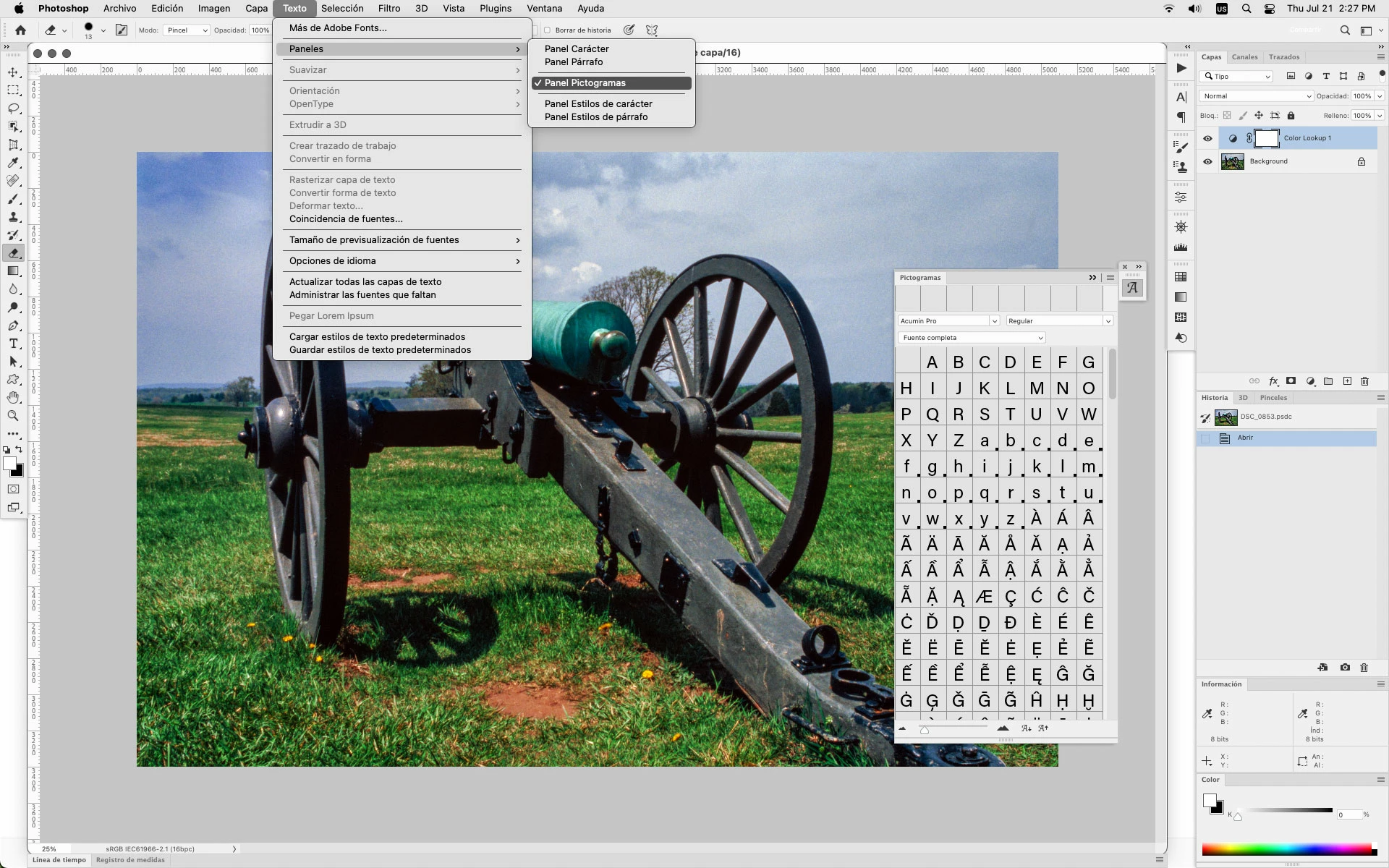
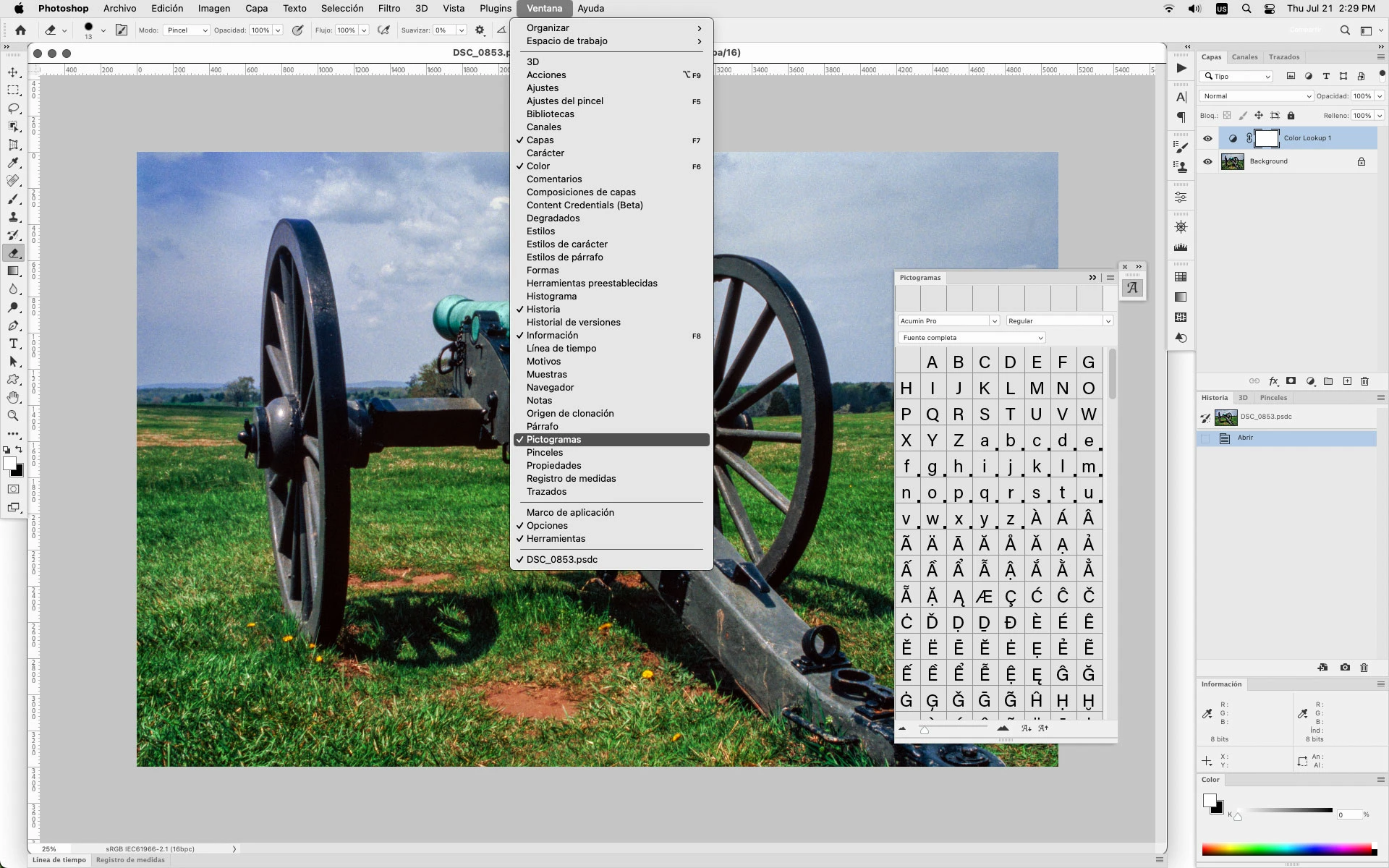
Buenos dias, utilizo Photoshop versión 23.4.2, en español en mi ordenador Windows 11  y no puedo abrir el panel Glifos.  Cuando abro Window o Ventana,  teniendo la selección activa de texto no me aparece en la lista Glifos, aunque si aparece Pictogramas. Según las instrucciones en ingles que Customer Service me ha enviado la secuencia debe ser Window>Type&Table>Glyphs pero en mi lista no aoparece nada por el estilo en español


[Subject edited by moderator. Was "Glyphs panel". Moved from Discussions to Bugs.]


This topic has been closed for replies.
Correct answer Jeff Arola

Pictogramas, if i'm not mistaken, is the Glyphs panel.


2 replies

Jeff Arola
Community Expert
Jeff ArolaCommunity ExpertCorrect answer
Community Expert
July 21, 2022

Pictogramas, if i'm not mistaken, is the Glyphs panel.


jane-e
Community Expert
Community Expert
July 21, 2022

@Gerardo21956399p15d wrote:

Good morning, I use Photoshop version 23.4.2, in Spanish on my Windows 11  computer and I can not open the Glyphs panel.  When I open Window or Window,  having the active selection of text does not appear in the Glyphs list, although Pictograms do appear. According to the instructions in English that Customer Service has sent me the sequence must be Window>Type & Table>Glyphs but in my list nothing like that appears in Spanish


Photoshop does not have tables. Those are the instructions for InDesign.


To access the Glyphs panel in Photoshop, try:

  • Type menu > Panels > Glyphs panel
    or
  • Window menu > Glyphs


Jane


Participant
July 21, 2022
Hello Jane,

Thanks for your answer but when I open in Photoshop Type> Pannels Glphys does not appear and when I open Window Glphys is not in the list. Looks like this versión of Photoshop 23.4.2, actualized today, has not glyphs function wich is really strange

Regards.

Gerardo.


Enviado desde Correo para Windows
jane-e
Community Expert
Community Expert
July 21, 2022

@Gerardo21956399p15d 


I wonder if it's a bug in the Spanish version.  Can you show screenshots similar to these two so we can see what you are seeing?


Jane