
Question
Gradient Background Not Exporting
I'm working on a design that has a number of layers defined as knockout in order for a gradient below to show through.
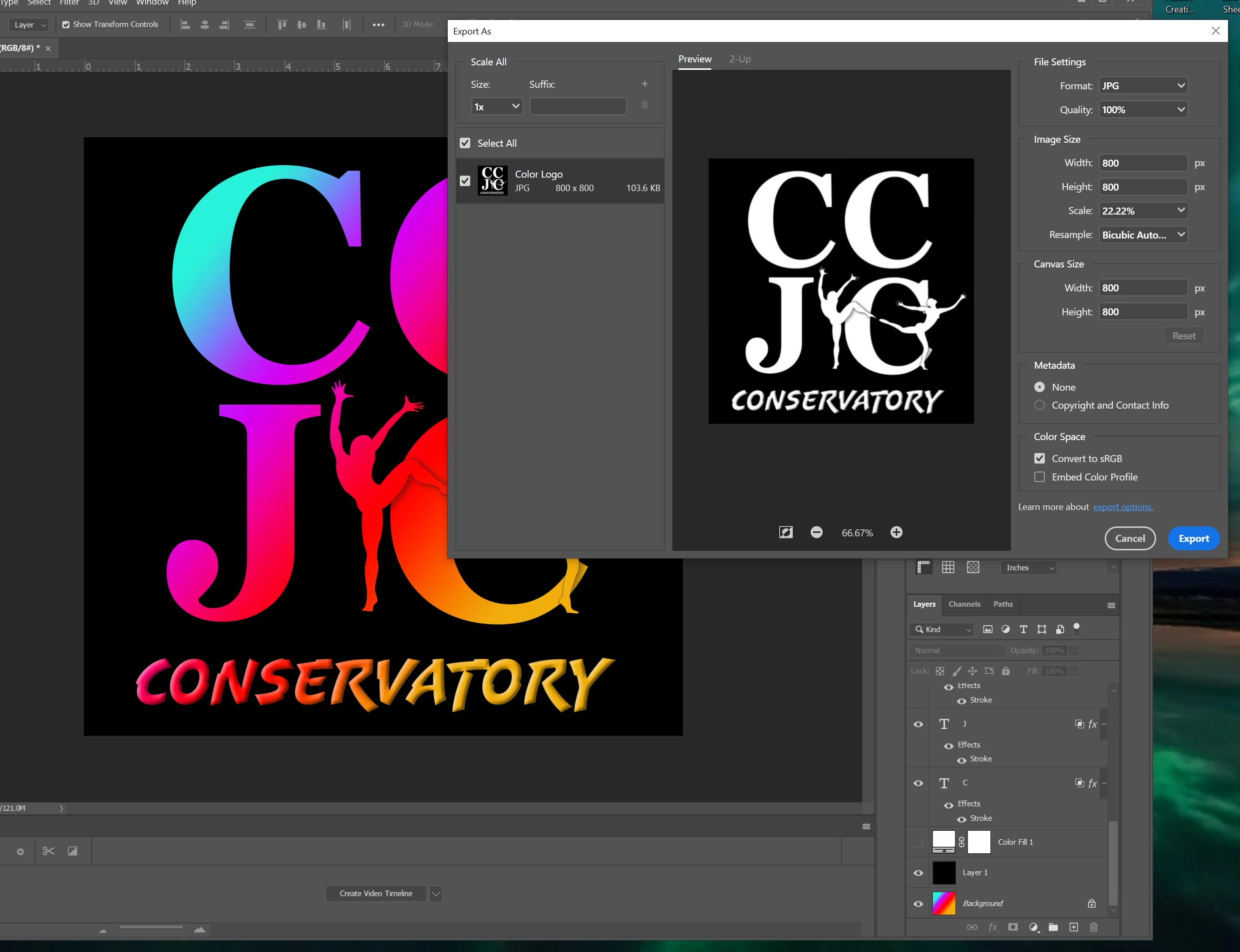
After updating, I'm unable to expoxt the image and have the gradient come along with it. You can plainly see this in the image below. Doesn't matter the format chosen for the export. The gradient is simply white.
HOWEVER, "Save for Web (Legacy)" saves with the gradient, and simply doing "Save As" (jpeg or whatever) also saves correctly. It's only the "Export" function that isn't working.
Is there a setting somewhere that's changed and I'm simply not seeing it, or do we have a bug?
Photoshop Version 21.0
Windows 10 - version 1903
AMD Ryzen 7 1800X
 AdChoices