
Answered
Gradient Issue
These two look same. Upper left corner gradualy become white in bottm right corner. How to change one of it inversely?
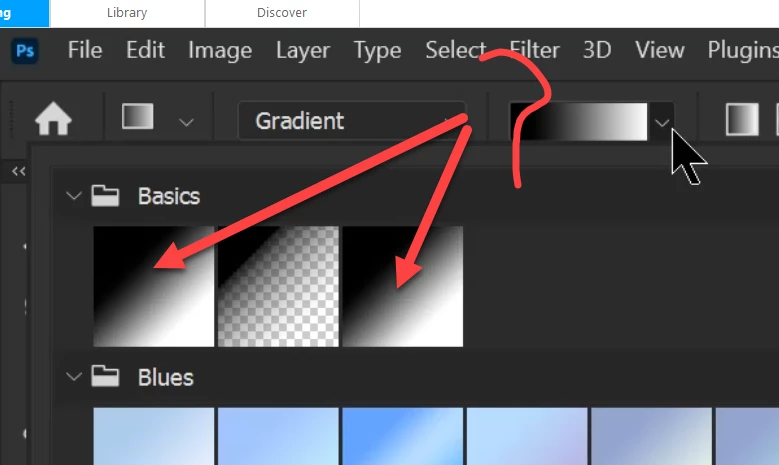

These two look same. Upper left corner gradualy become white in bottm right corner. How to change one of it inversely?
It's basically the same thing, but you need to apply the gradient creating a gradient layer with it. When you do that, the editor opens in the Properties Panel. You can simply click to turn on Reverse, or double click the swatches under the gradient to edit the colours to anything you like.
Double clicking the eye icon of the gradient layer opens the full gradient editor, but it's still the same thing.
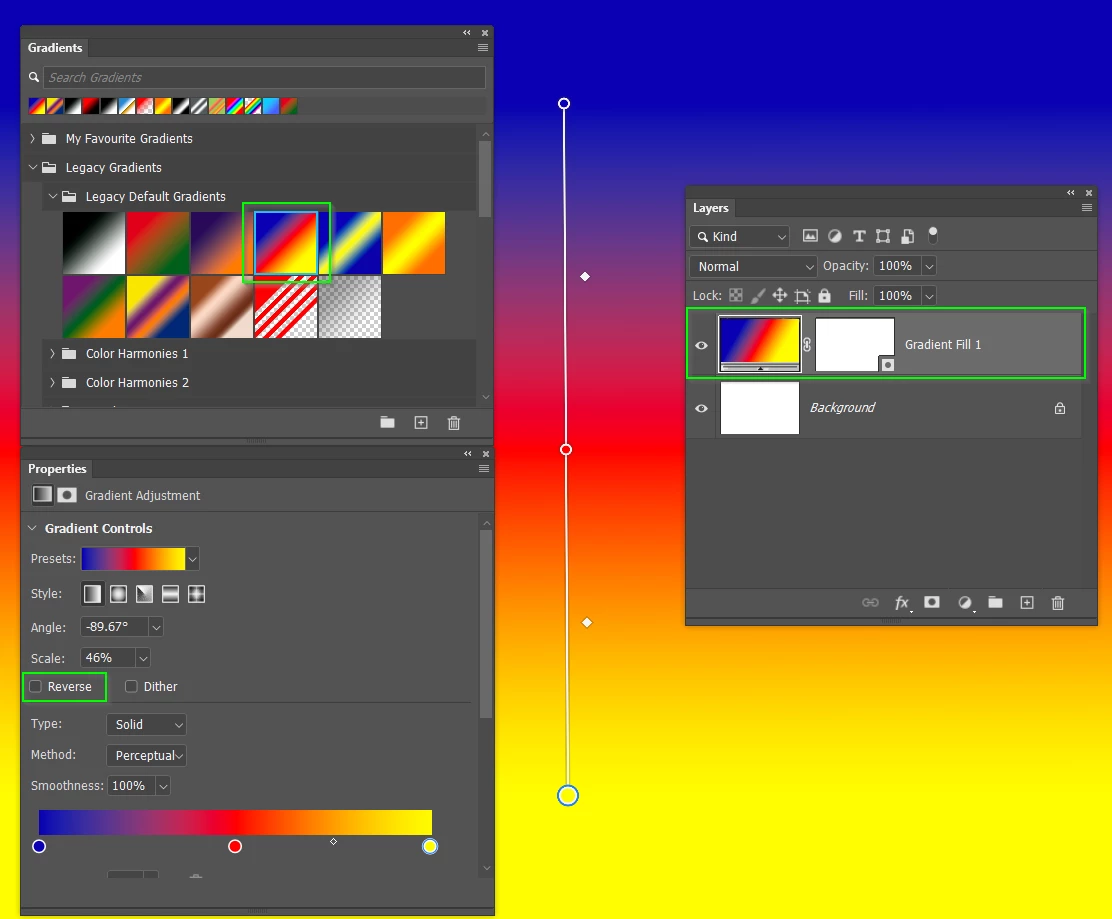
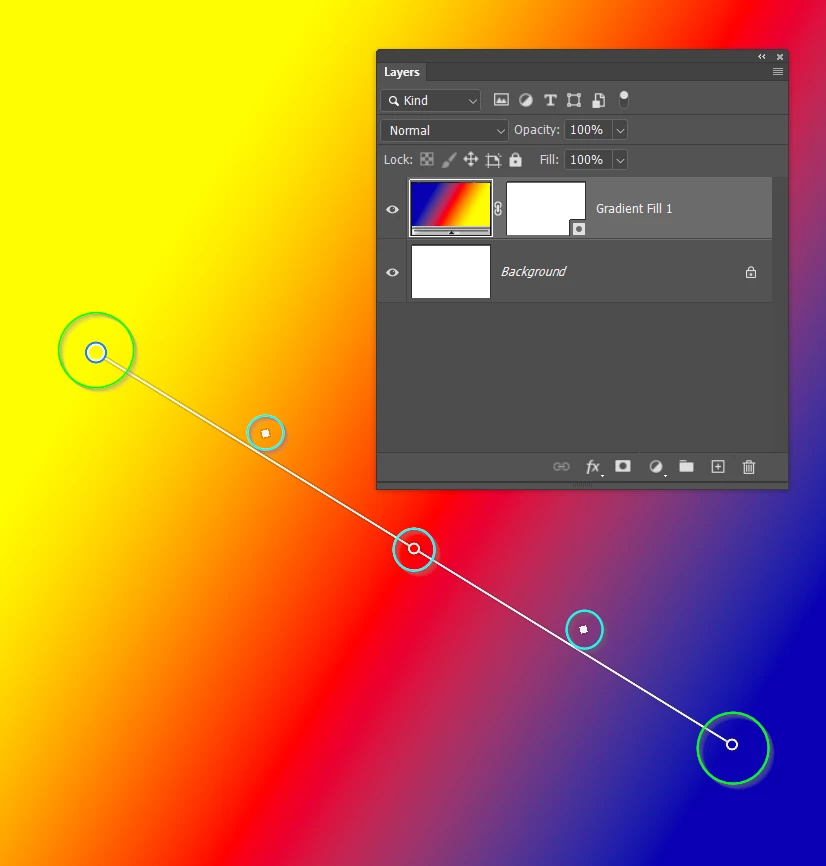
Never forget how powerful and flexible this new gradient tool is. You can drag the end handles (my green highlight) to adjust the angle to anything you want. You can drag the in between handles (my cyan highlight) to adjust the gradient movinging the colour transition points. The people who have wimped out by choosing Classic Gradient mode don't know what they are missing, and there is nothing remotely hard about it.
Already have an account? Login
Enter your E-mail address. We'll send you an e-mail with instructions to reset your password.
 AdChoices